AI background changer: swap any background
Remove the background, drop your subject into a new scene, or get a clean studio backdrop: just describe it. No green screen, no manual cut-outs, no Photoshop.
What is an AI background changer?
An AI background changer is a tool that separates the subject of a photo from what is behind it and replaces the background with a new scene, a plain color or nothing at all. In EditAI you upload a photo, describe the new background, and get the result in about a minute, with the light on the subject matched to the new scene. It works on people, pets and products, with no green screen.
AI background changer before and after
Real background swaps made inside EditAI. Each one used only the prompt shown under it.
 Before
 After
AfterDog moved to a snowy mountain trail
Grok Imagine“Change the background to a snowy mountain trail, keep the dog exactly the same”Try this prompt →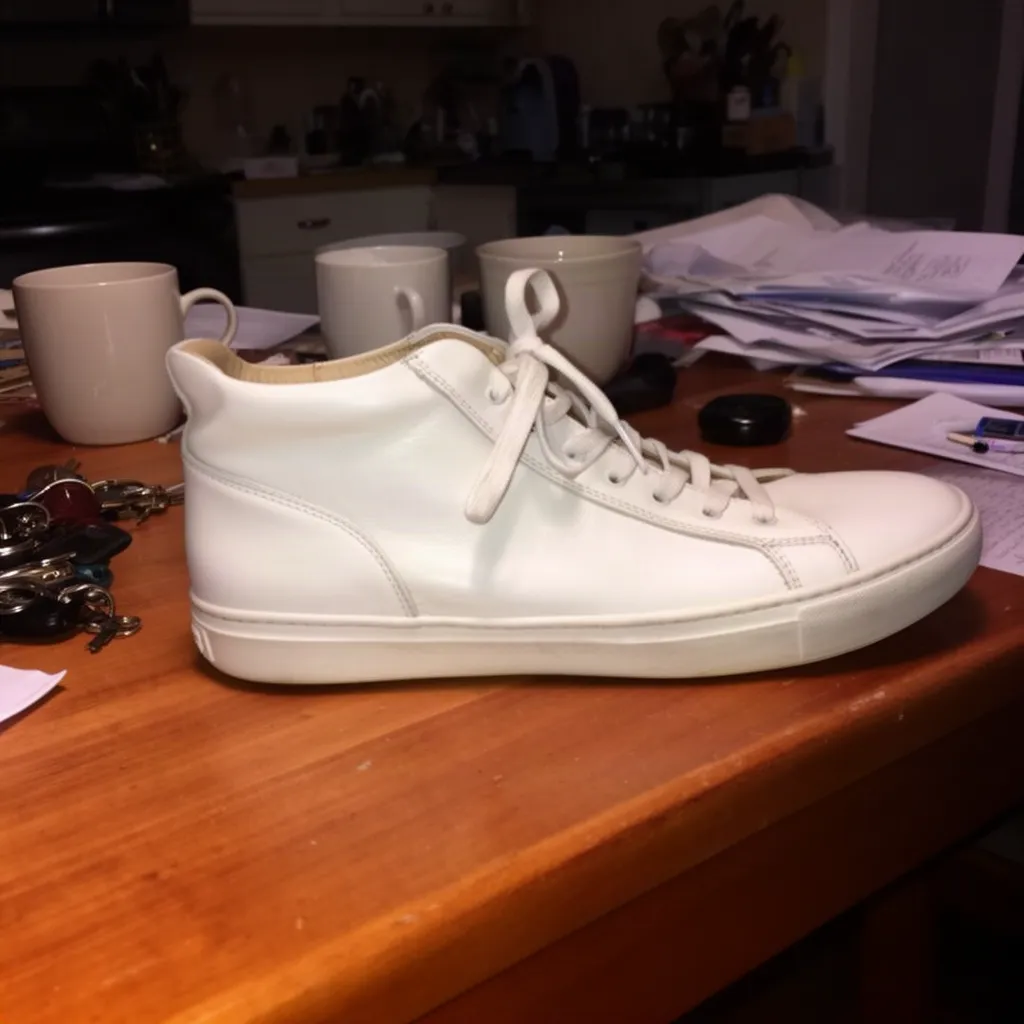 Before
 After
AfterSneaker on a pastel pink backdrop
Nano Banana 2“Keep only the white sneaker exactly as it is and replace everything else (table, mugs, keys, papers, kitchen) with a clean seamless pastel pink studio backdrop, soft even light, subtle shadow under the shoe”Try this prompt → Before
 After
AfterPortrait moved to a tropical beach
Nano Banana 2“Keep the same man and face, make him smile, and change the background to a sunny tropical beach”Try this prompt →Before After
AfterProduct ad on an ocean rock at sunrise
Seedream 4.5“Place the same sneaker on a wet black rock by the ocean at sunrise, advertising photo, dramatic light”Try this prompt →AI background changer at a glance
| What it does | Replaces the background with a new scene or a plain studio color, or removes it for a clean cut-out |
|---|---|
| What stays | The subject: faces, hair edges, fur and product details |
| Models used | Grok Imagine, Nano Banana 2 and Seedream 4.5 in the examples above, plus a dedicated background remover for cut-outs |
| Green screen | Not needed. The AI finds the subject on any background |
| Good for | Product listings, profile photos, pet photos, travel shots and social posts |
| In EditAI | Included in the Starter and Pro plans, on web, iPhone and Android. Nano Banana 2 and Seedream 5 are Pro models |
Ways to change a background
Remove the background
Get a clean cut-out of a person, a pet or a product.
Replace it with a scene
Beach, office, city at night or mountains: describe it and the AI places your subject there.
Studio backdrops
Plain white, grey or pastel sets for product listings and profile photos.
Swap the sky
Turn a flat grey sky into golden hour or a clear blue day.
How it works
Three steps. Most edits are ready in about a minute.
Upload your photo
Any JPG or PNG from your phone or computer. No green screen needed.
Remove or describe
Ask to cut it out, or type the new background you want.
Download
Get the cut-out or the new scene in about a minute, then download it in high resolution.
Background prompts to start from
Click a prompt to open it in the editor with your own photo.
Questions
How do I change the background of a photo with AI?
Upload the photo to the EditAI Studio and describe the new background, like “change the background to a beach at sunset”. The AI keeps your subject and builds the new scene around it.
Can I replace the background with a new scene?
Yes. Describe a beach, a studio, an office or anything else, and the AI places your subject there with matching light.
Can I just remove the background?
Yes. Ask to remove the background and you get a clean cut-out of the subject, ready for a product listing or a design.
Do I need a green screen?
No. It separates the subject from any background automatically, with no green screen or manual masking.
Is it good for products and profile photos?
Yes. Use clean white or pastel backdrops for e-commerce, and neutral backdrops for profile and team photos.
How much does it cost?
Background changes are included in the EditAI plans: Starter at $4.99 a month (50 edits a day) and Pro at $9.99 a month (300 edits a day plus the premium models Seedream 5 and Nano Banana 2). You can cancel any time.