Edit your photos with GPT Image 2
Upload a photo, write what you want, and GPT Image 2 does the edit. It is great at clean product shots, readable text on images and full style changes. No ChatGPT account needed.
What is GPT Image 2?
GPT Image 2 is OpenAI's image model for creating and editing pictures from text instructions. In EditAI you use it on your own photos: upload an image, describe the change in plain words, and you get the edited version in one to two minutes. It is one of several models in EditAI, together with Nano Banana 2, Seedream 5 and Grok Imagine.
GPT Image 2 before and after
Real edits made with GPT Image 2 inside EditAI. Each one used only the prompt shown under it.
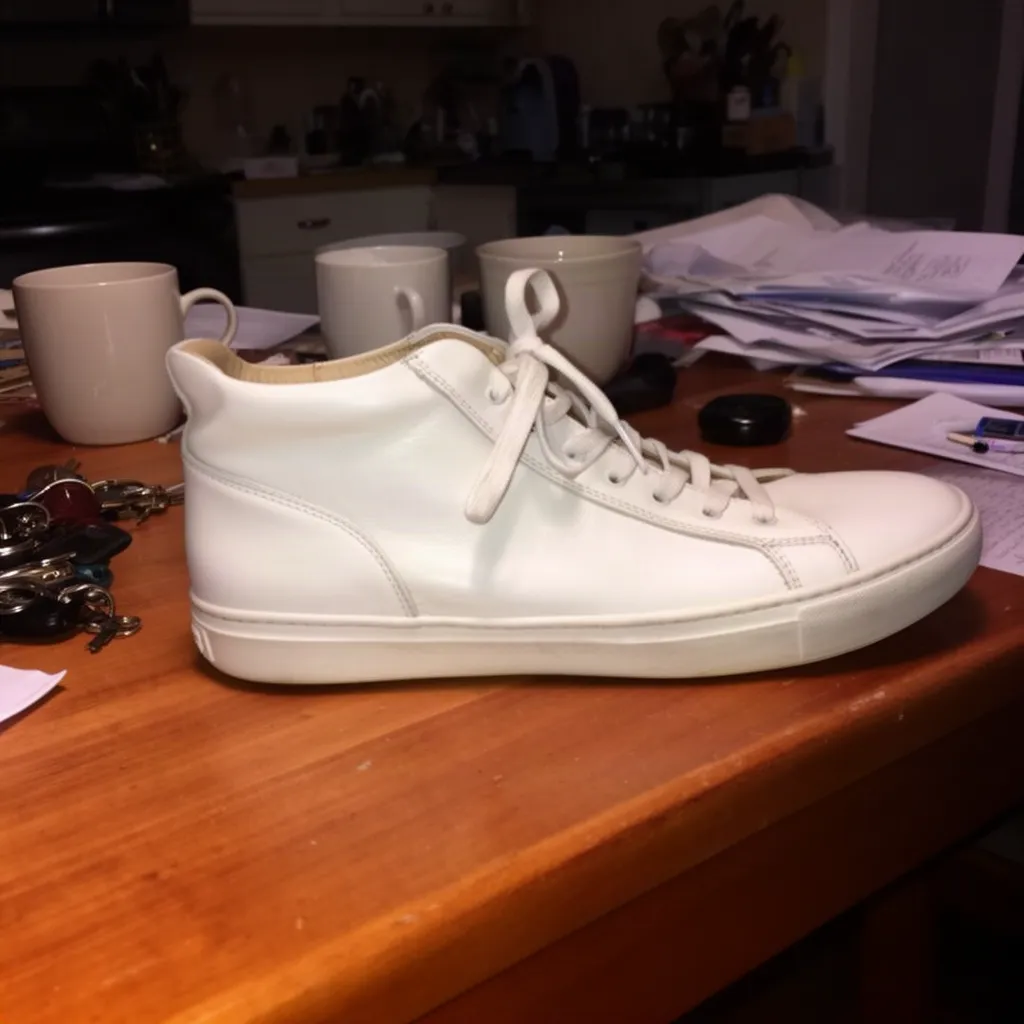 Before
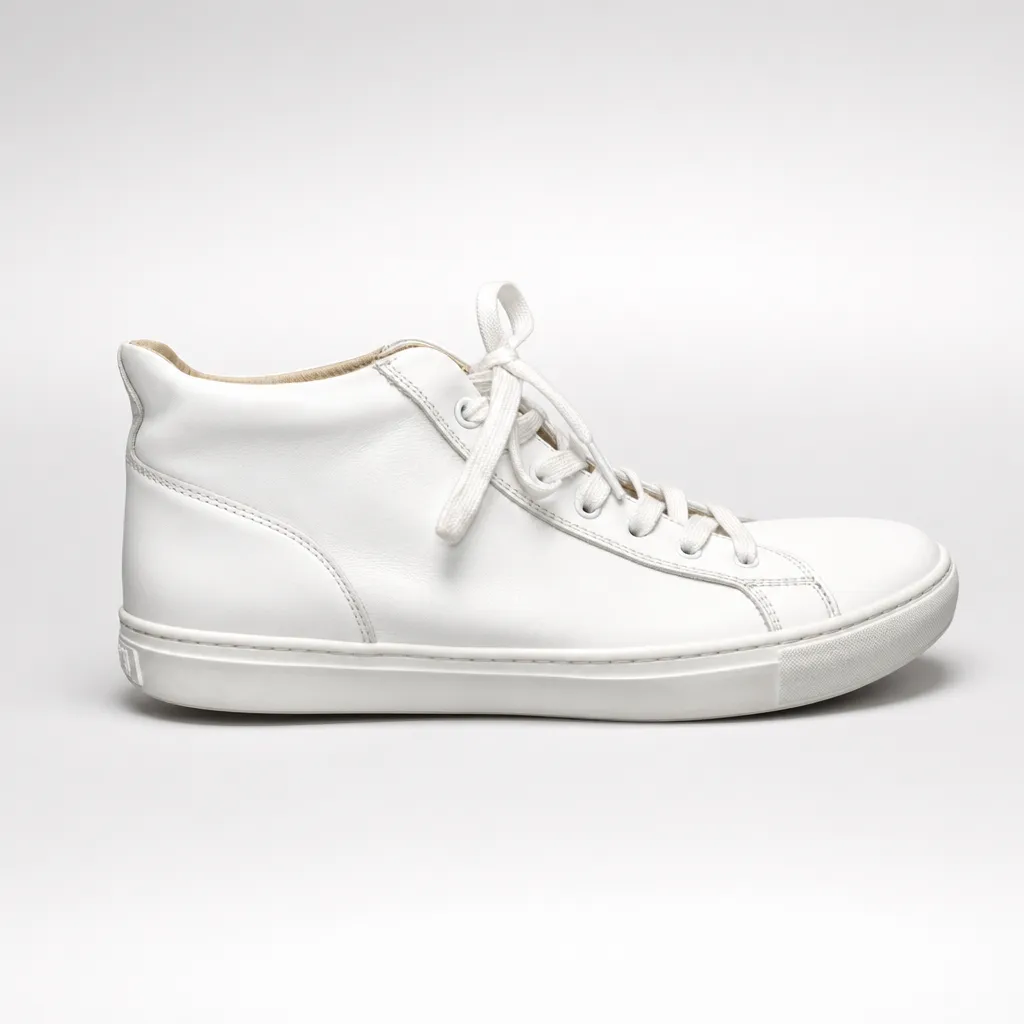 After
After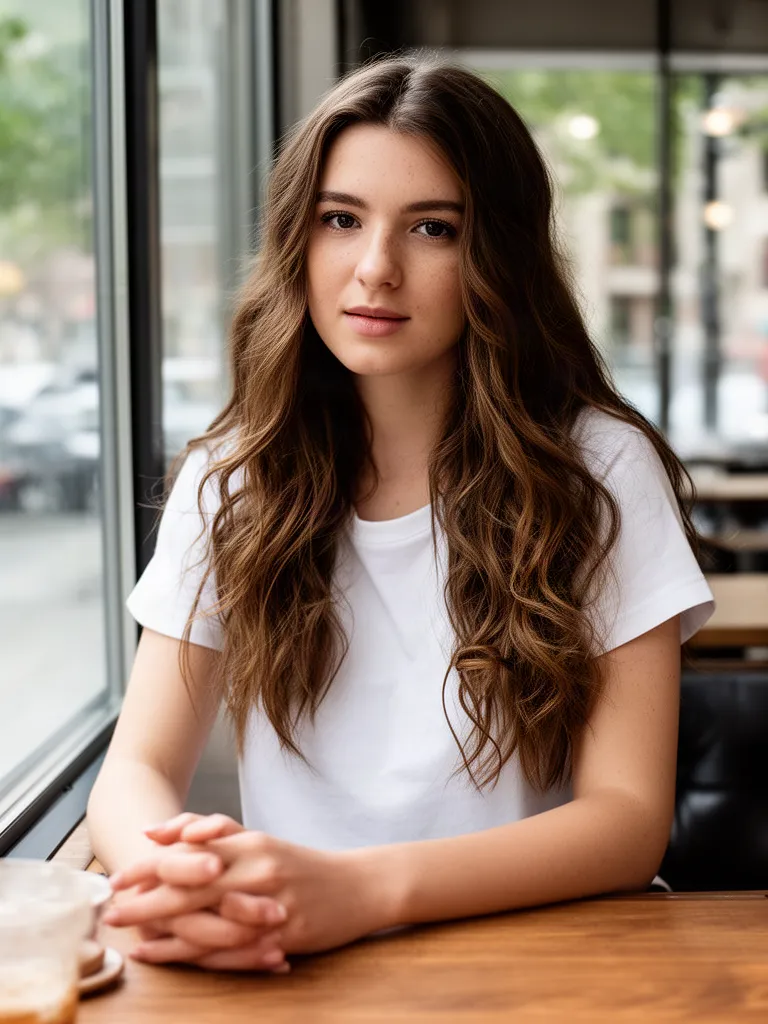 Before
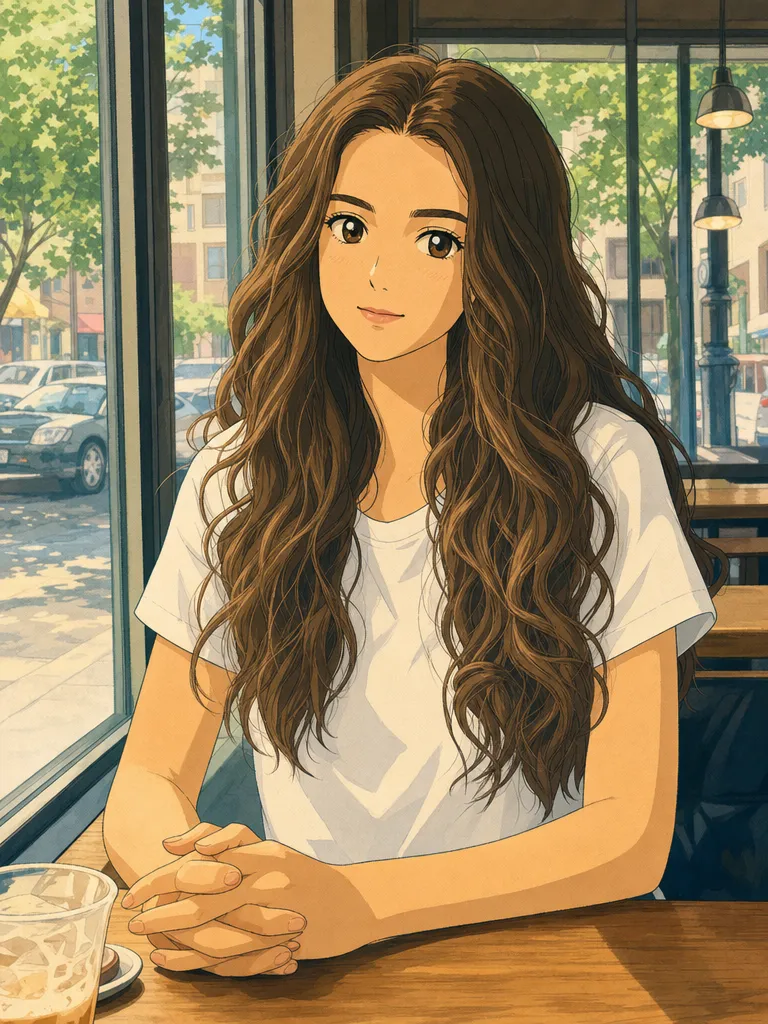 After
After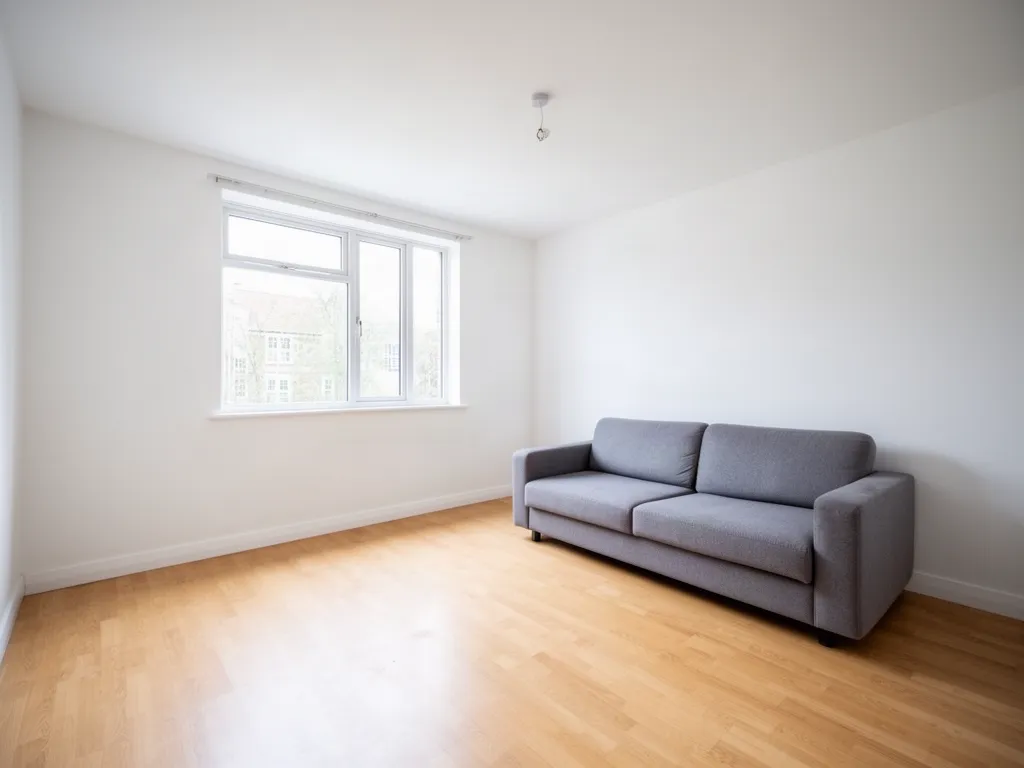 Before
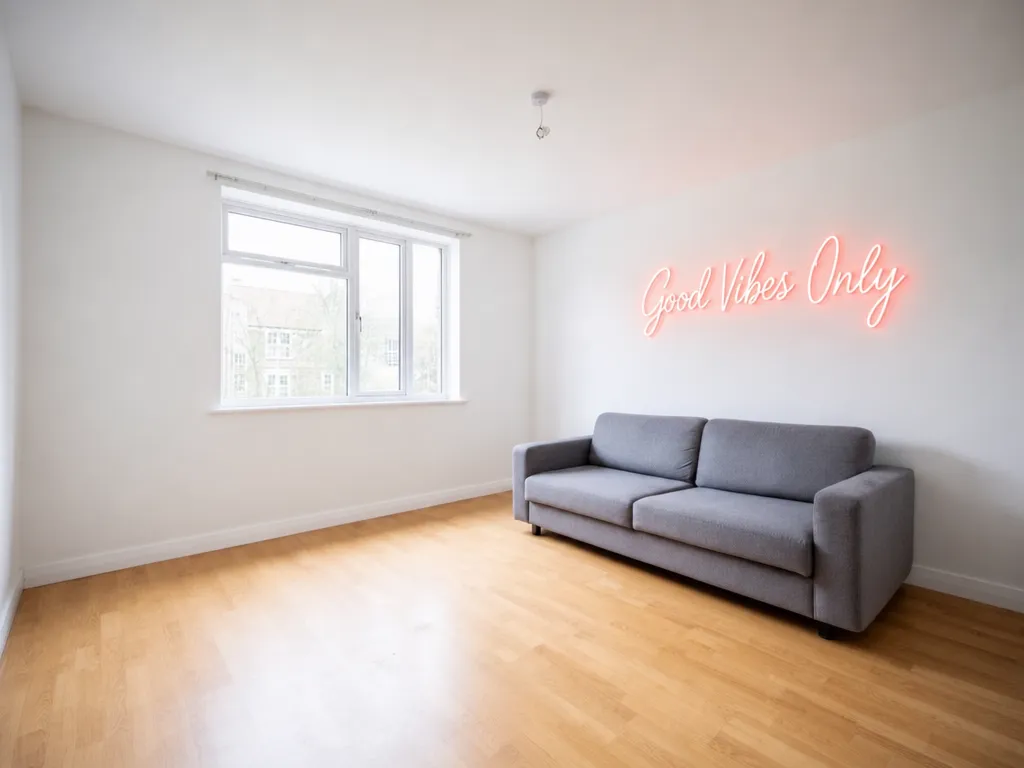 After
After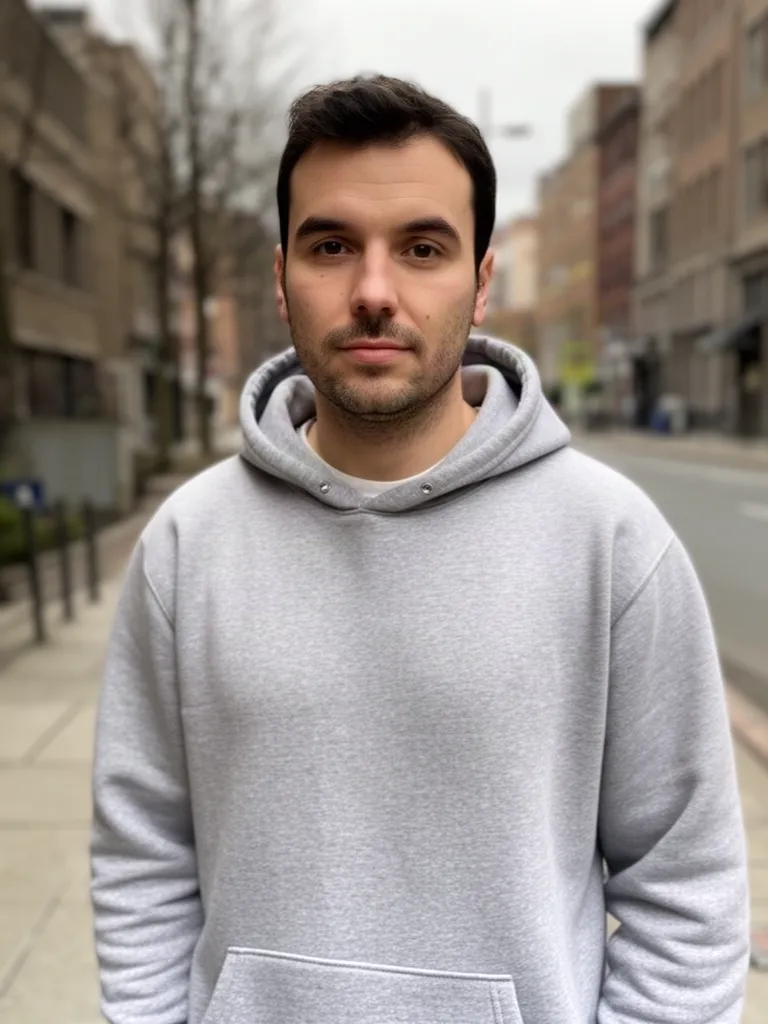 Before
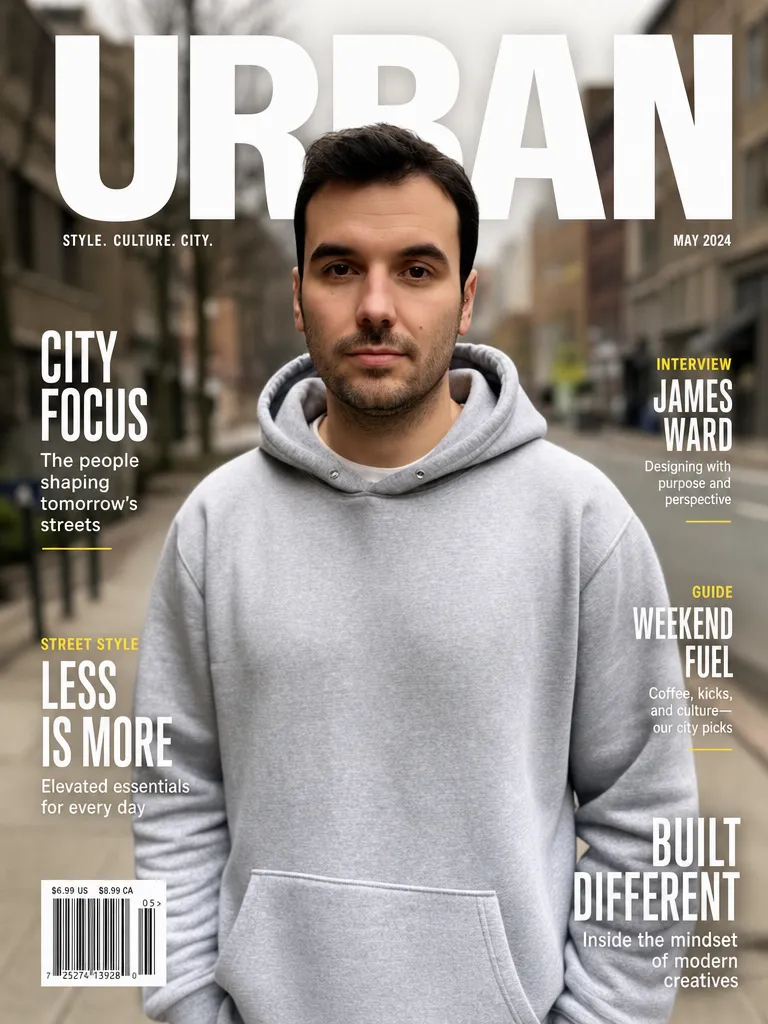 After
AfterGPT Image 2 at a glance
| Made by | OpenAI |
|---|---|
| Best at | Text inside images (signs, covers, labels), product photos, illustrations and full restyles |
| Edits your own photos | Yes: upload any JPG or PNG and describe the change |
| In EditAI | Included in the Starter and Pro plans, on web, iPhone and Android |
| How to pick it | Click any “Try this prompt” link on this page, or start your prompt with use gptimage2 |
| Compare it | See the same photo edited by four models on AI image models compared |
What GPT Image 2 is good for
Product photos
Turn a phone snapshot into a clean e-commerce shot on a studio background.
Text that reads right
Signs, posters and magazine covers with the exact words you ask for.
Full style changes
Ghibli, anime, watercolor or 3D, keeping the pose and composition.
Clothes and details
Swap outfits, colors and objects while the rest of the photo stays.
Rooms and spaces
Add decor, signs or furniture to interiors for listings and mockups.
Ads and covers
Quick creatives for social posts, thumbnails and ads from one photo.
How it works
Three steps. Most edits are ready in about a minute.
Upload a photo
Open the Studio and drop in a JPG or PNG from your phone or computer.
Describe the edit
Write what to change, or click a prompt on this page to pre-fill it with GPT Image 2.
Download
Get the result in one to two minutes, keep refining, then download it in high resolution.
GPT Image 2 prompts to start from
Click a prompt to open it in the editor with your own photo.
Questions
Can I use GPT Image 2 on my own photos?
Yes. Upload a photo in the EditAI Studio and describe the change. GPT Image 2 edits your image instead of creating a new one from scratch.
Do I need a ChatGPT or OpenAI account?
No. GPT Image 2 runs inside EditAI, so you only need an EditAI account and plan.
Is GPT Image 2 good at text in images?
It is one of the best models for readable text: signs, posters, labels and covers usually come out with the exact words you ask for. Put the text in quotes or after “reads exactly”.
How much does it cost?
GPT Image 2 is included in the EditAI plans: Starter at $4.99 a month (50 edits a day) and Pro at $9.99 a month (300 edits a day). You can cancel any time.
GPT Image 2 or Nano Banana 2: which is better?
GPT Image 2 is stronger on text and stylized results, Nano Banana 2 is better at keeping a face identical across edits. See both on the same photo on our comparison page.