AI photo editing prompts that work
Copy a prompt, upload your photo and get the edit in about a minute. Every prompt on this page opens in the EditAI Studio ready to use, and the examples show the real result.
How do I write a good AI photo editing prompt?
An AI photo editing prompt is a plain-language instruction that tells the AI what to change in your photo. A good one is specific about the change (what, where, which color or style) and also says what must stay the same, like the face, the pose or the background. For example: “Change my jacket to black leather, keep my face and pose exactly the same.”
Prompts with real results
Each edit below was made in EditAI with the exact prompt shown under it. Click “Try this prompt” to use it on your own photo.
 Before
 After
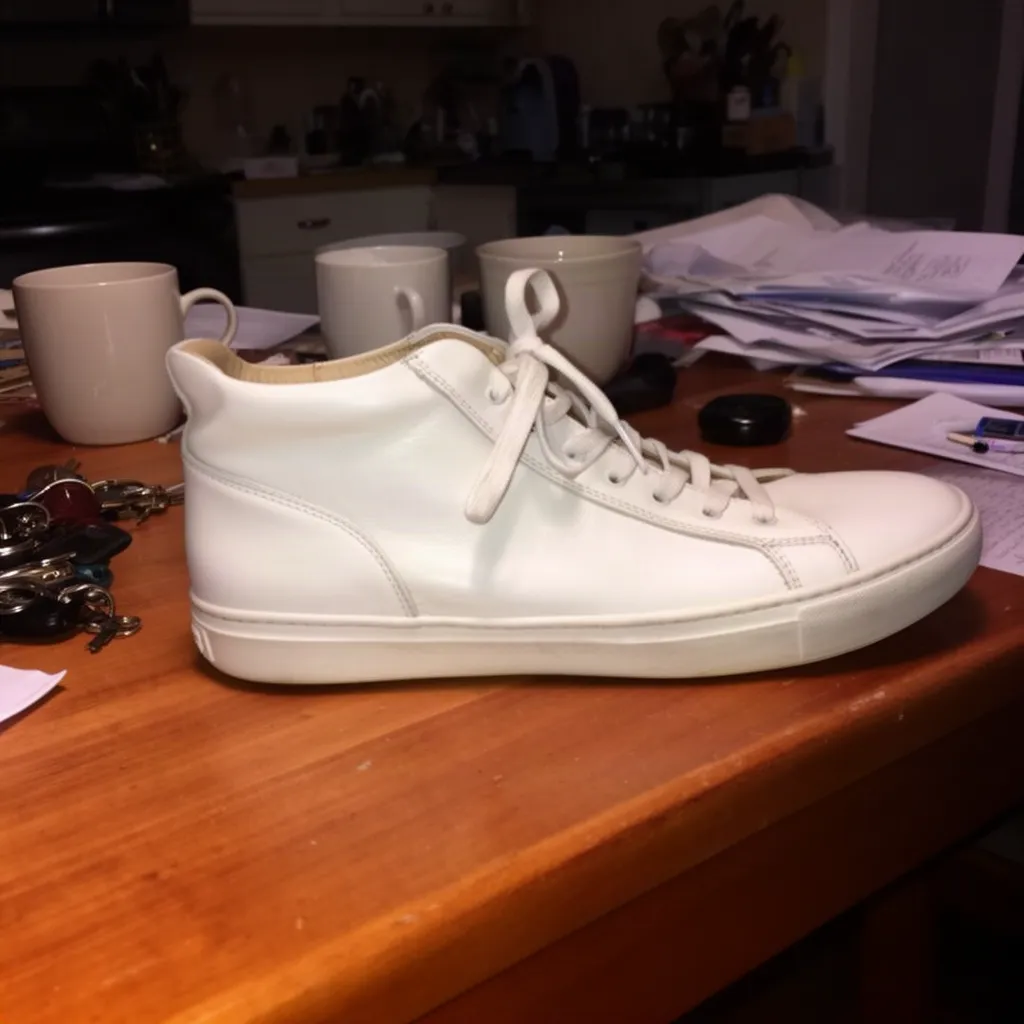
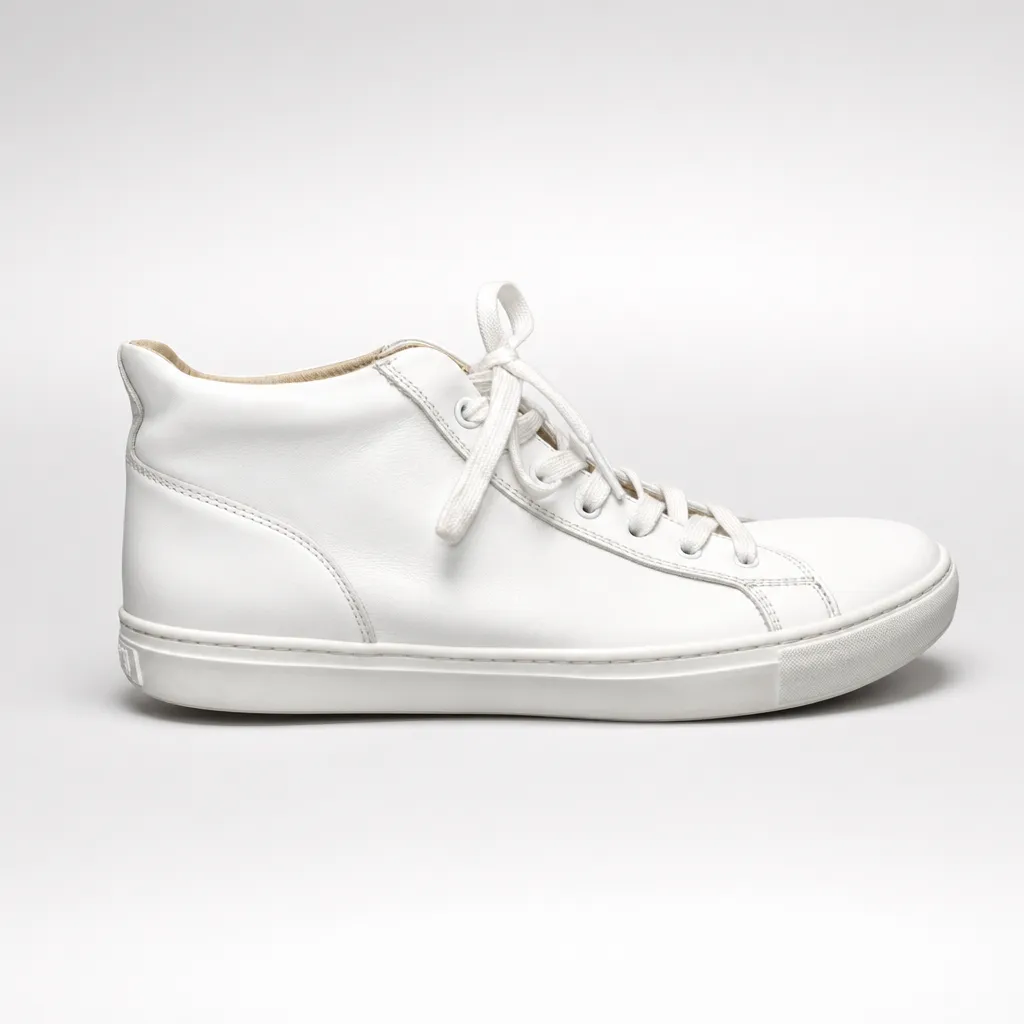
AfterStudio product photo from a snapshot
GPT Image 2“Turn this into a professional studio product photo: the same white sneaker on a clean seamless light grey background, soft studio lighting, subtle shadow, e-commerce ready”Try this prompt →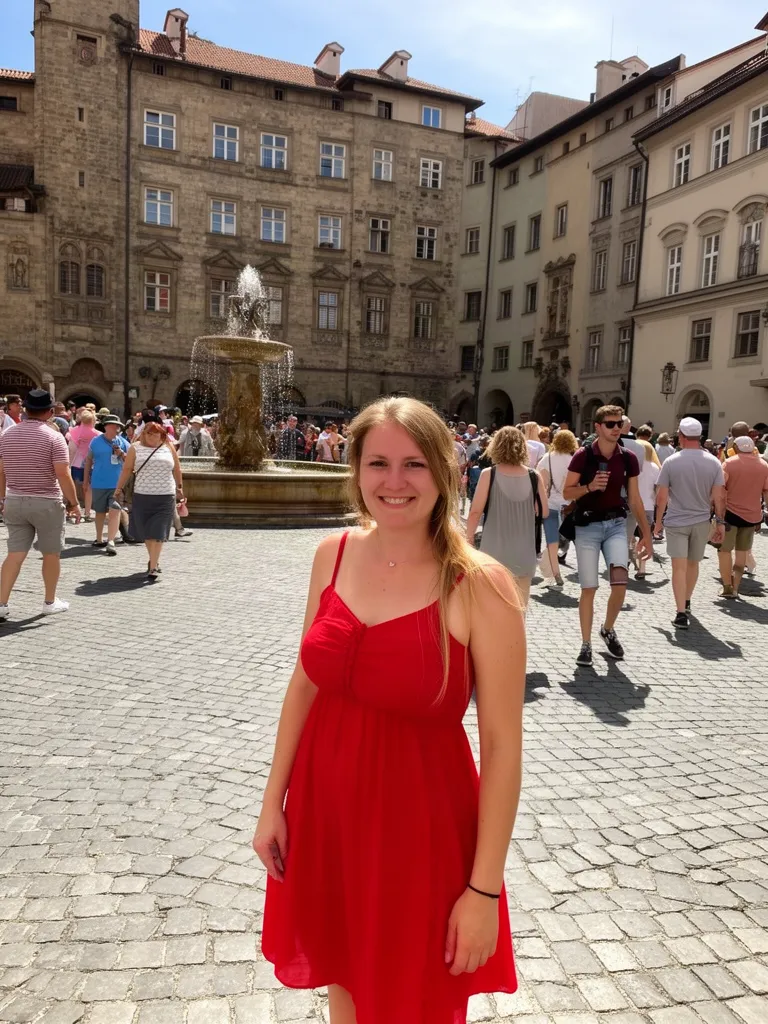 Before
 After
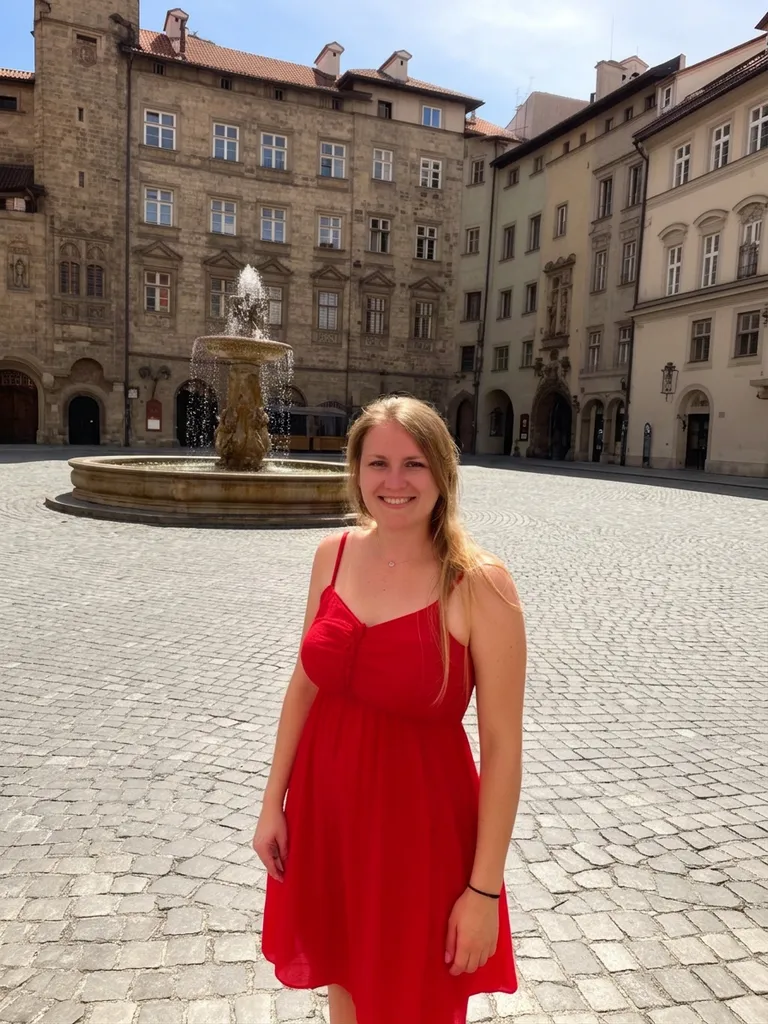
AfterRemove people from a travel photo
Nano Banana 2“Remove all the other people in the background, keep only the woman in the red dress and the square”Try this prompt →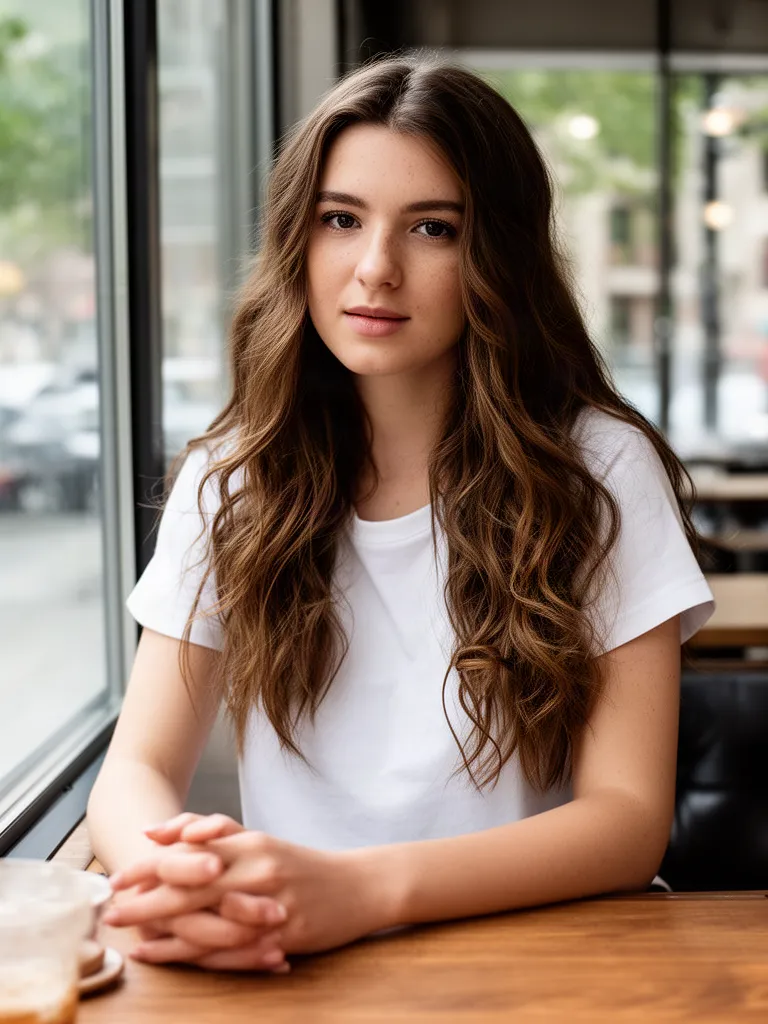 Before
 After
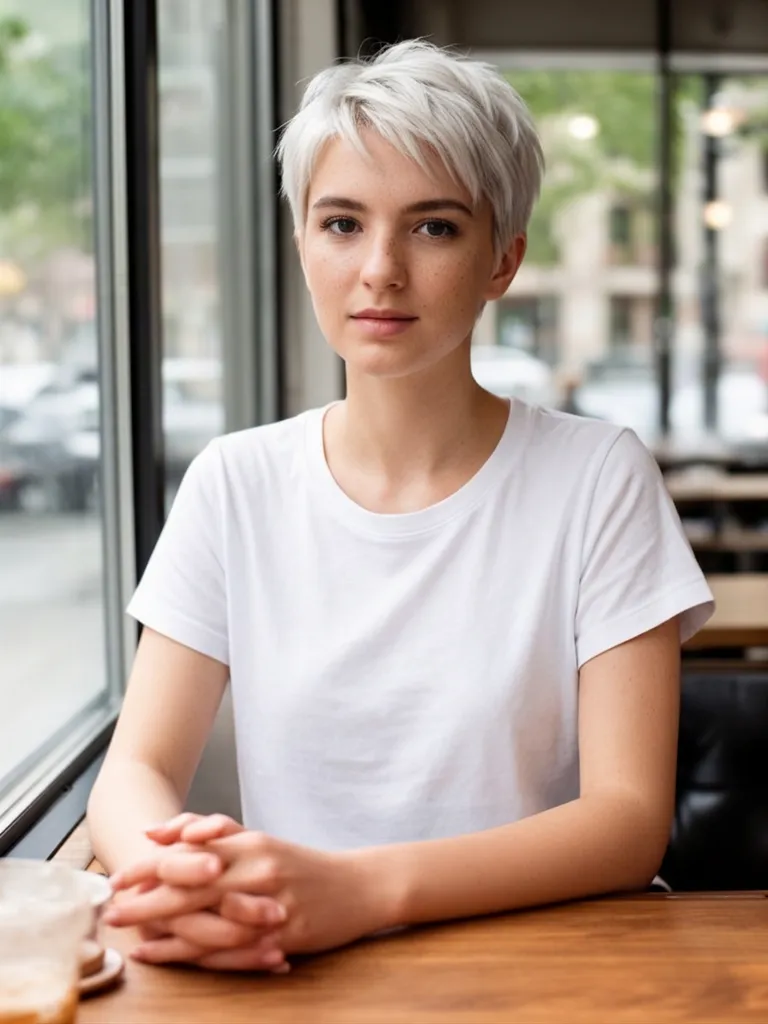
AfterChange your hairstyle
Nano Banana 2“Give her a short platinum blonde pixie cut, keep her face, clothes and background exactly the same”Try this prompt →Before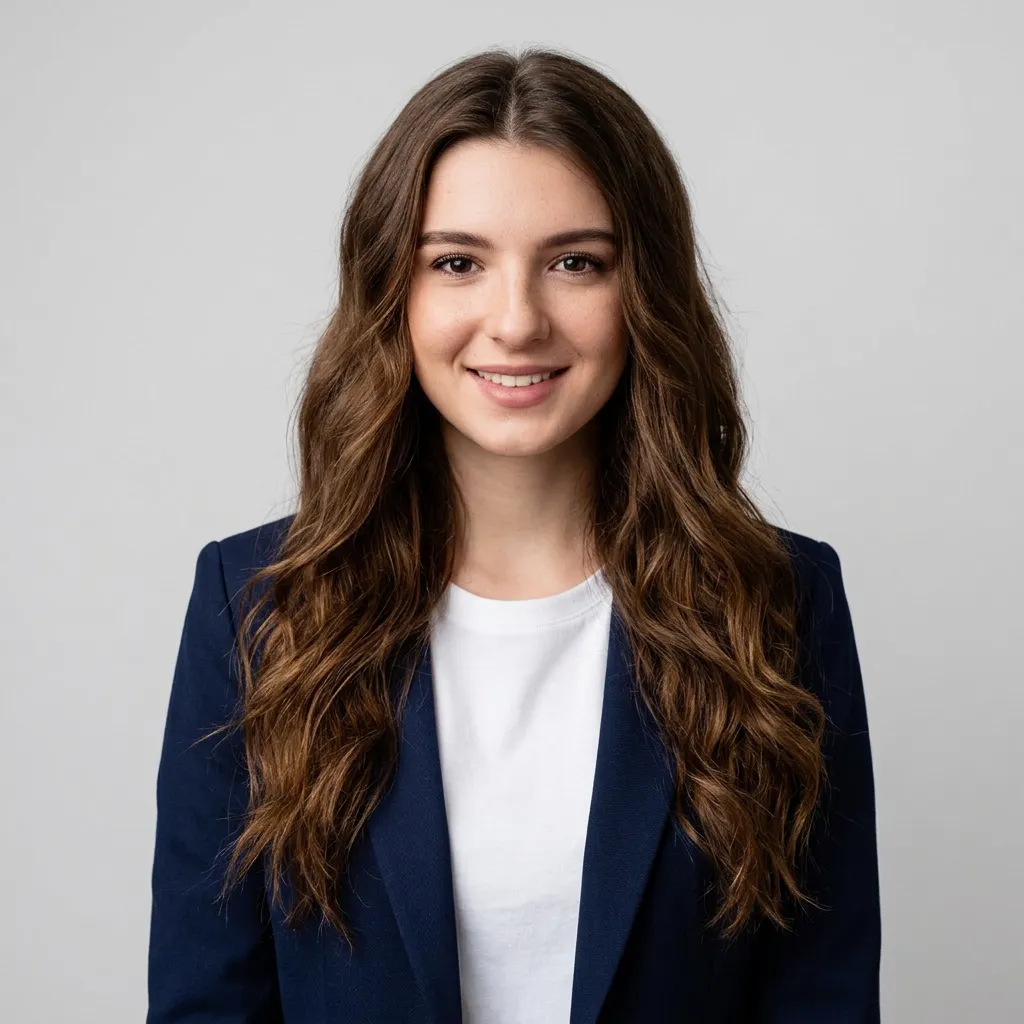 After
AfterTurn a photo into a LinkedIn headshot
Nano Banana 2“Turn this into a professional LinkedIn headshot of the same woman: navy blazer over a white top, neutral light grey studio background, soft studio lighting, head and shoulders”Try this prompt →Before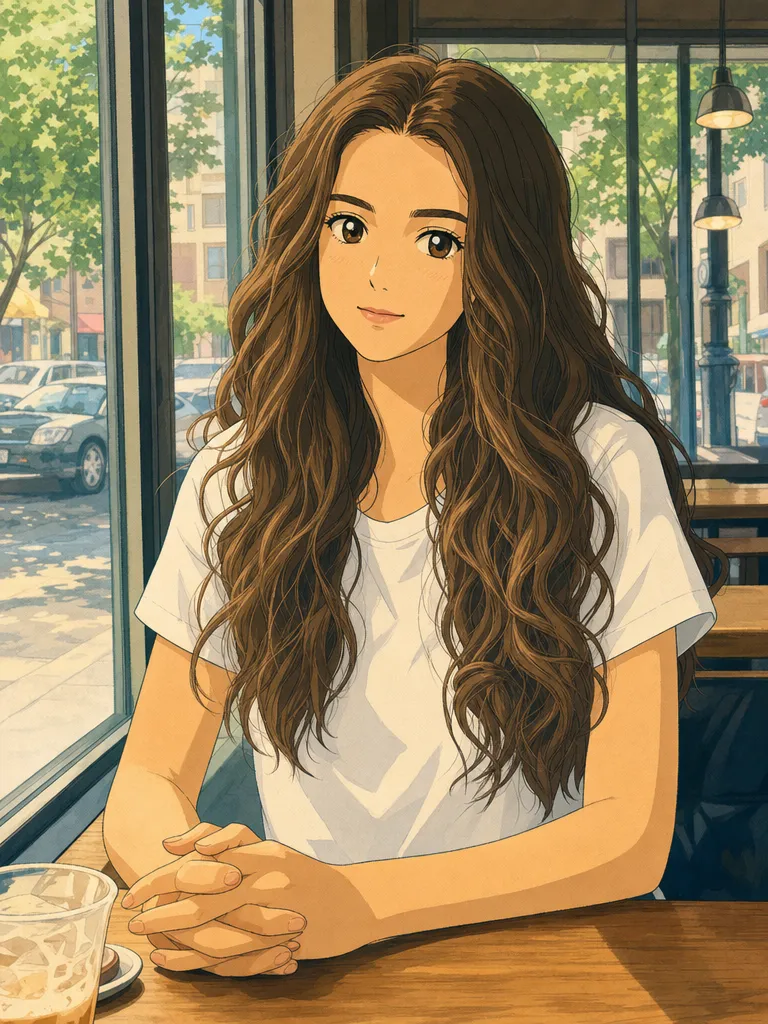 After
AfterTurn a photo into Studio Ghibli art
GPT Image 2“Turn this photo into a hand-drawn Studio Ghibli style anime illustration, keep her pose, hair and the cafe window”Try this prompt →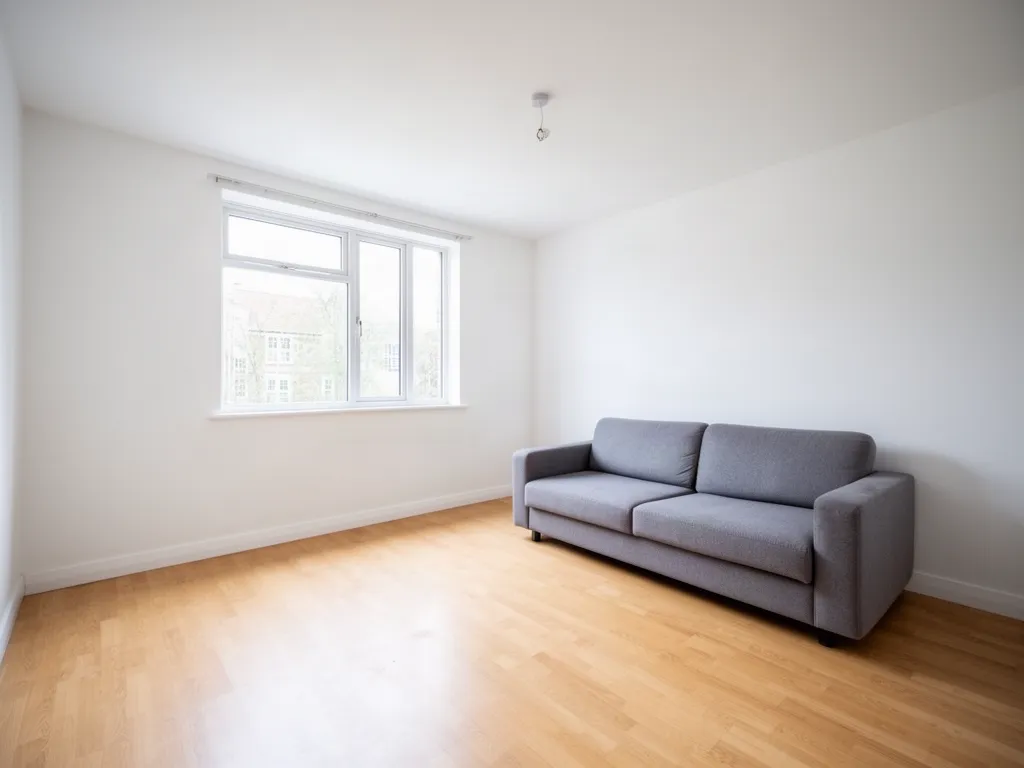 Before
 After
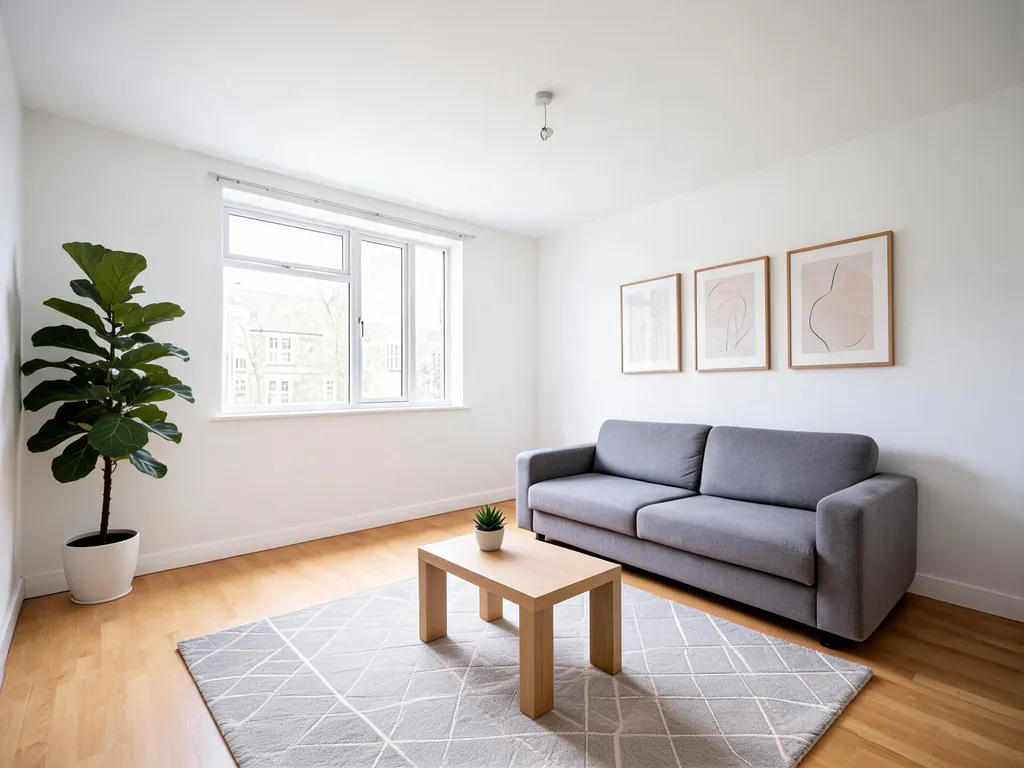
AfterFurnish an empty room
Seedream 5.0 Lite“Virtual staging: furnish this living room in Scandinavian style with a rug, plants, a coffee table and wall art, keep the walls, window and floor”Try this prompt →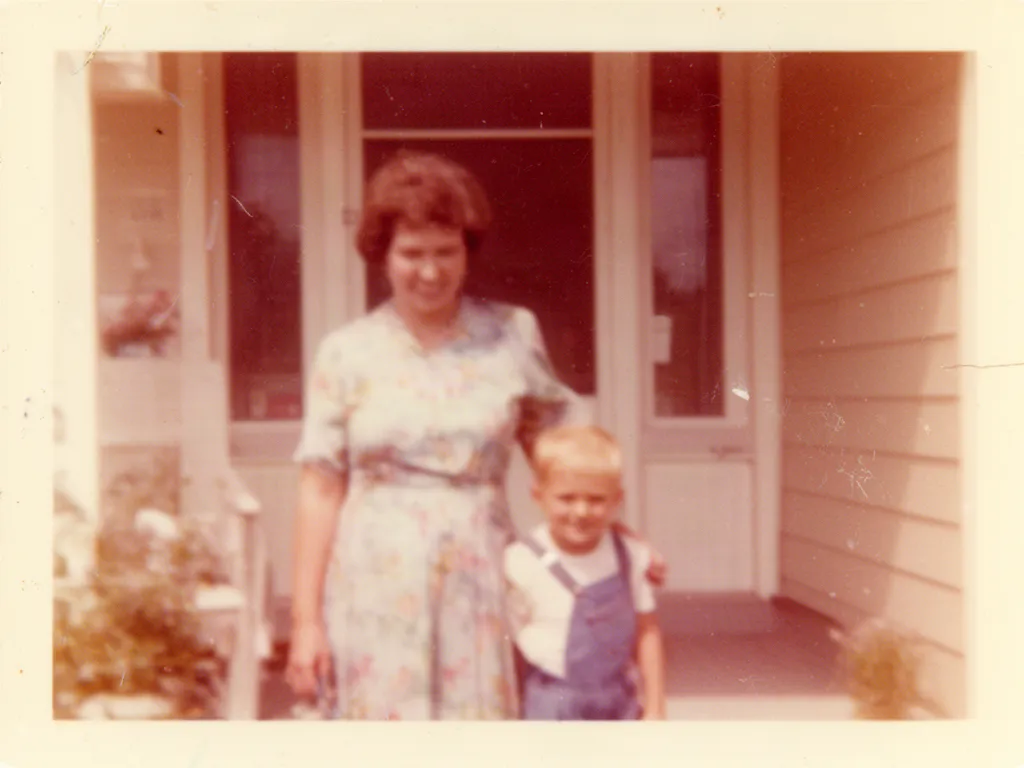 Before
 After
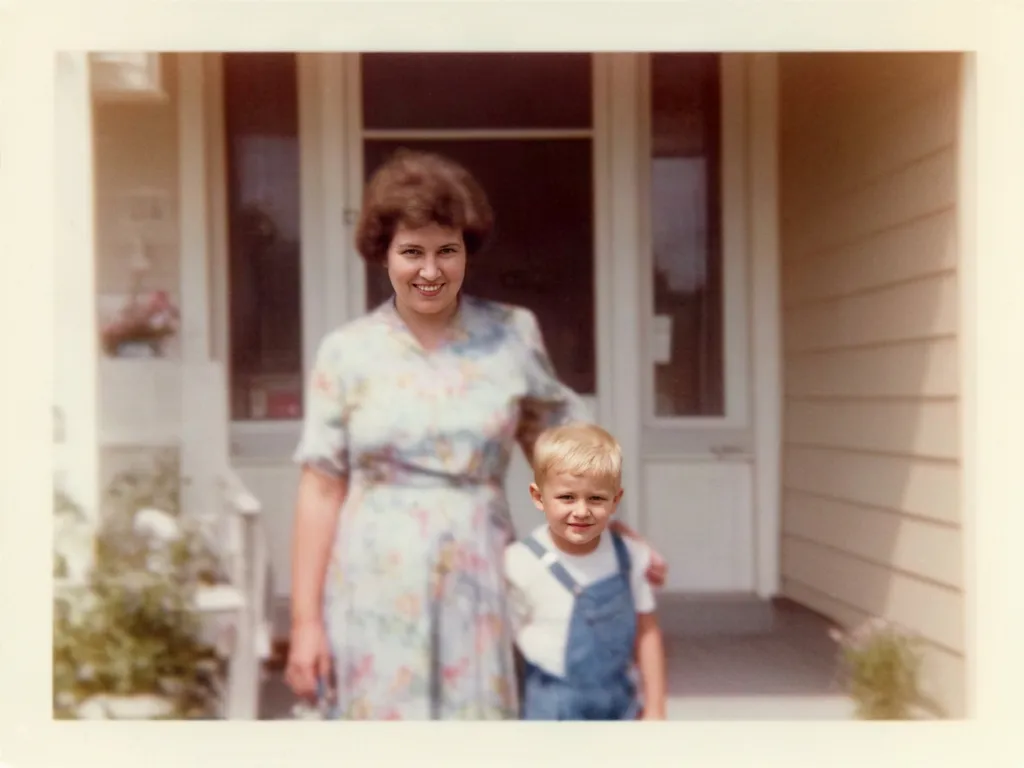
AfterRestore an old photo
Nano Banana 2“Restore this old photo: remove scratches and dust, fix the faded colors, sharpen faces, keep it natural”Try this prompt →Before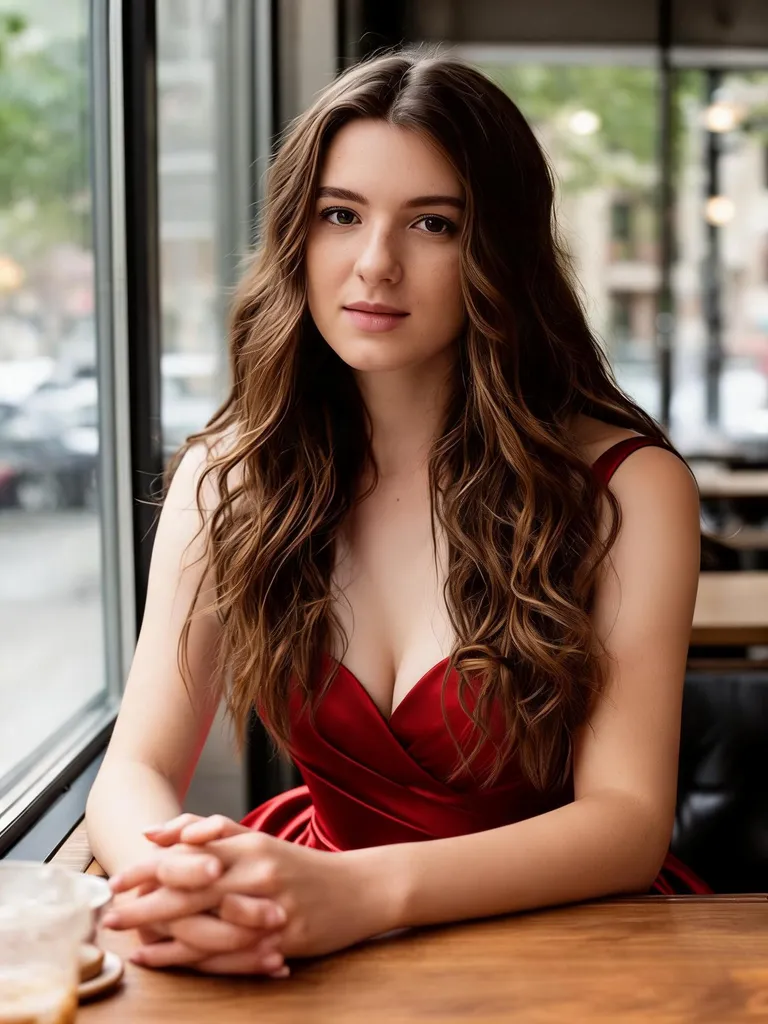 After
AfterChange your outfit
Seedream 5.0 Lite“Change her outfit to an elegant red evening gown, keep her face, hair and the cafe background”Try this prompt →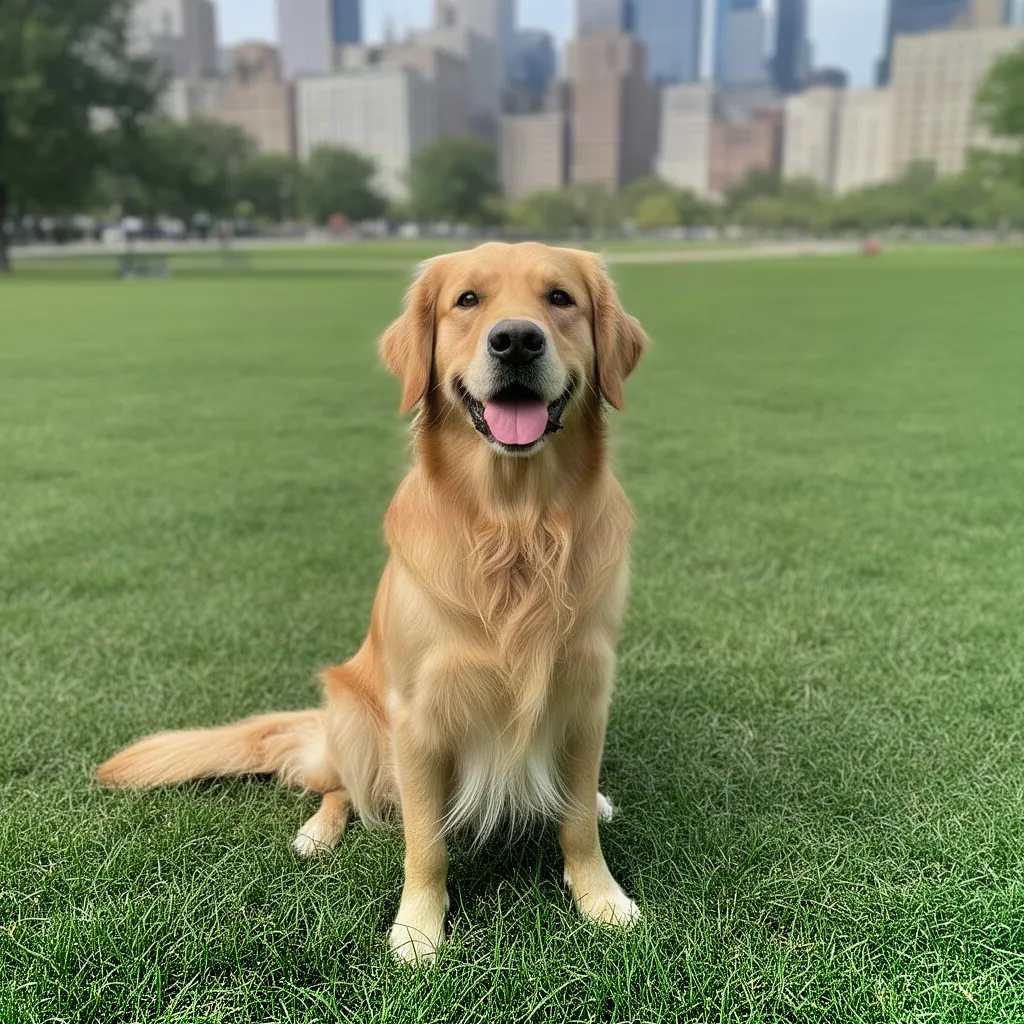 Before
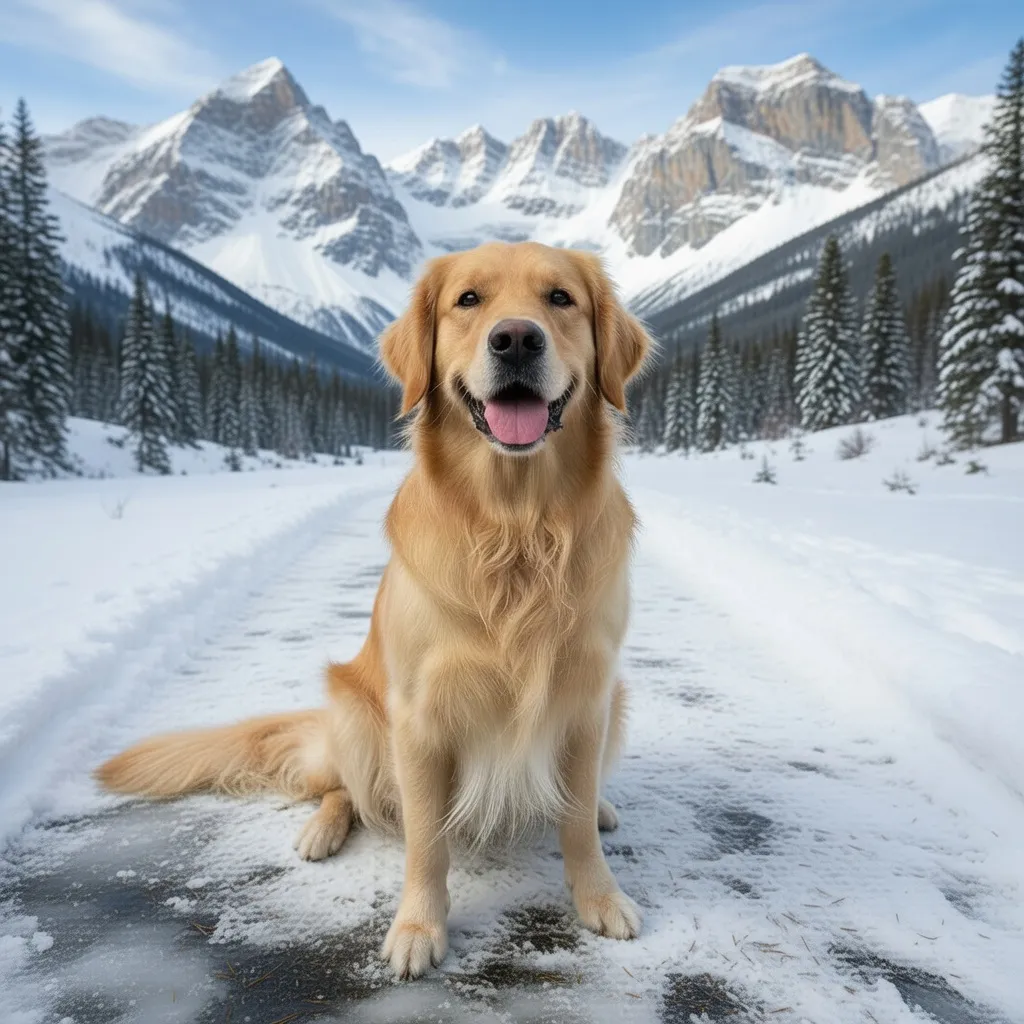 After
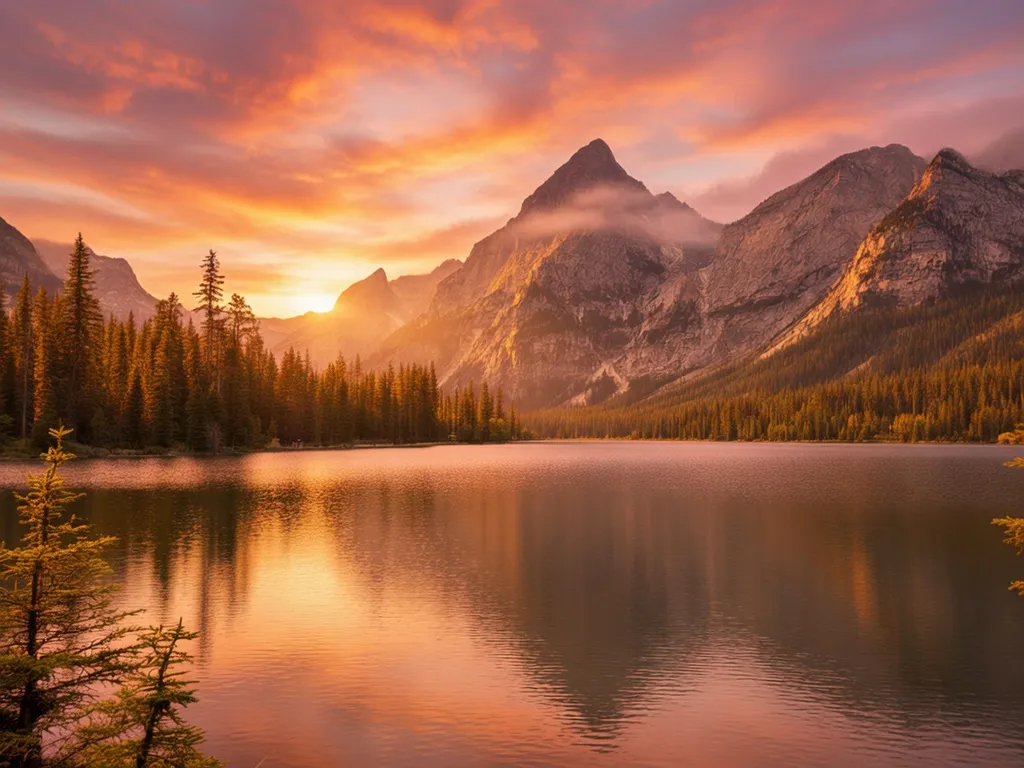
AfterChange the background
Grok Imagine“Change the background to a snowy mountain trail, keep the dog exactly the same”Try this prompt →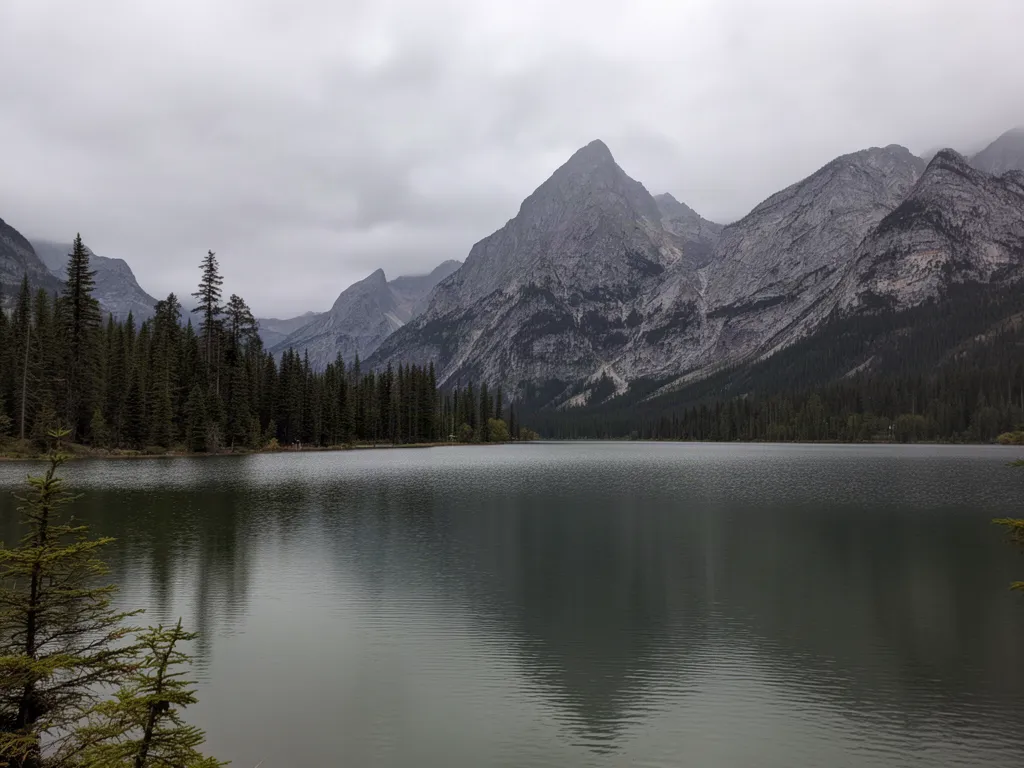 Before
 After
AfterTurn the sky into a golden sunset
Grok Imagine“Make it a dramatic golden sunset with a pink and orange sky reflected in the lake”Try this prompt →Before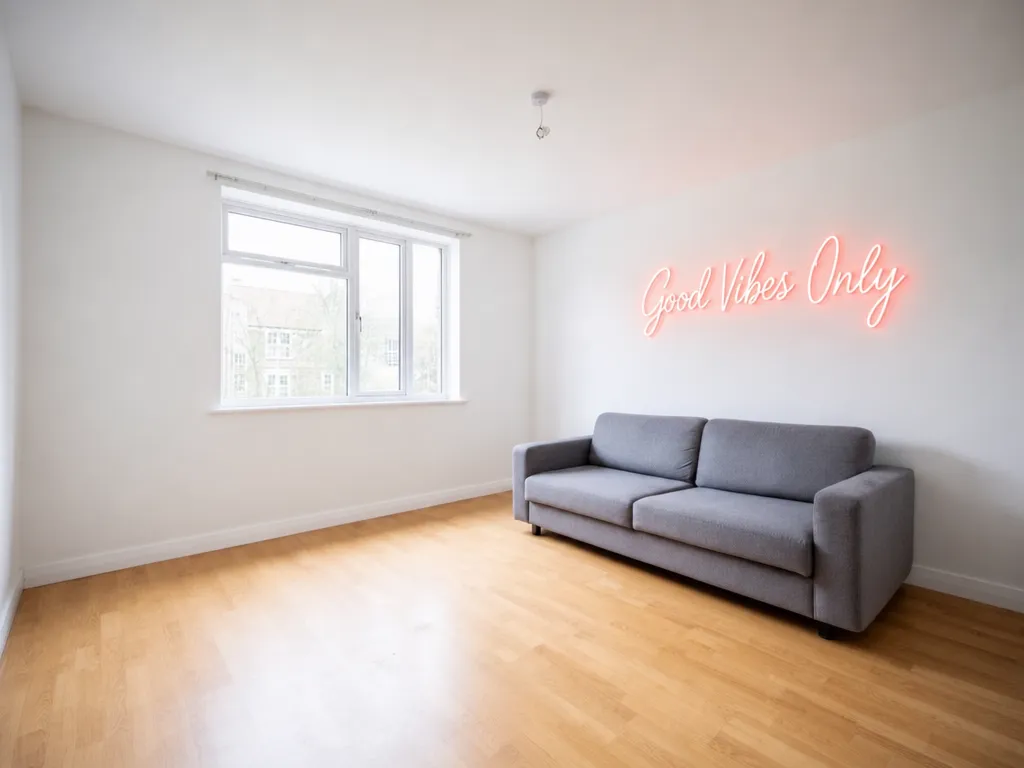 After
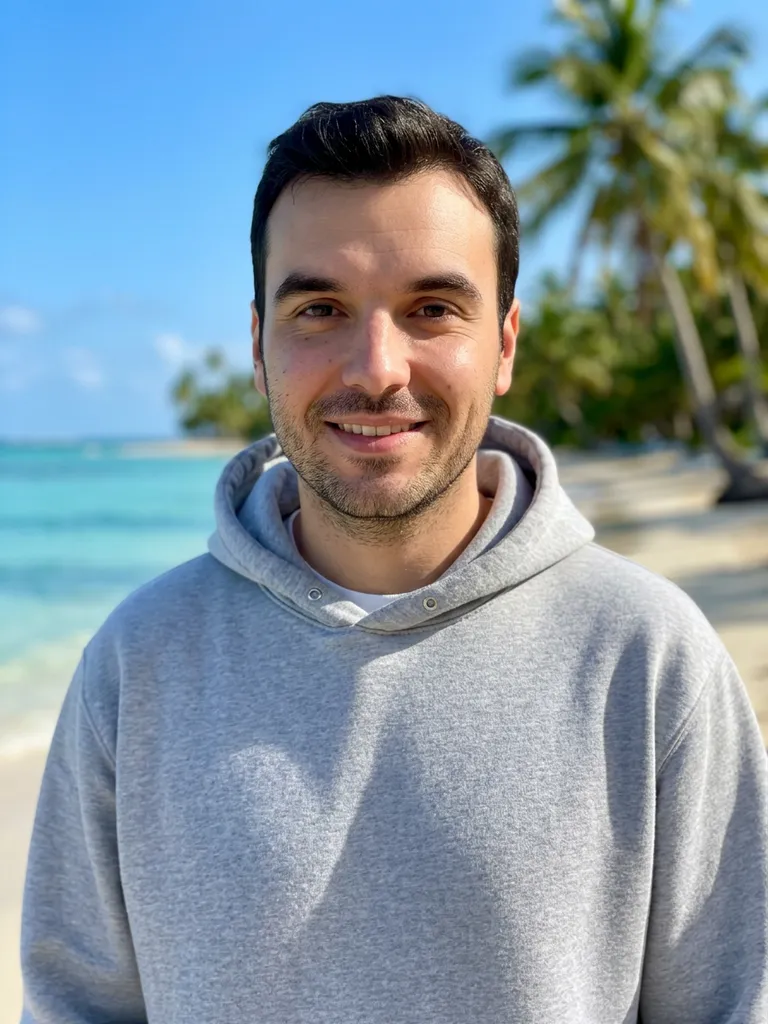
AfterAdd a sign with your own words
GPT Image 2“Add a warm pink neon sign on the white wall above the sofa that reads exactly: Good Vibes Only”Try this prompt →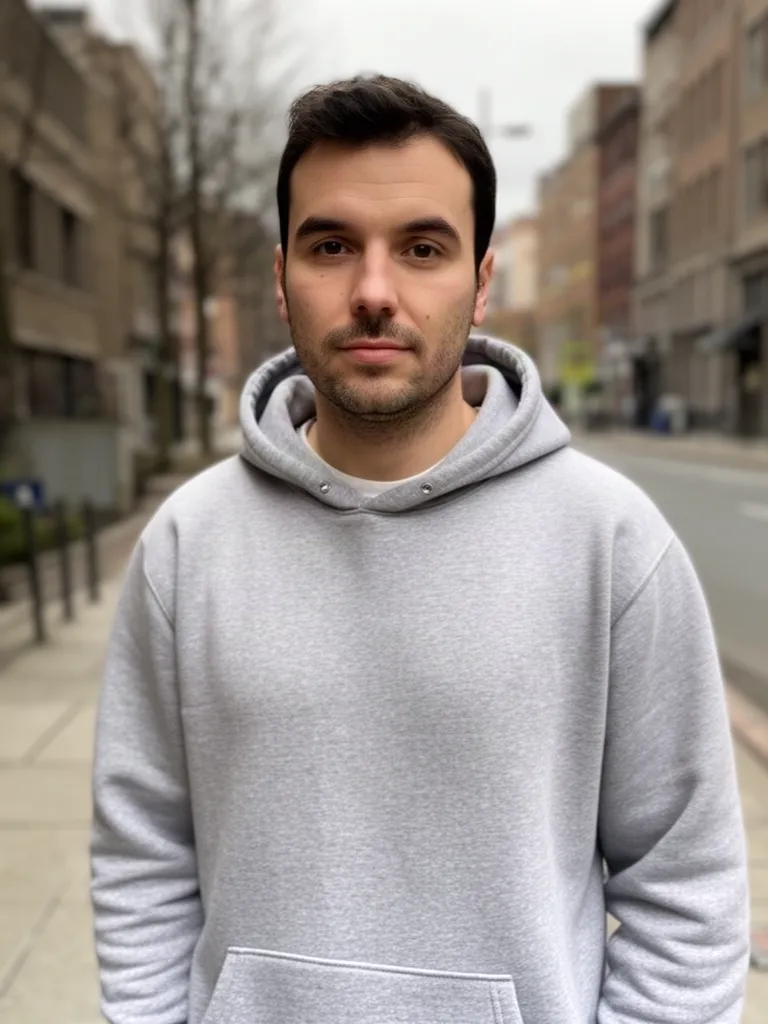 Before
 After
AfterPut yourself on a beach, same face
Nano Banana 2“Keep the same man and face, make him smile, and change the background to a sunny tropical beach”Try this prompt →Before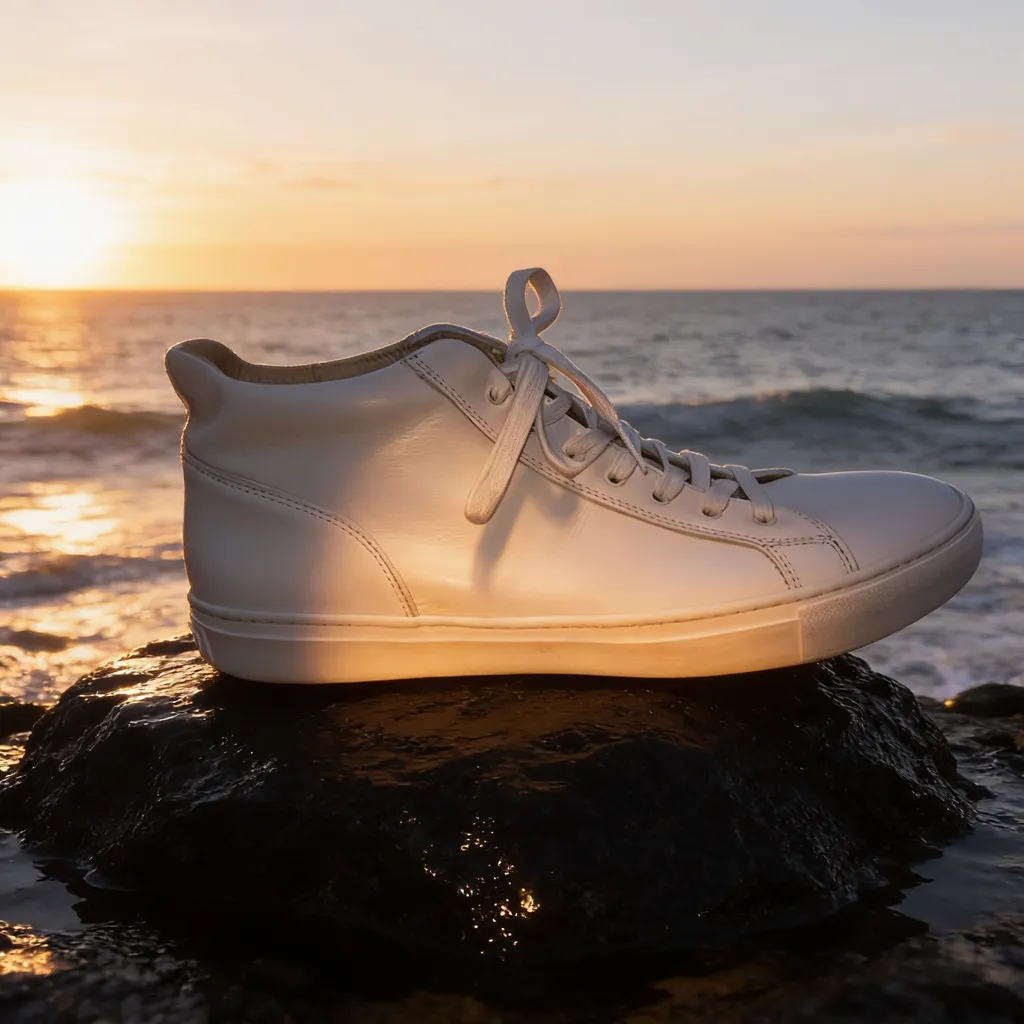 After
AfterProduct ad in a new scene
Seedream 4.5“Place the same sneaker on a wet black rock by the ocean at sunrise, advertising photo, dramatic light”Try this prompt → Before
 After
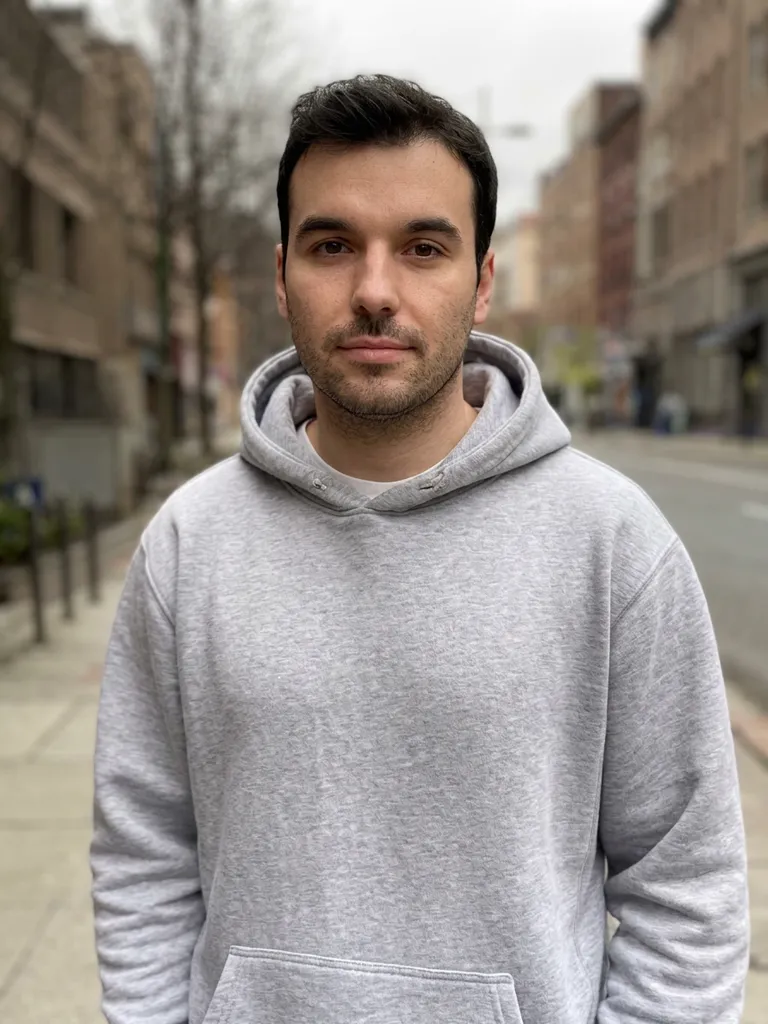
AfterSharpen a blurry portrait
Nano Banana 2“Upscale and enhance this low-resolution photo: restore sharp natural detail in the face, hair and hoodie, remove blur and compression artifacts, keep the same person and composition”Try this prompt →Before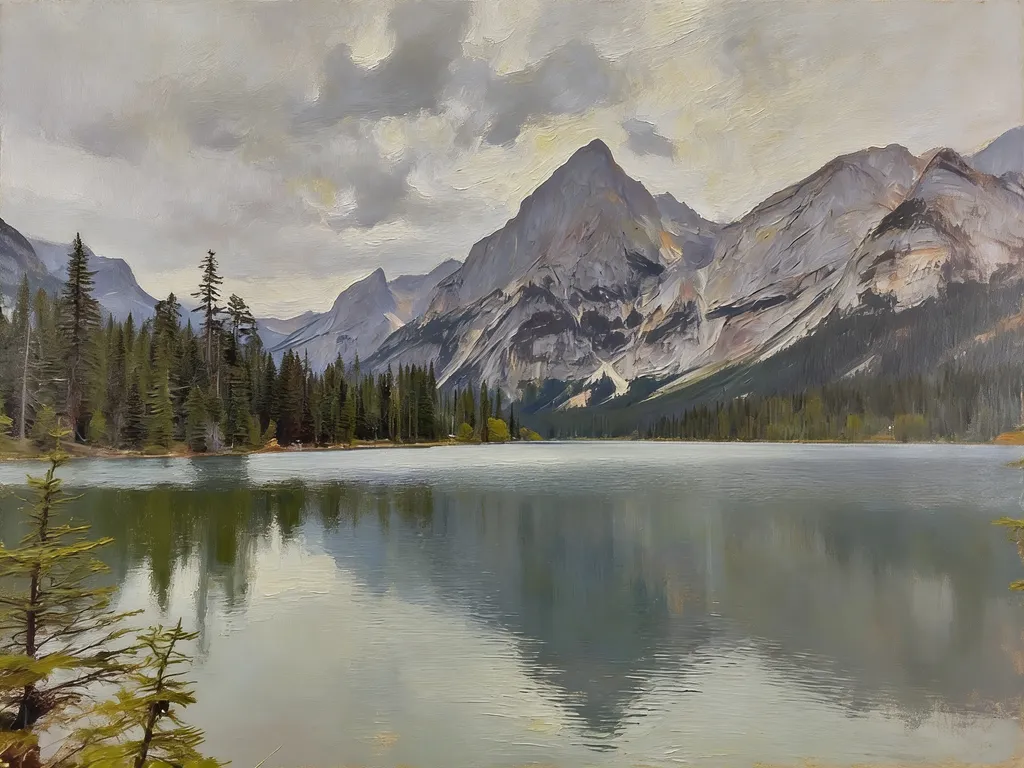 After
AfterTurn a photo into an oil painting
Seedream 4.5“Turn this photo into a classic oil painting with visible brush strokes”Try this prompt →Before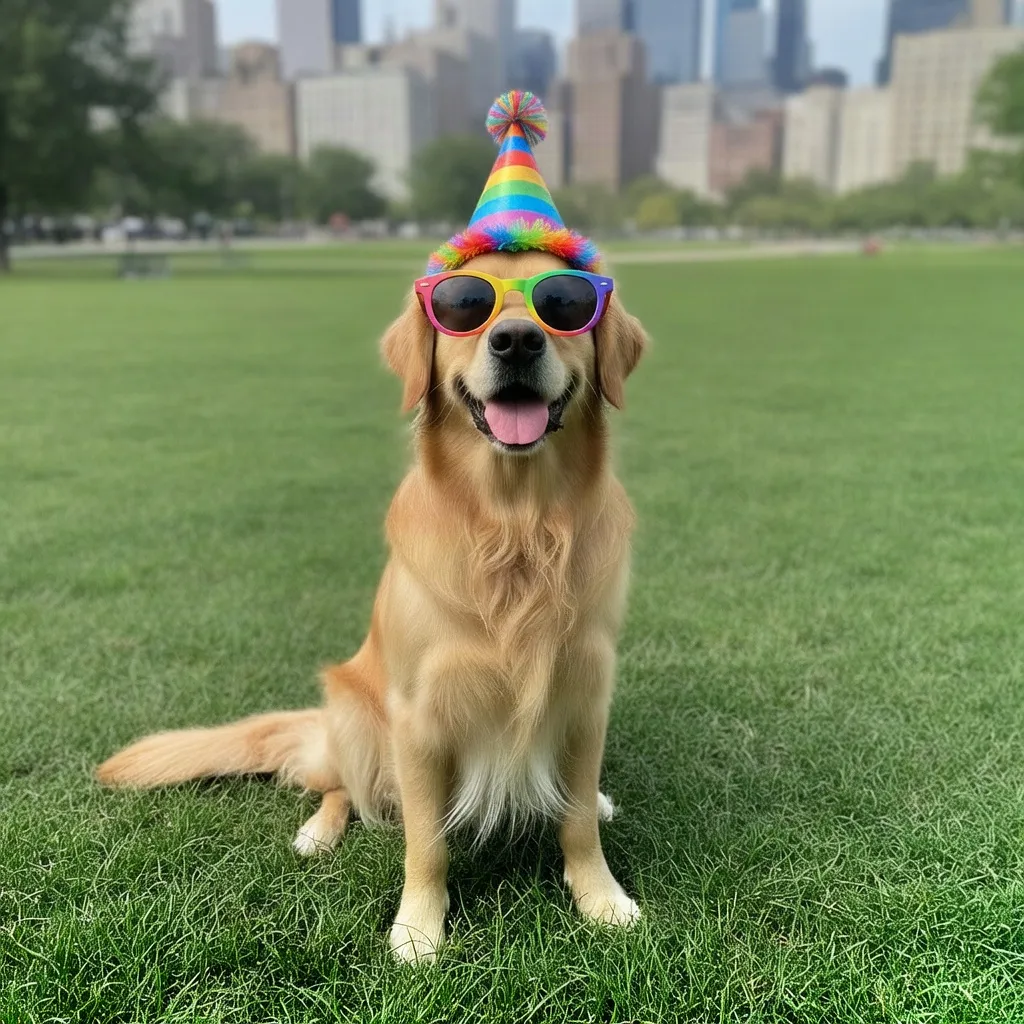 After
AfterAdd fun props to a pet photo
Grok Imagine“Put fun round sunglasses and a colorful party hat on the dog”Try this prompt →The prompt formula
Six habits that make AI image editing prompts work on the first try.
| 1. Say what to change | Name the thing and the result: “change the sofa to green velvet”, not “make it nicer”. |
|---|---|
| 2. Say what must stay | Add “keep my face, pose and background exactly the same” so the AI changes only what you asked. |
| 3. Give a style or mood | Short cues work: “soft studio light”, “golden hour”, “1970s film”, “Studio Ghibli style”. |
| 4. Put text after “reads exactly” | For signs, labels and covers, write the exact words so they come out right. |
| 5. One big change at a time | Large edits work better in steps: first the background, then the outfit, then the light. |
| 6. Pick a model (optional) | Start with use gptimage2, use nanobanana2, use seedream5, use seedream or use grok. See which model fits which edit. |
What you can edit with a prompt
Portraits
Headshots, hairstyles, outfits and new backgrounds that keep your face.
Products
Studio shots, ads and lifestyle scenes from a phone photo.
Travel
Remove tourists, fix the sky, change the season or the light.
Home and rooms
Virtual staging, new furniture, wall colors and cozy lighting.
Styles
Ghibli, anime, 3D, oil painting, pencil sketch and more.
Old photos
Repair scratches and fading, sharpen blur, add natural color.
How it works
Three steps. Most edits are ready in about a minute.
Pick a prompt
Click any prompt on this page to open it in the Studio.
Upload your photo
Drop in a JPG or PNG and change any word of the prompt to fit your photo.
Download
Get the result in about a minute, refine it with a follow-up prompt, then download it.
20 more AI photo editing prompts
Copy-ready photo editing prompts for AI, in this order: portraits, products, travel, home, styles and old photos. Click one to open it in the editor with your own photo. For Google's model, see the Nano Banana prompts.
Questions
What are AI photo editing prompts?
They are short, plain-language instructions that tell an AI image editor what to change in a photo, like “remove the people in the background” or “change the season to winter”. In EditAI you upload a photo, paste the prompt and get the edit in about a minute.
Do these prompts work with Nano Banana, GPT Image 2 and other models?
Yes. They are plain instructions, so they work with every model in EditAI. Start a prompt with use nanobanana2 or use gptimage2 to pick one, and see the Nano Banana prompts for more ideas made for Google's model.
How long should an AI image editing prompt be?
One or two sentences is enough. Say what changes and what stays the same, then add a style or light only if it matters.
Why does the AI change my face?
Add “keep my face exactly the same” to the prompt. When the face matters most, use Nano Banana 2, the model that is best at keeping likeness.
Can I use these prompts on my phone?
Yes. The same prompts work in the browser and in the EditAI apps for iPhone and Android.
What do I need to run these prompts on my photos?
An EditAI plan: Starter at $4.99 a month (50 edits a day) or Pro at $9.99 a month (300 edits a day, with the premium Nano Banana 2 and Seedream 5). You can cancel any time.