Edit your photos with Nano Banana 2
Upload a photo, write what you want, and Nano Banana 2 does the edit. It keeps faces looking like themselves while it changes the scene, removes people or restores old photos. No Gemini account needed.
What is Nano Banana 2?
Nano Banana 2 is Google's image model for editing and creating pictures from plain-language instructions, also known as Gemini 3.1 Flash Image. It is the newer version of the original Nano Banana and is especially good at keeping a face identical while the rest of the photo changes. In EditAI you use it on your own photos: upload an image, describe the edit, and get the result in about a minute.
Nano Banana 2 before and after
Real edits made with Nano Banana 2 inside EditAI. Each one used only the prompt shown under it.
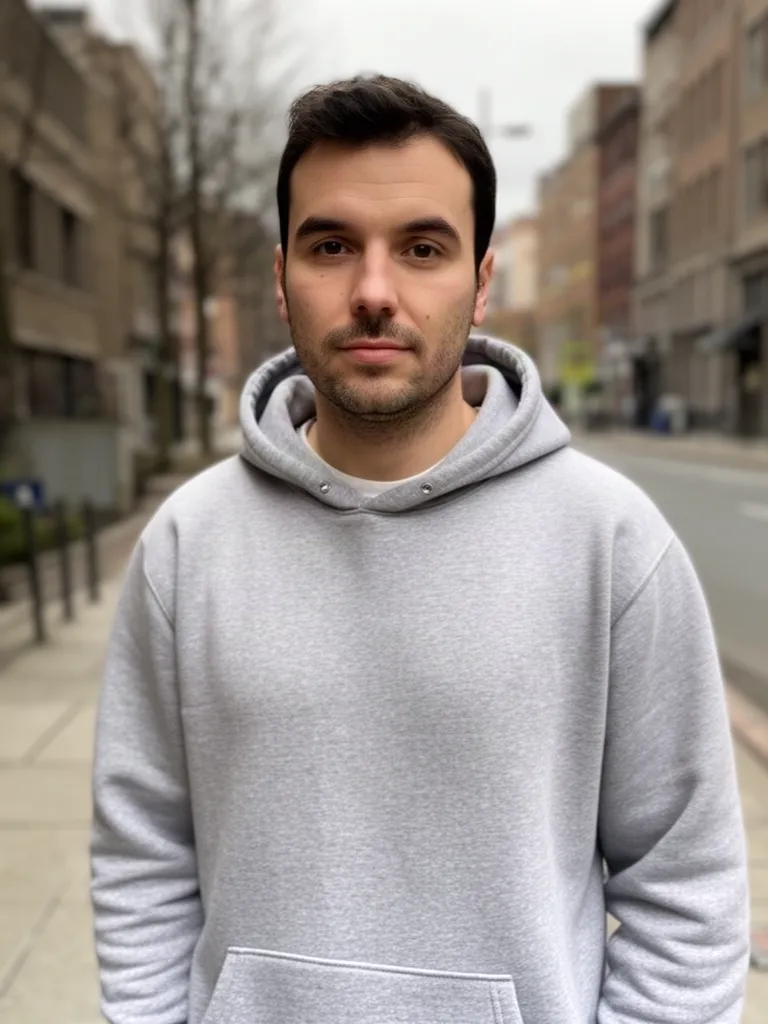 Before
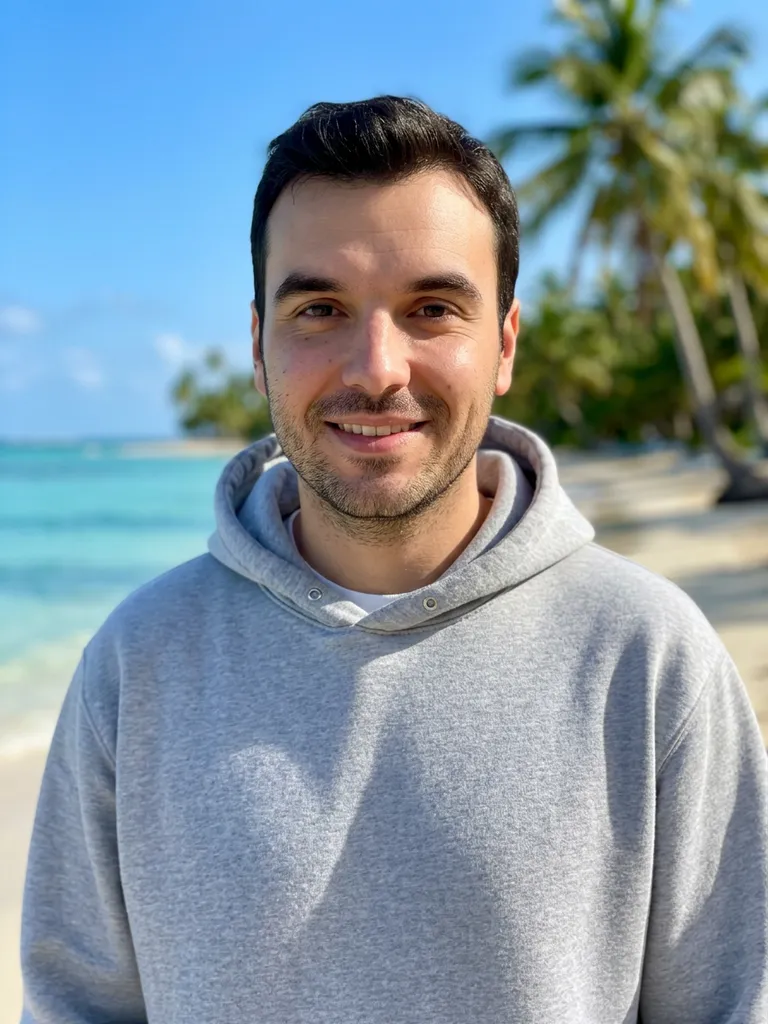 After
After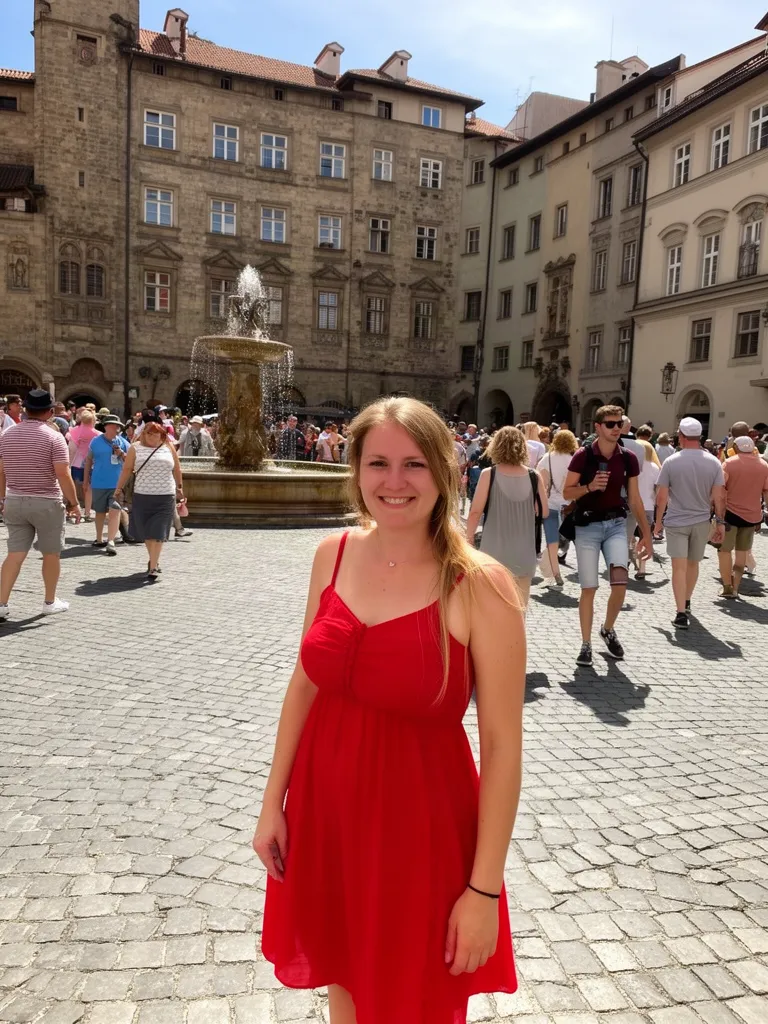 Before
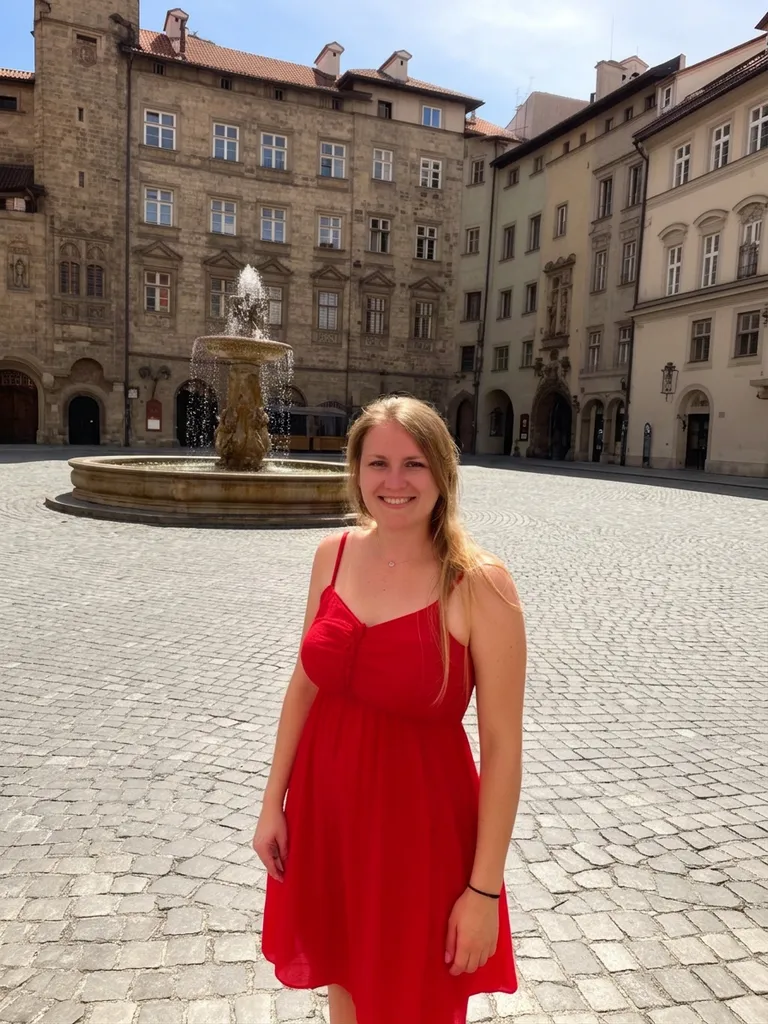 After
After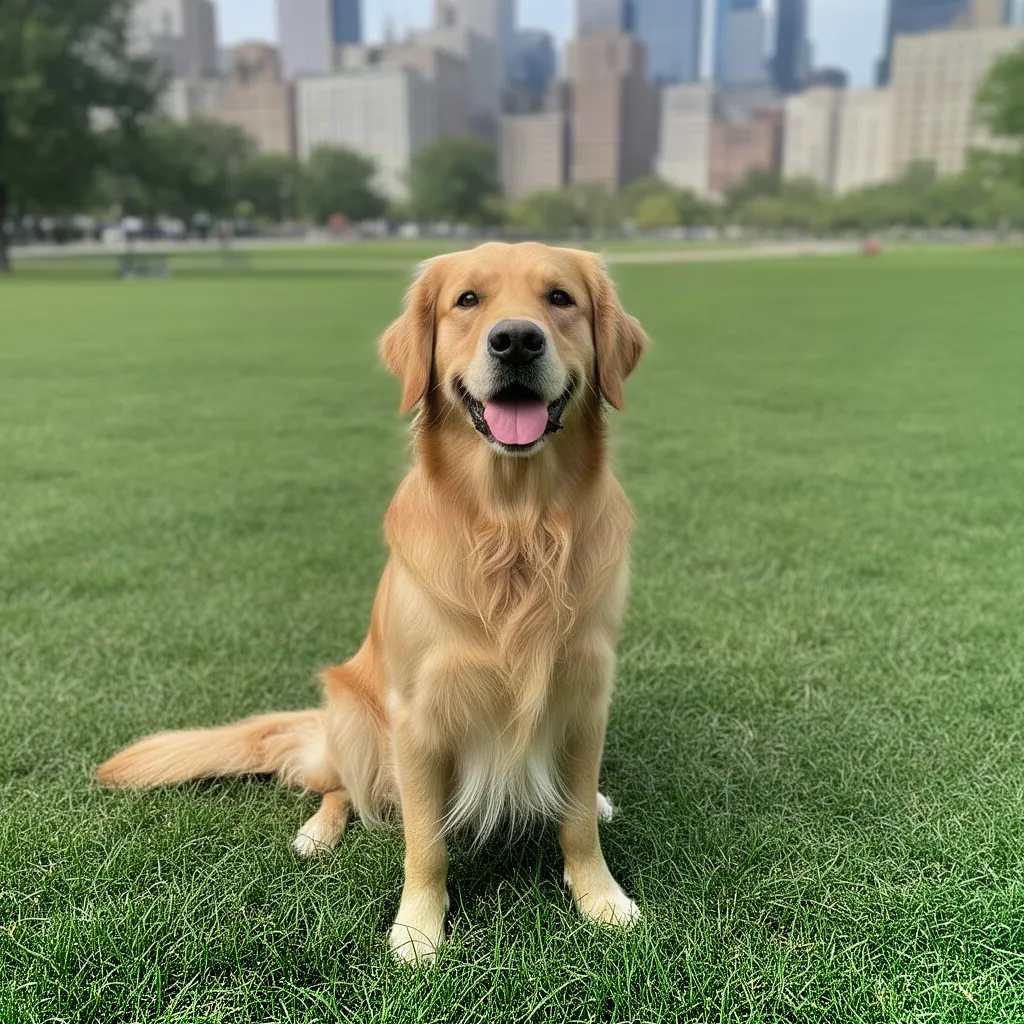 Before
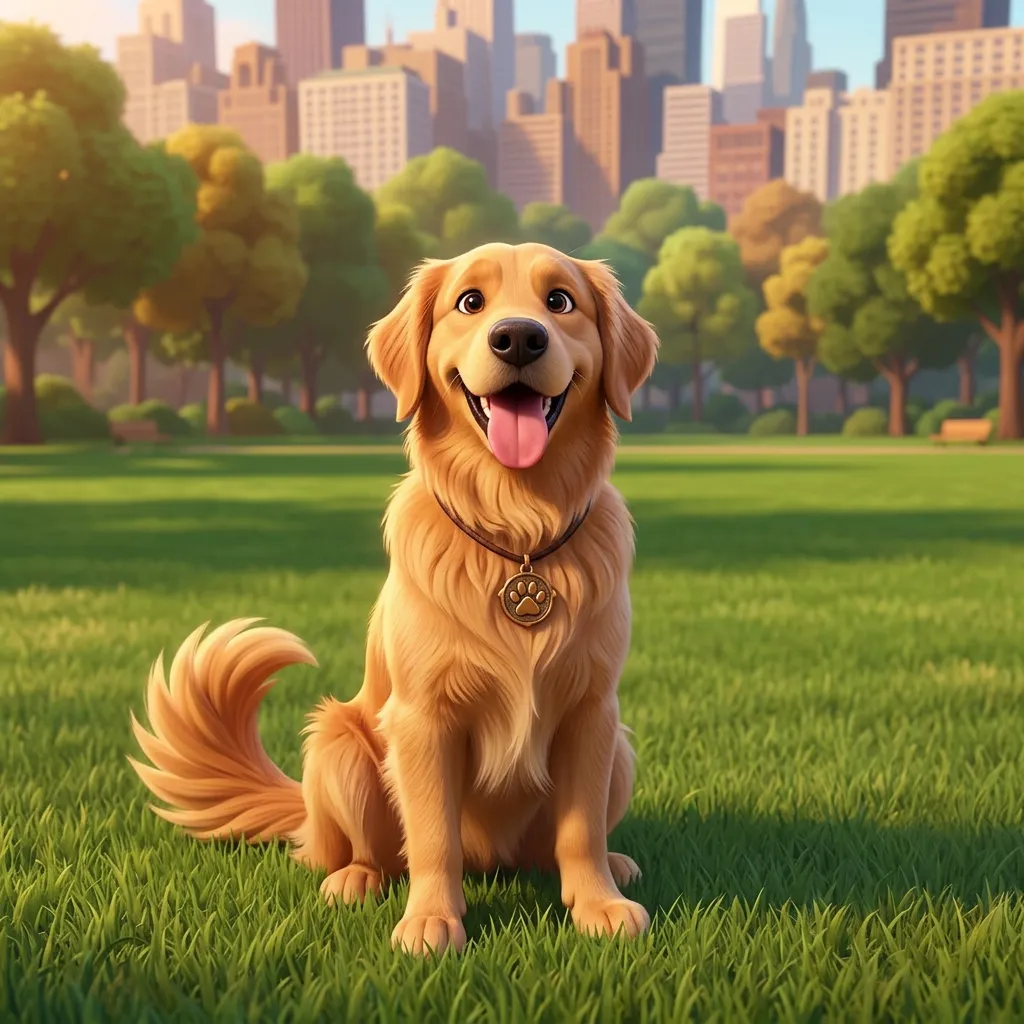 After
After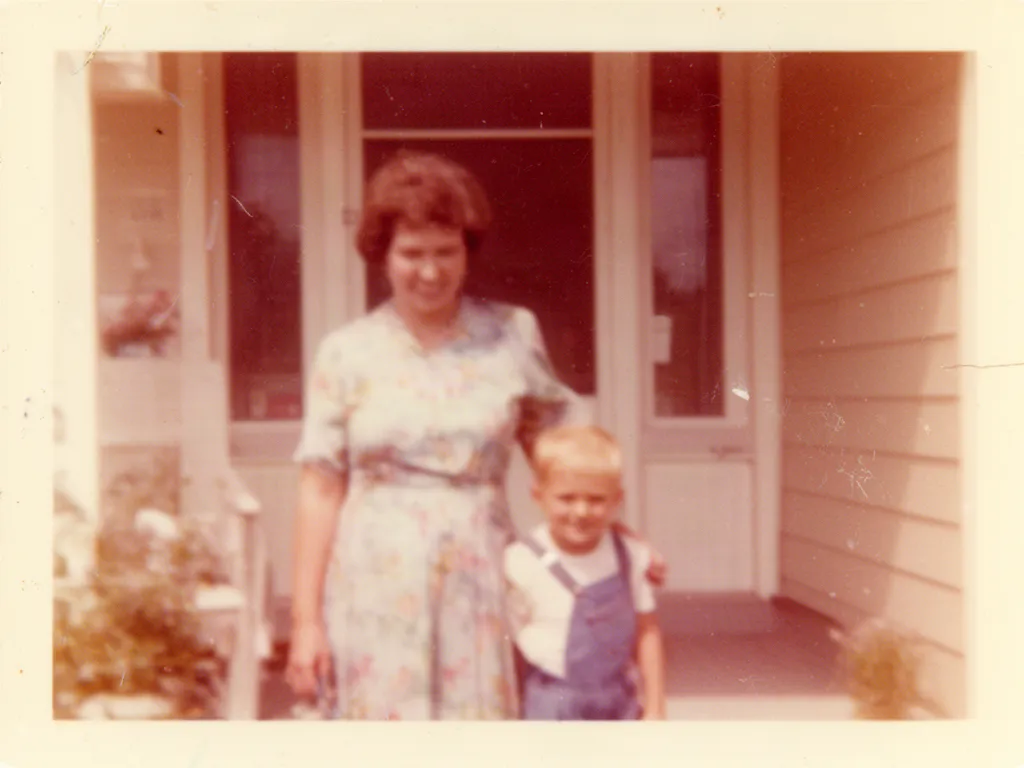 Before
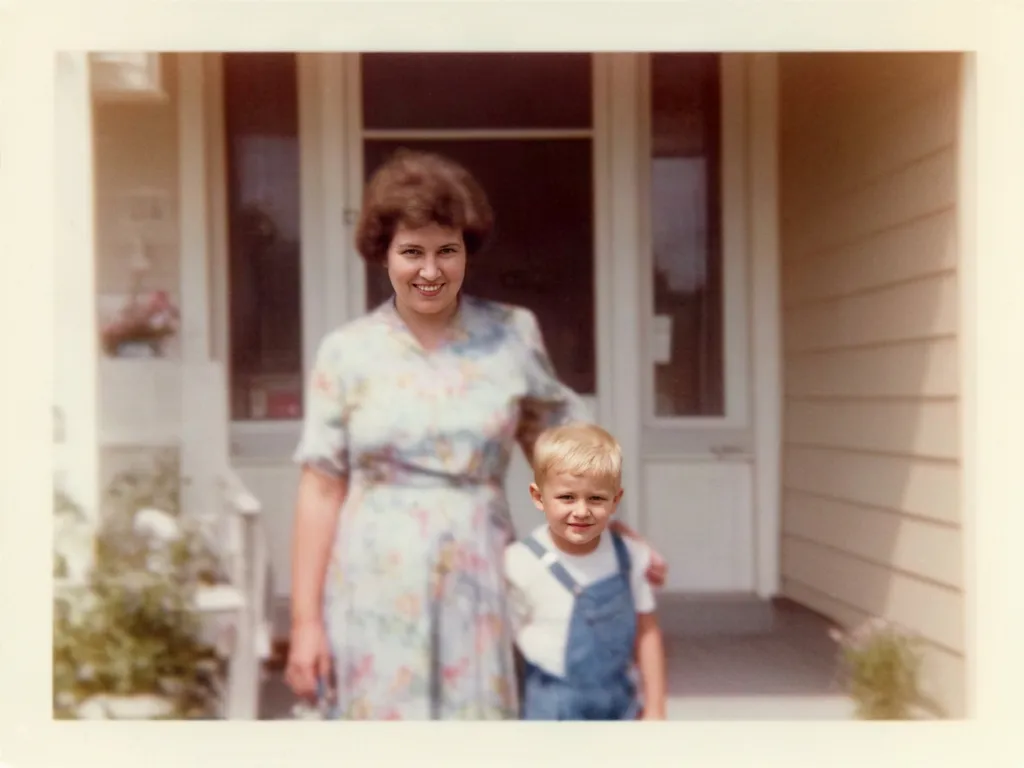 After
After Before
 AfterBefore
 After
After Before
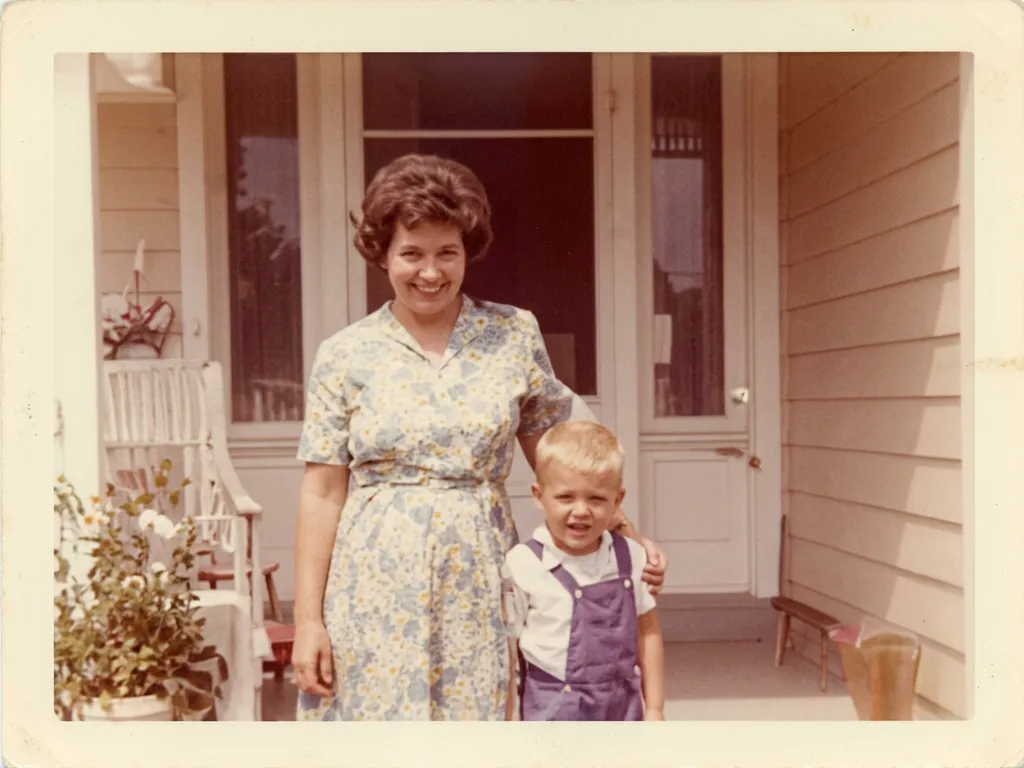 After
AfterNano Banana 2 at a glance
| Made by | Google (the model is also called Gemini 3.1 Flash Image) |
|---|---|
| Best at | Keeping a face identical across edits, removing people and objects, realistic scene changes and restoring old photos |
| Edits your own photos | Yes: upload any JPG or PNG and describe the change |
| In EditAI | A premium model in the Pro plan, on web, iPhone and Android |
| Original Nano Banana | Also in EditAI, in the Starter and Pro plans. The AI uses it automatically when it fits the edit |
| How to pick it | Click any “Try this prompt” link on this page, or start your prompt with use nanobanana2 |
| Compare it | See the same photo edited by four models on AI image models compared |
What Nano Banana 2 is good for
Same face, new scene
Put a person on a beach, in a city or in new clothes and they still look like themselves.
Remove people and objects
Clear tourists, cars or clutter and the background is filled in naturally.
Restore old photos
Repair scratches, fading and blur on old family pictures.
3D and figurine looks
Turn people and pets into Pixar-style characters, toys and figurines.
Hair, outfits and headshots
Try a new haircut, swap clothes or make a clean LinkedIn headshot.
Sharper photos
Fix blurry or low-resolution shots while the details stay realistic.
How it works
Three steps. Most edits are ready in about a minute.
Upload a photo
Open the Studio and drop in a JPG or PNG from your phone or computer.
Describe the edit
Write what to change, or click a prompt on this page to pre-fill it with Nano Banana 2.
Download
Get the result in about a minute, keep refining, then download it in high resolution.
Nano Banana 2 prompts to start from
Click a prompt to open it in the editor with your own photo. Want more? See the full list of Nano Banana prompts.
Questions
What is the difference between Nano Banana and Nano Banana 2?
Nano Banana (Gemini 2.5 Flash Image) is the first model of the series, the one that went viral in 2025 for photo edits that keep your face. Nano Banana 2 is the newer version: sharper, more precise at following your instructions and better at likeness. EditAI has both: Nano Banana in every plan, Nano Banana 2 in the Pro plan.
Can I use Nano Banana 2 on my own photos online?
Yes. Upload a photo in the EditAI Studio, in the browser or in the app, and describe the change. Nano Banana 2 edits your image instead of creating a new one, so EditAI works as a Nano Banana editor online.
Do I need a Gemini or Google account?
No. Nano Banana 2 runs inside EditAI, so you only need an EditAI account and plan.
How much does Nano Banana 2 cost?
Nano Banana 2 is a premium model in the EditAI Pro plan: $9.99 a month or $79.99 a year, with 300 edits a day. The Starter plan at $4.99 a month (50 edits a day) includes the original Nano Banana. You can cancel any time.
Is there a good Nano Banana alternative?
EditAI gives you Nano Banana 2 together with other models in the same editor: GPT Image 2 for text and product shots, Seedream 5 for fashion and detail, and Grok Imagine for playful edits. See them side by side on AI image models compared.
Where can I find Nano Banana prompts?
Start with the prompts on this page, or open our Nano Banana prompts page for headshots, figurines, portraits and more. Each prompt opens in the editor ready to use.