The AI image editor you control by typing
Upload a photo and describe the edit in plain words: remove objects, change the background, fix a blurry shot or turn it into art. The AI picks the best model and the edit is ready in about a minute.
What is an AI image editor?
An AI image editor is a photo editor where you describe the change in words and an AI model makes it, instead of working with brushes, layers and masks. In EditAI you upload a photo, type what you want, for example “remove the car” or “make it a Ghibli illustration”, and get the edited image in about a minute. It runs in the browser and in apps for iPhone and Android, with models such as GPT Image 2, Nano Banana 2, Seedream and Grok Imagine.
What the AI image editor can do
Real edits made in EditAI, one for each kind of job. Each one used only the prompt shown under it.
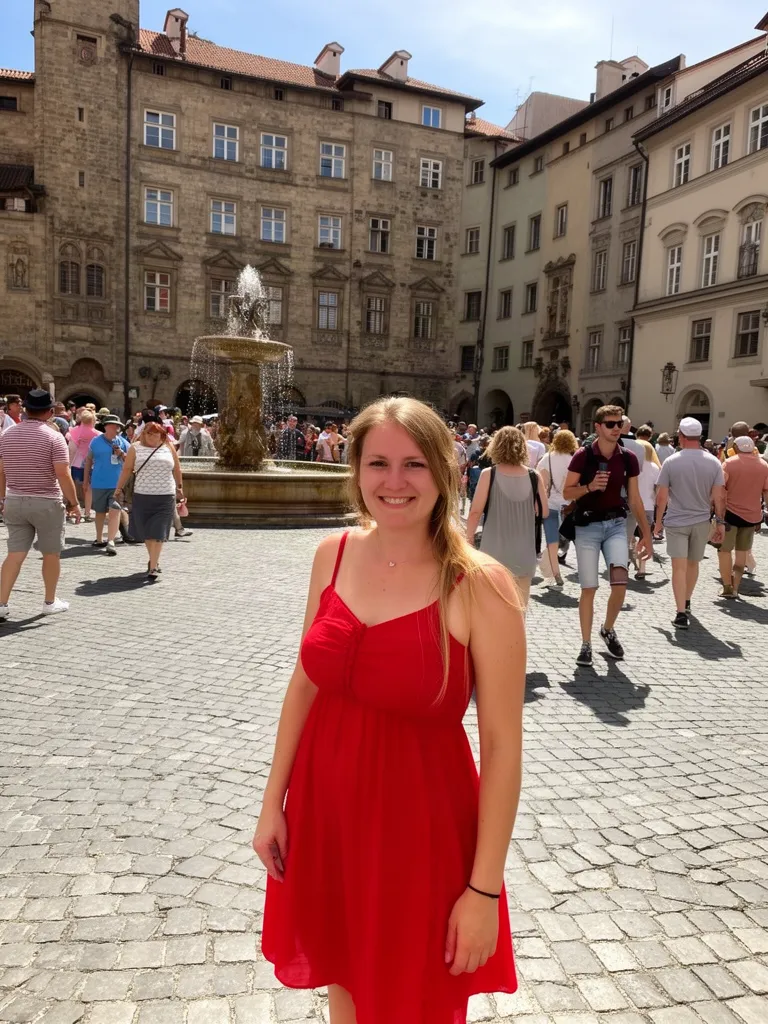 Before
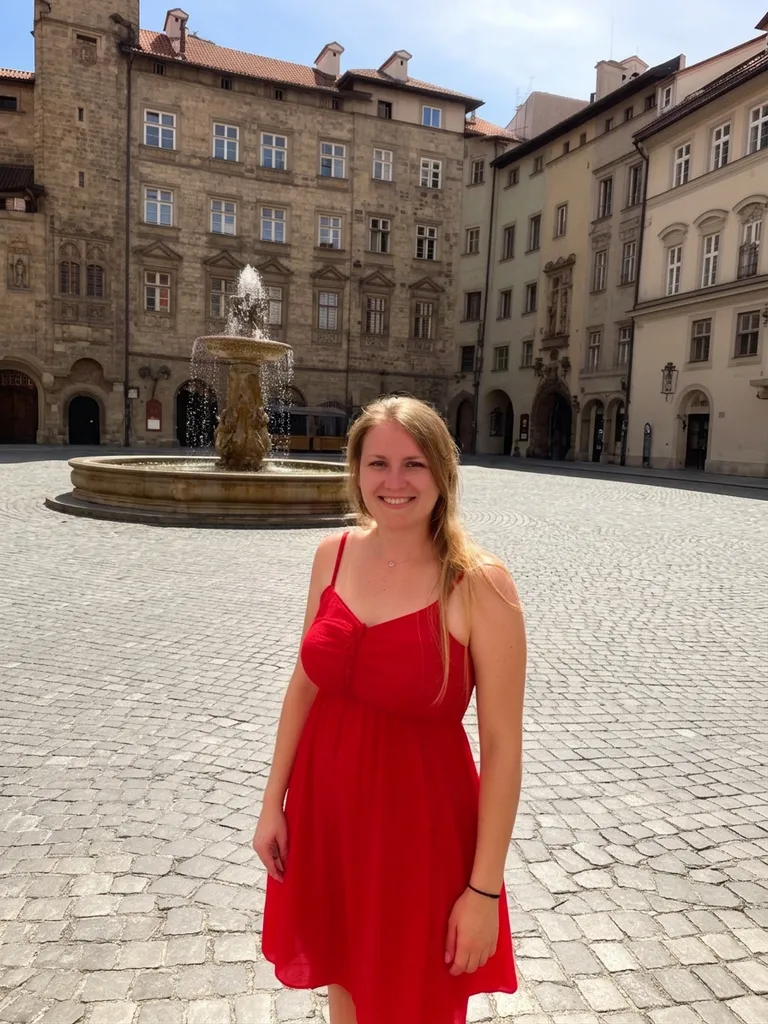 After
Remove people from a photo
Nano Banana 2“Remove all the other people in the background, keep only the woman in the red dress and the square”Try this prompt →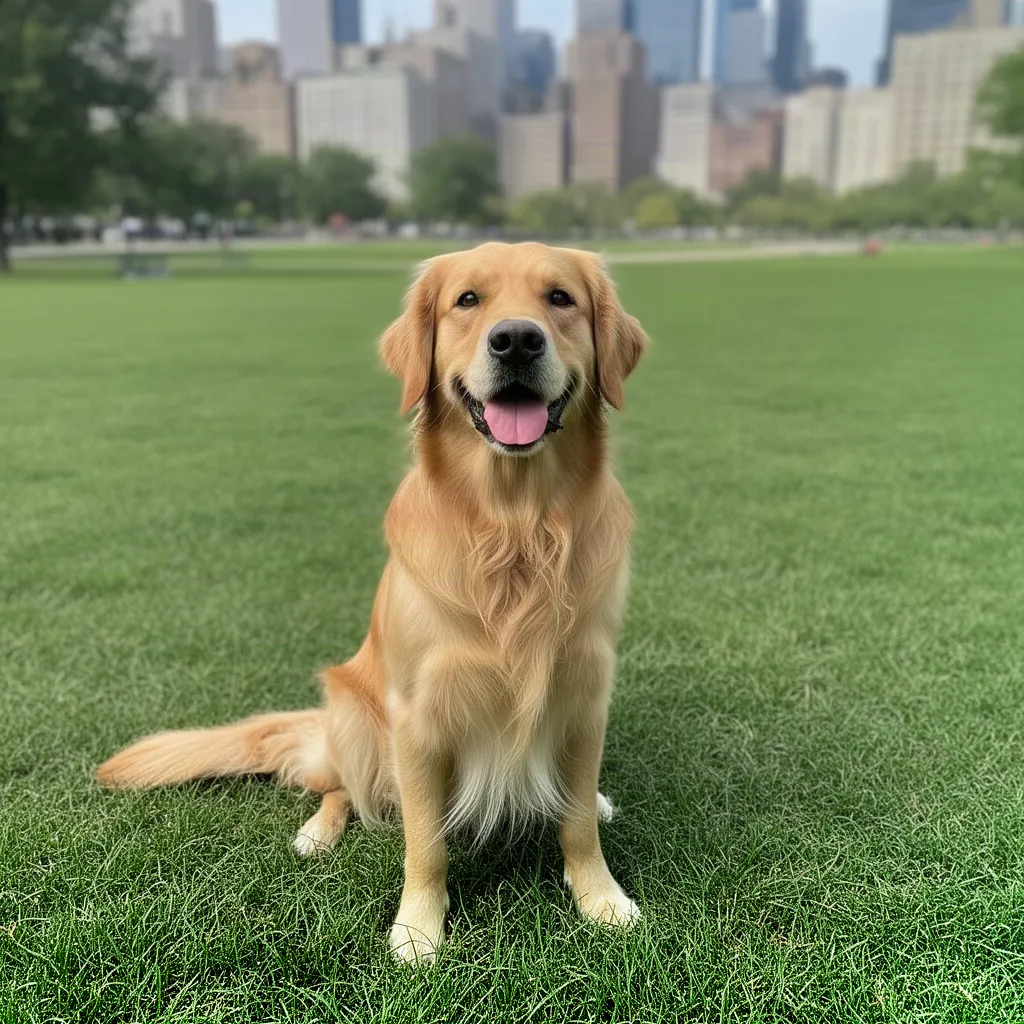 Before
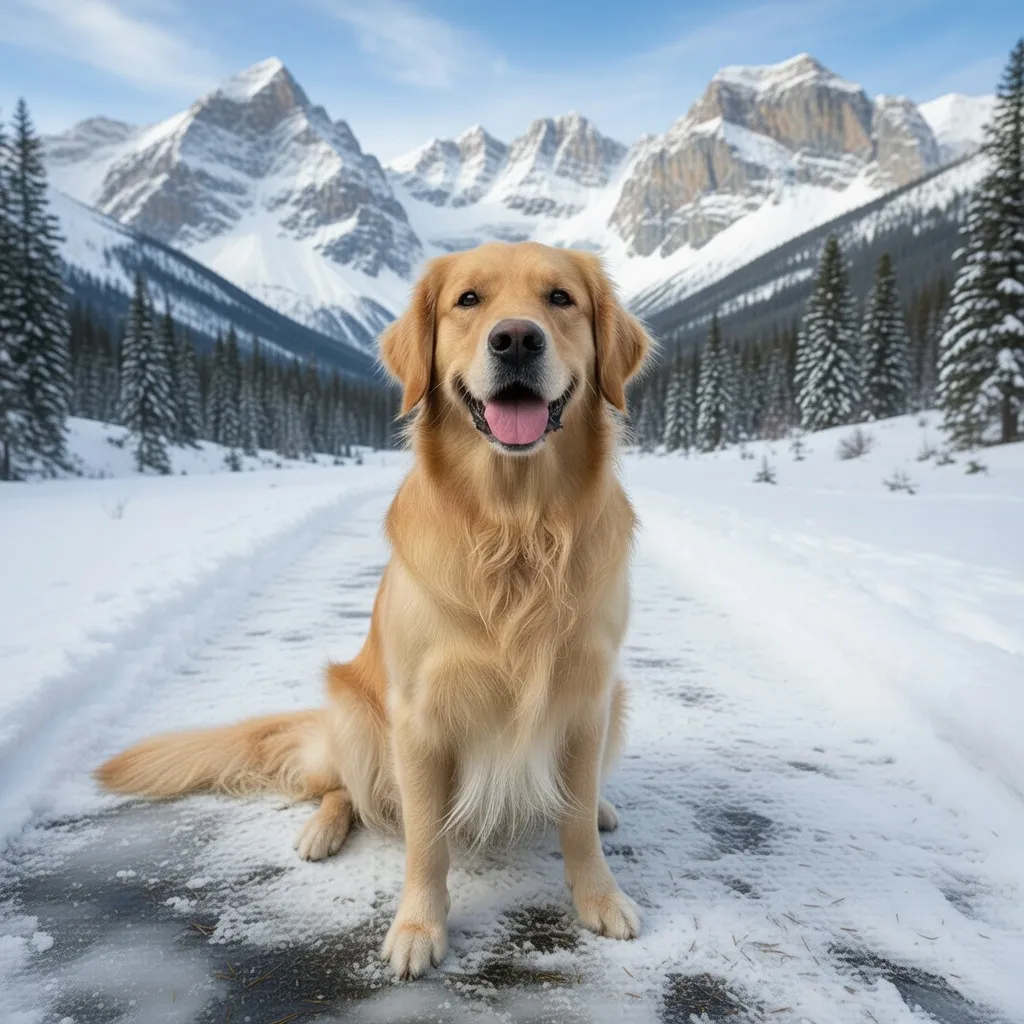 After
Change the background
Grok Imagine“Change the background to a snowy mountain trail, keep the dog exactly the same”Try this prompt → Before
 After
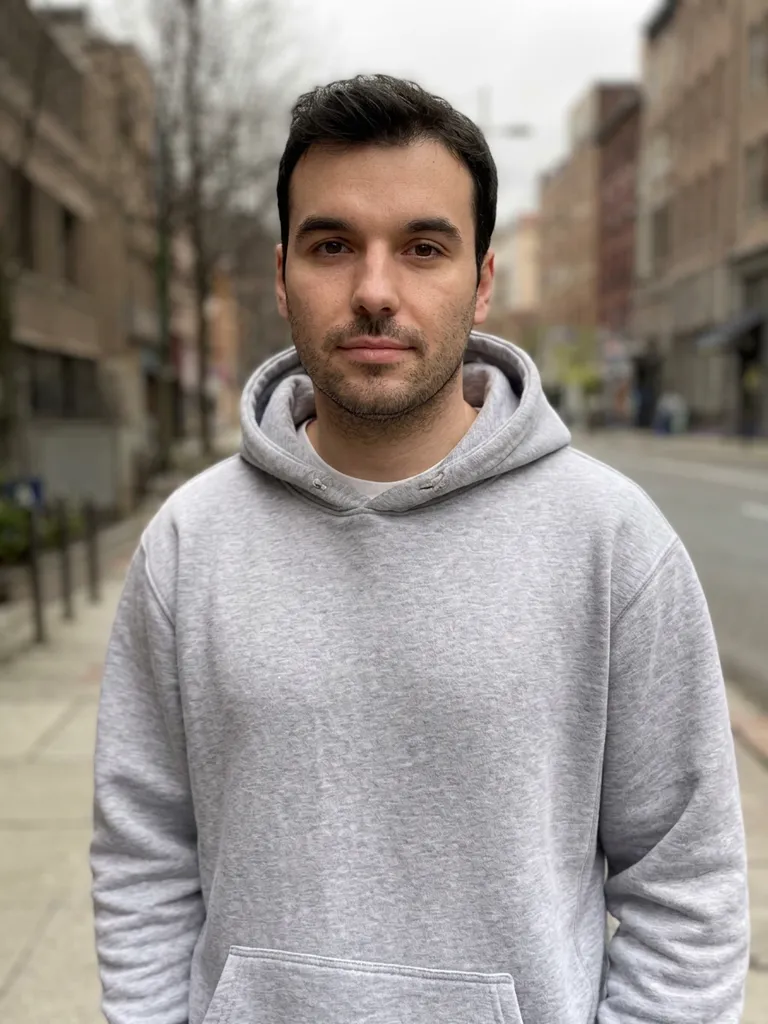
Sharpen a blurry photo
Nano Banana 2“Upscale and enhance this low-resolution photo: restore sharp natural detail in the face, hair and hoodie, remove blur and compression artifacts, keep the same person and composition”Try this prompt → Before
 After
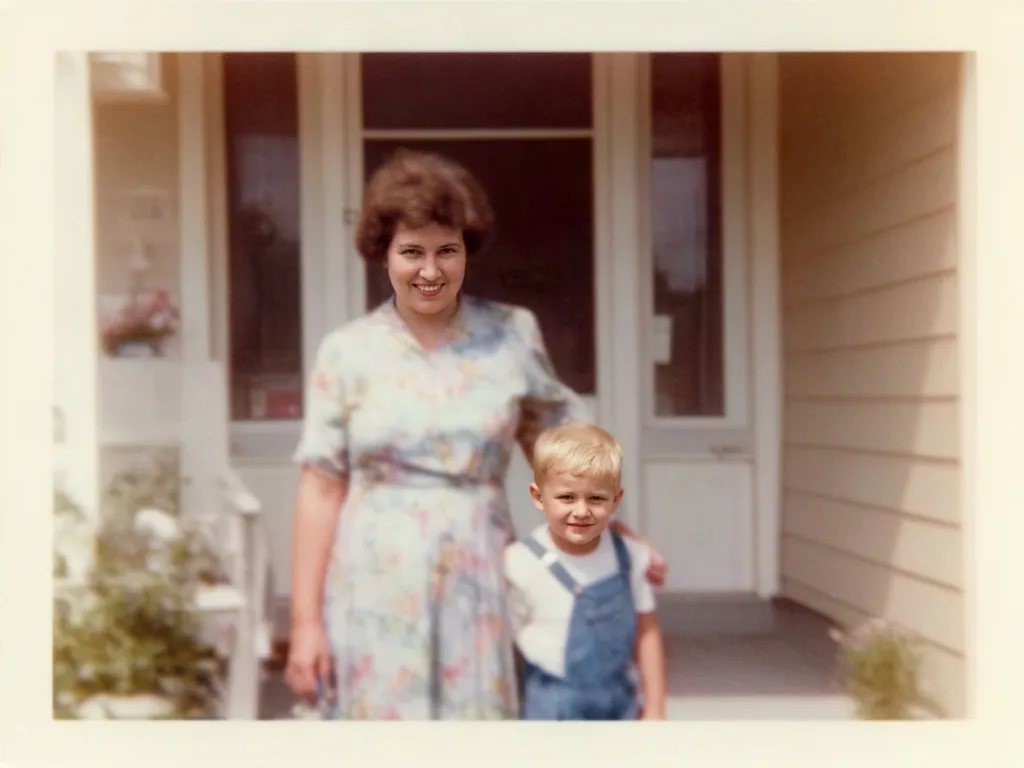
Restore an old photo
Nano Banana 2“Restore this old photo: remove scratches and dust, fix the faded colors, sharpen faces, keep it natural”Try this prompt →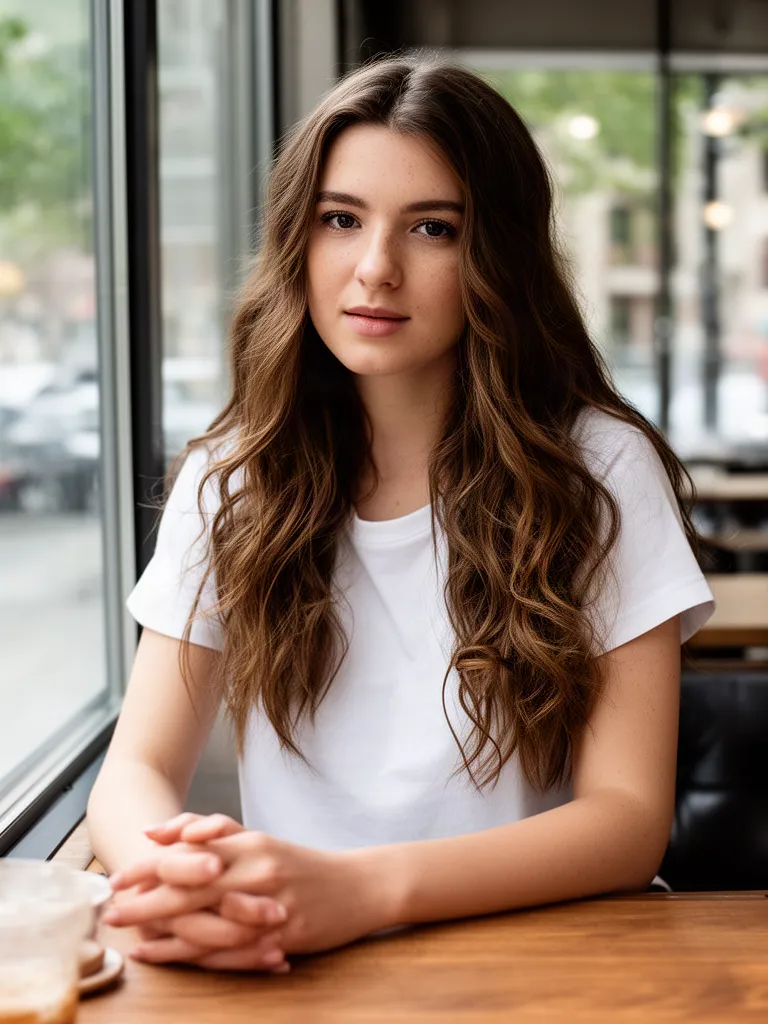 Before
 After
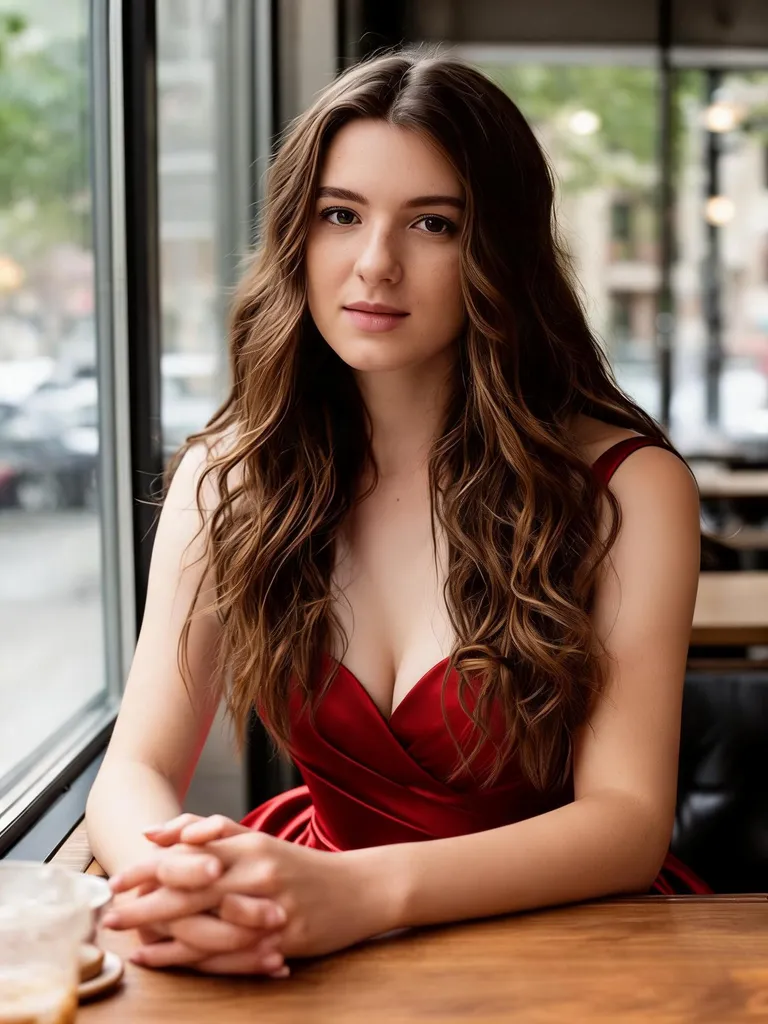
Change the outfit
Seedream 5.0 Lite“Change her outfit to an elegant red evening gown, keep her face, hair and the cafe background”Try this prompt →Before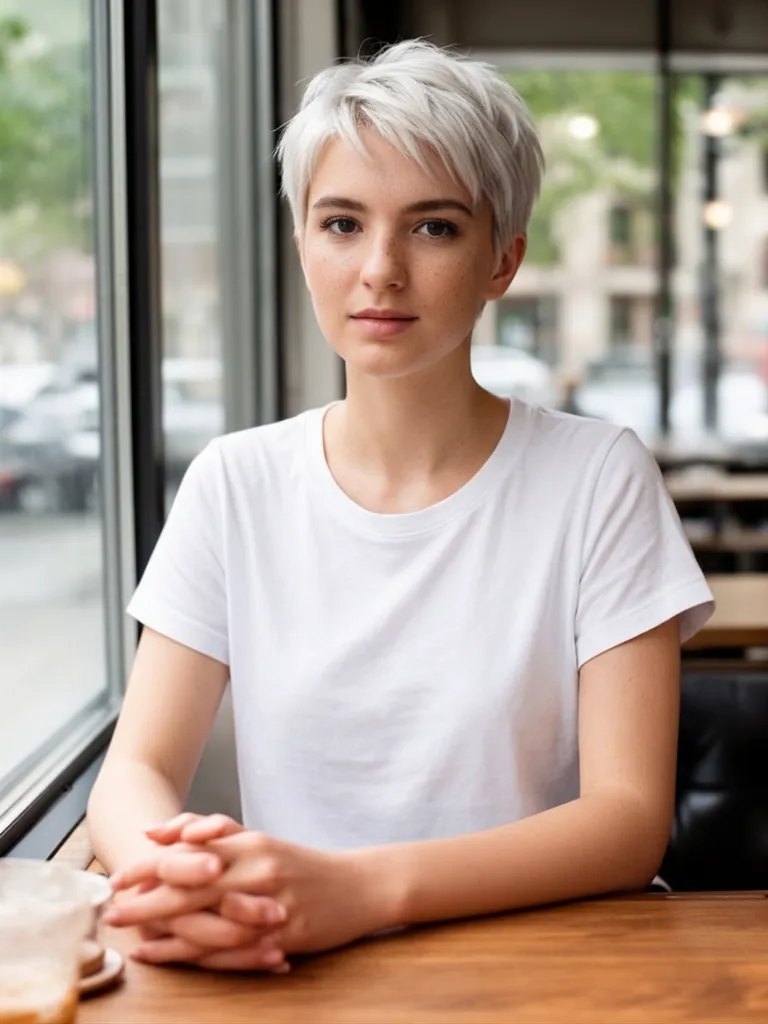 After
Try a new hairstyle
Nano Banana 2“Give her a short platinum blonde pixie cut, keep her face, clothes and background exactly the same”Try this prompt →Before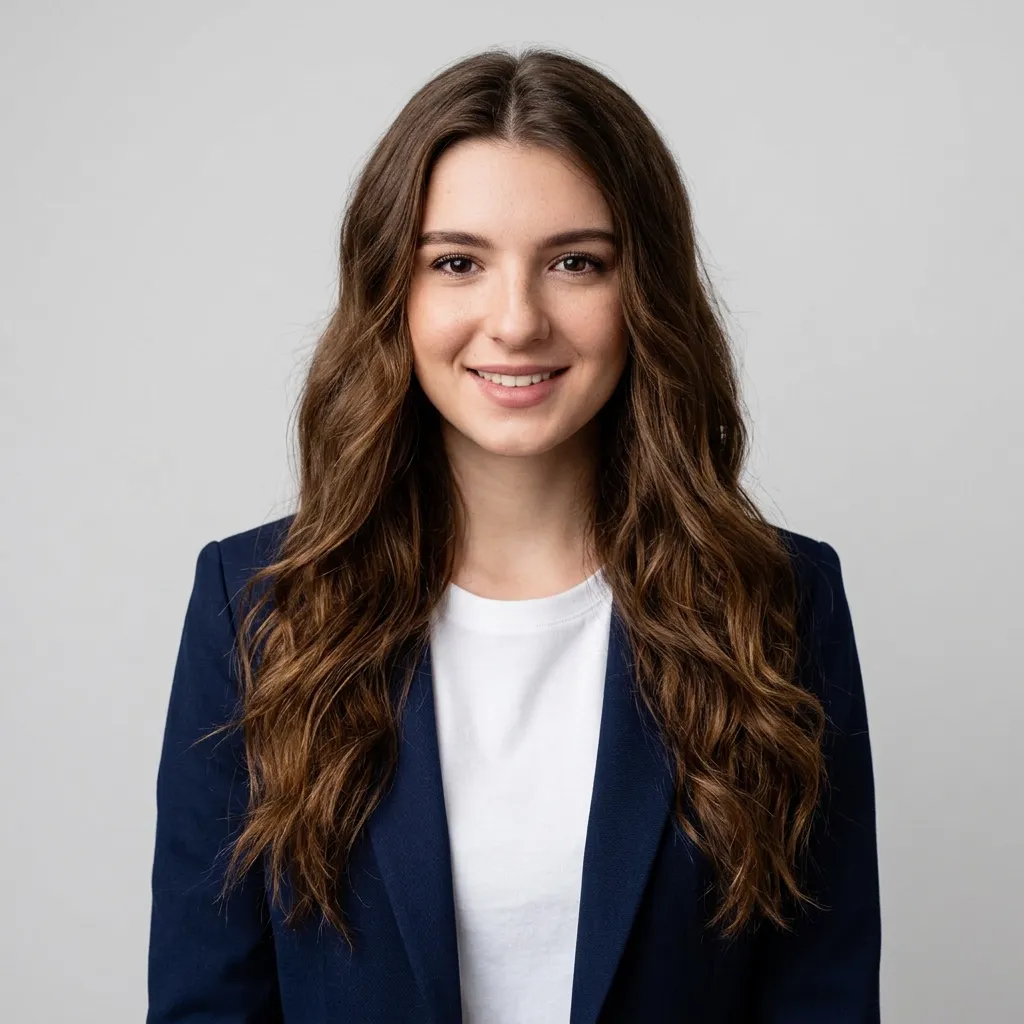 After
Turn a selfie into a headshot
Nano Banana 2“Turn this into a professional LinkedIn headshot of the same woman: navy blazer over a white top, neutral light grey studio background, soft studio lighting, head and shoulders”Try this prompt →Before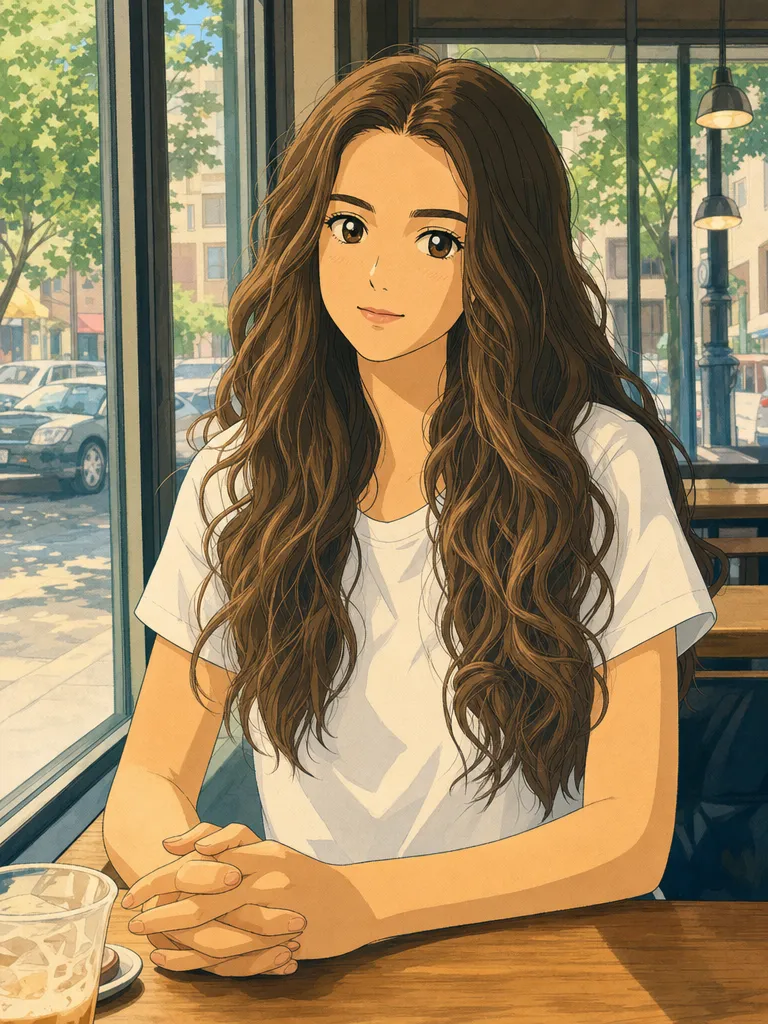 After
Turn a photo into Ghibli style art
GPT Image 2“Turn this photo into a hand-drawn Studio Ghibli style anime illustration, keep her pose, hair and the cafe window”Try this prompt →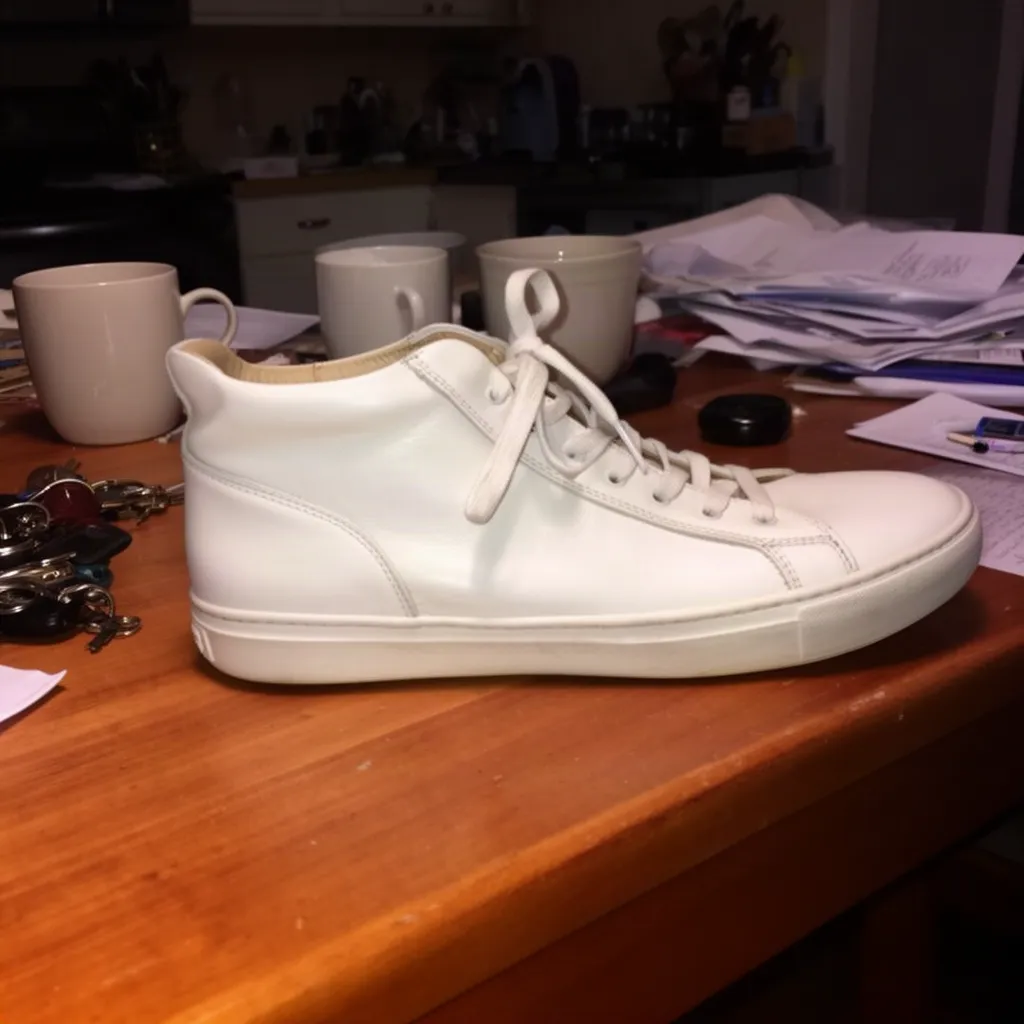 Before
 After
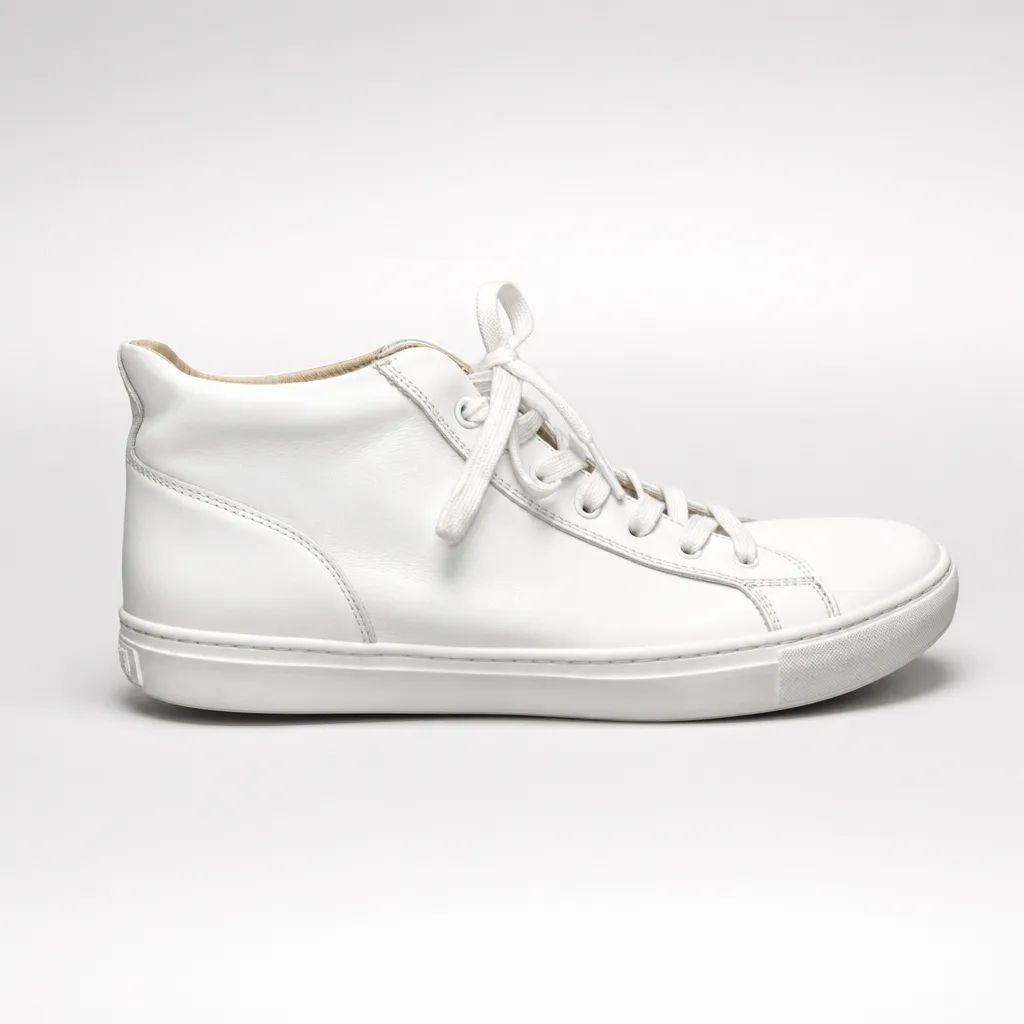
Make a studio product photo
GPT Image 2“Turn this into a professional studio product photo: the same white sneaker on a clean seamless light grey background, soft studio lighting, subtle shadow, e-commerce ready”Try this prompt →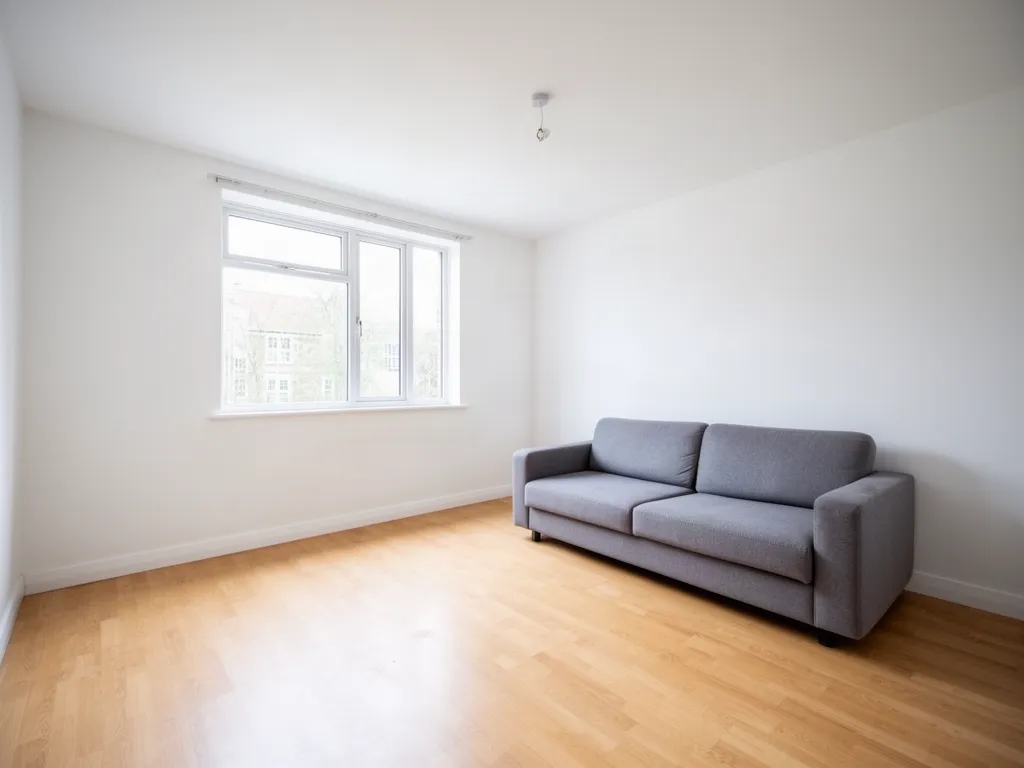 Before
 After
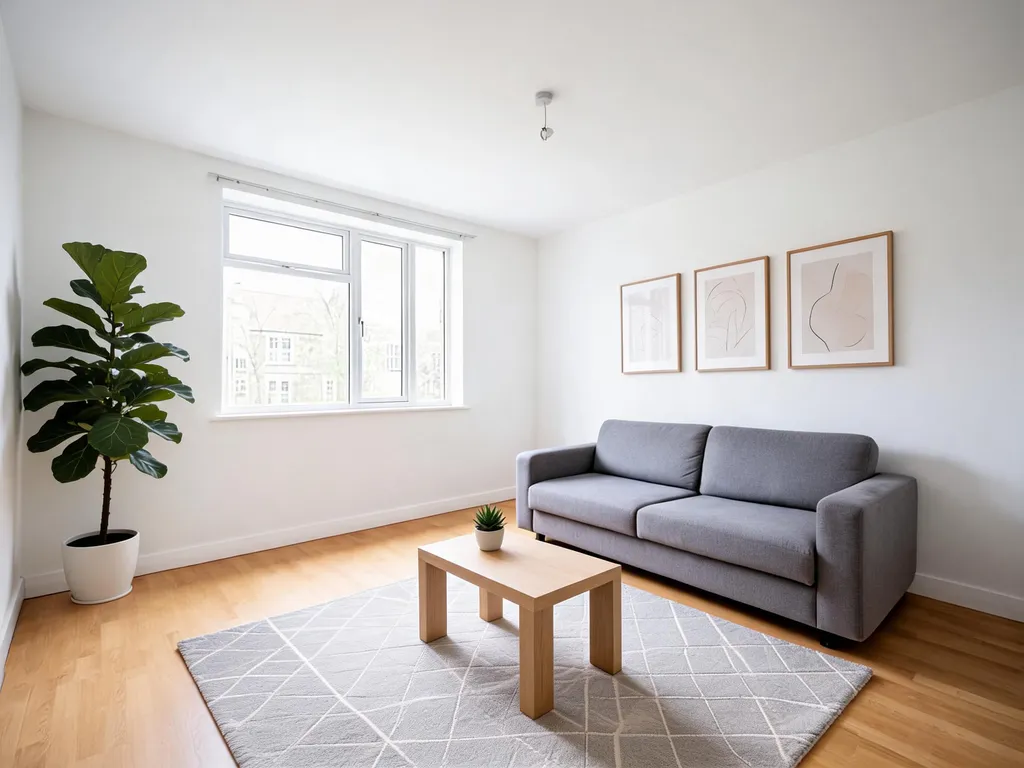
Furnish an empty room
Seedream 5.0 Lite“Virtual staging: furnish this living room in Scandinavian style with a rug, plants, a coffee table and wall art, keep the walls, window and floor”Try this prompt →EditAI at a glance
| How you edit | Upload a photo and describe the change in plain words, or click a ready-made prompt |
|---|---|
| AI models | GPT Image 2, Nano Banana 2, Nano Banana, Seedream 5.0 Lite, Seedream 4.5 and Grok Imagine, plus an AI upscaler and background removal |
| Model choice | The AI picks the best model, or start your prompt with use gptimage2, use nanobanana2, use seedream5, use seedream or use grok |
| Speed | About a minute per edit, and you can keep refining the result with new prompts |
| Where it works | In the browser (the Studio) and in the apps for iPhone and Android |
| Plans | Starter $4.99/month: 50 edits a day, HD export, no watermark. Pro $9.99/month: 300 edits a day plus Seedream 5 and Nano Banana 2. See pricing |
One editor, every edit
How it works
Three steps. Most edits are ready in about a minute.
Upload a photo
Open the Studio and drop in a JPG or PNG from your phone or computer.
Describe the edit
Type the change in plain English, or click a prompt on this page to pre-fill it.
Download
Get the result in about a minute, refine it with another prompt, then download it in high resolution.
AI image editing prompts to start from
Click a prompt to open it in the editor with your own photo.
Questions
How do I edit a photo with AI?
Upload the photo to the EditAI Studio and type the change, like “remove the car” or “make the sky blue”. The AI makes the edit in about a minute and leaves the rest of the photo as it was.
Do I need Photoshop or design skills?
No. If you can describe the change in plain words, you can edit. For ideas, browse the AI photo editing prompts.
How is AI editing different from traditional editing?
Traditional editing is manual and tool-driven. Here you describe the result and the AI produces it, which is much faster for everyday edits.
Which AI models does it use?
GPT Image 2, Nano Banana 2, Seedream 5 and Grok Imagine, among others. The AI picks the best one for each edit, and you can compare them on AI image models compared.
How much does it cost?
Starter is $4.99 a month for 50 edits a day and Pro is $9.99 a month for 300 edits a day plus the premium models Seedream 5 and Nano Banana 2. Both include HD export with no watermark, and you can cancel any time.