Change clothes with the AI outfit changer
Upload a photo, describe the outfit, and the AI dresses you in it. Your face, pose and background stay the same.
What is an AI outfit changer?
An AI outfit changer is a tool that replaces the clothes in a photo with new ones you describe in words, while keeping the person, pose and background. In EditAI you upload a photo, write the outfit you want, and get the edited picture in about a minute. It works for a single piece, like a jacket, or a complete new look.
AI outfit changer before and after
Real photos with new clothes, made inside EditAI. Each one used only the prompt shown under it.
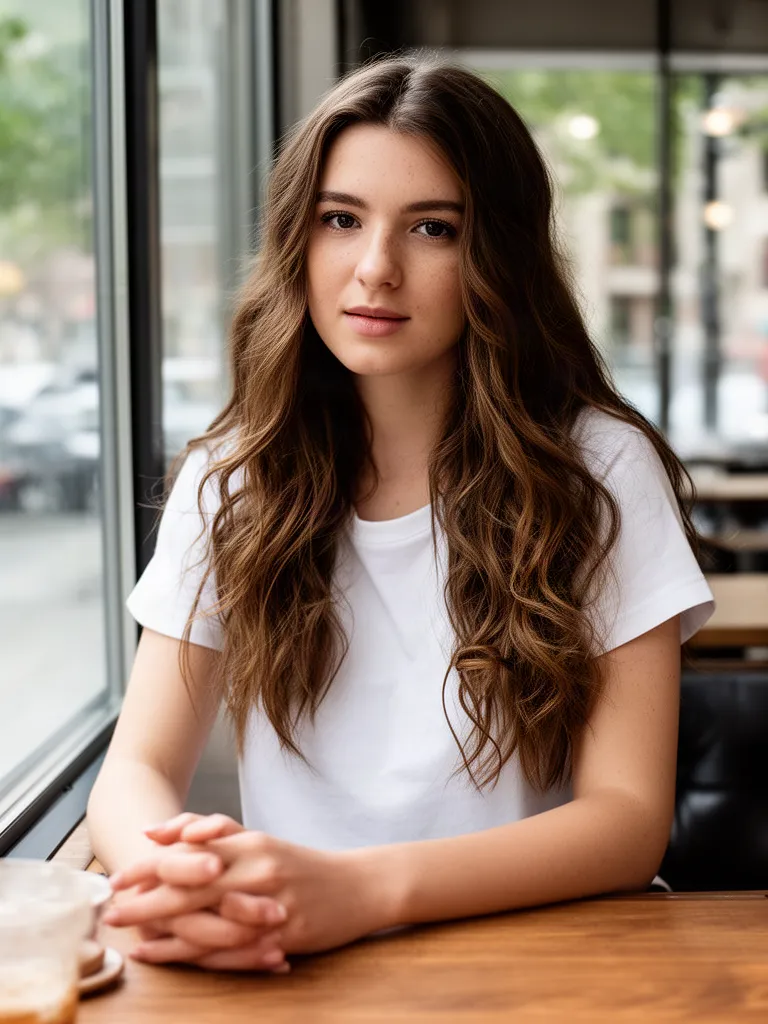 Before
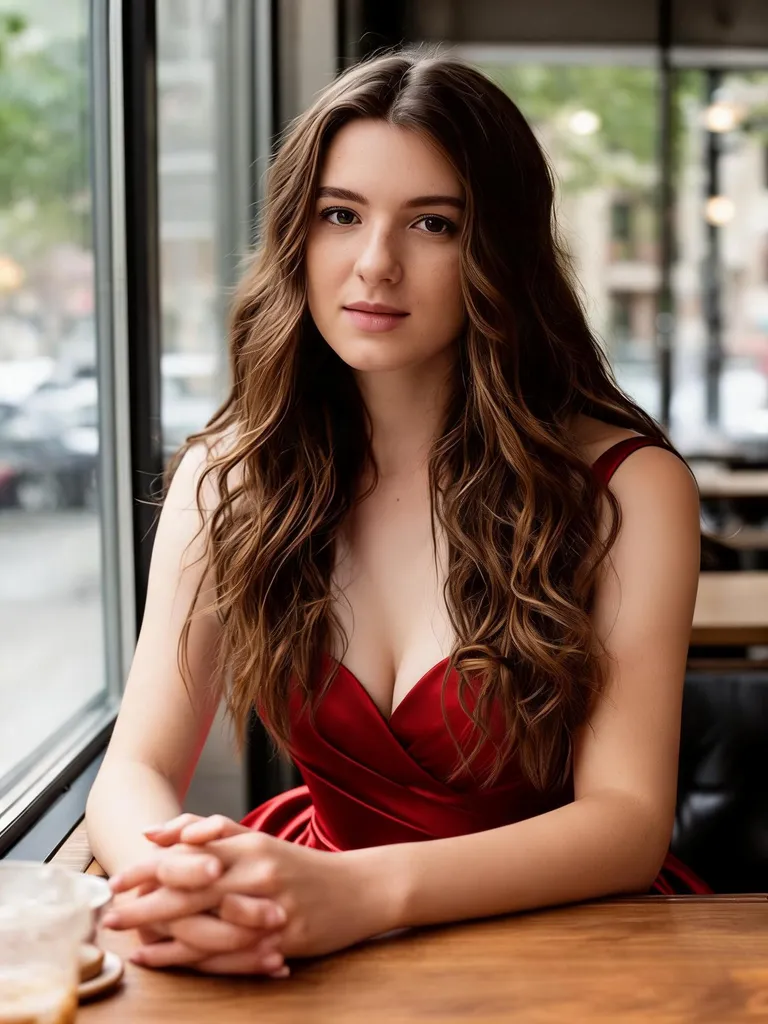 After
AfterRed evening gown
Seedream 5.0 Lite“Change her outfit to an elegant red evening gown, keep her face, hair and the cafe background”Try this prompt → Before
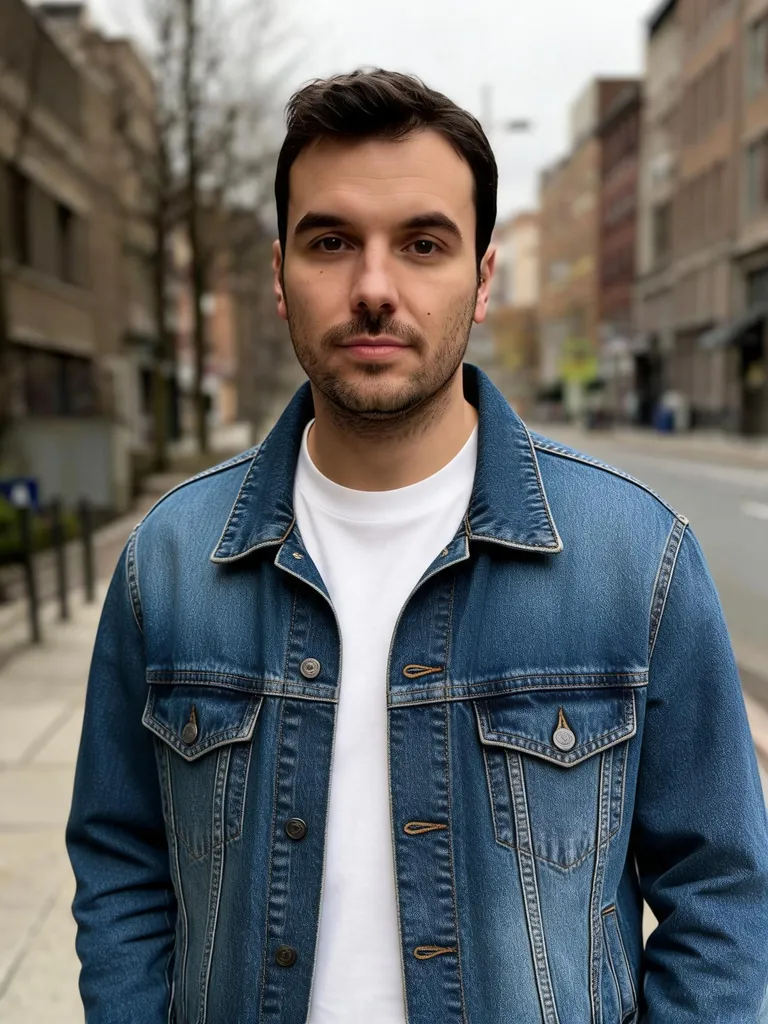 After
AfterDenim jacket
Seedream 5.0 Lite“Change his outfit to a denim jacket over a white t-shirt, keep his face and the street background”Try this prompt →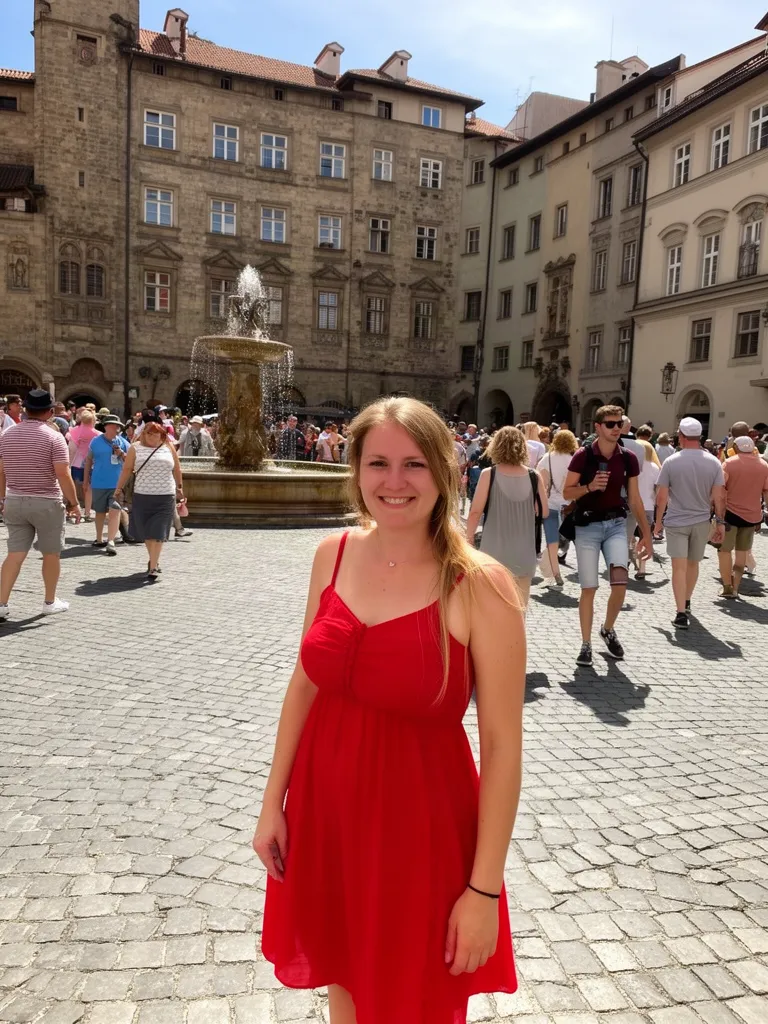 Before
 After
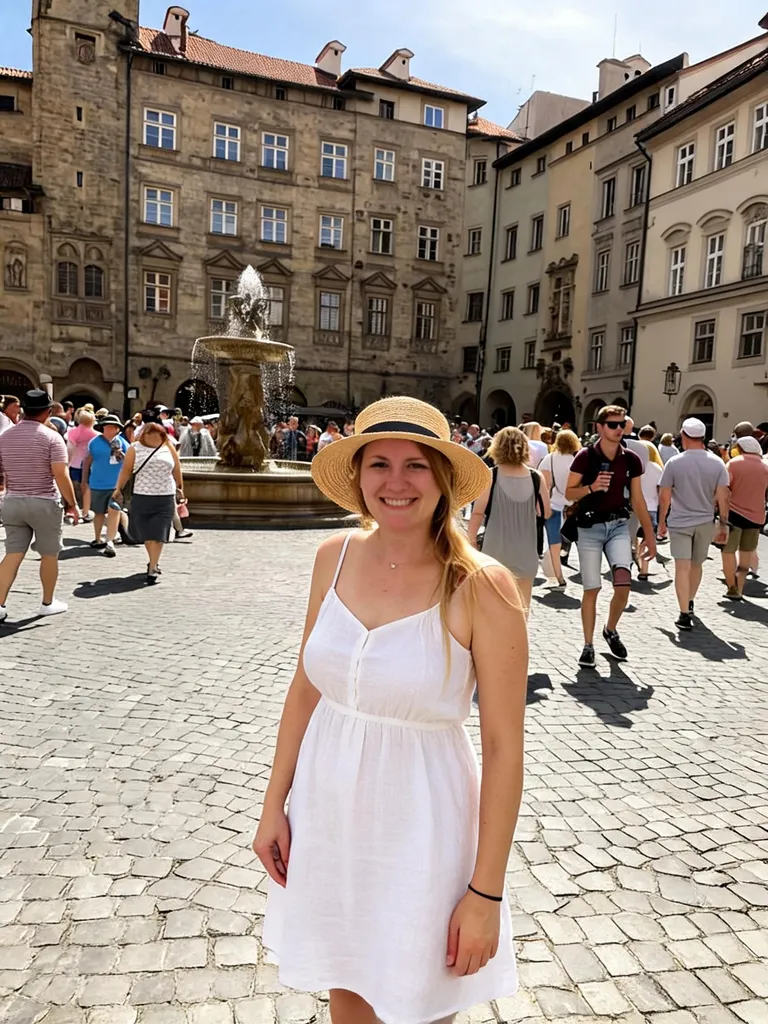
AfterWhite linen dress and straw hat
Seedream 5.0 Lite“Change her red dress to a white linen summer dress with a straw hat, keep the square and the people”Try this prompt →Before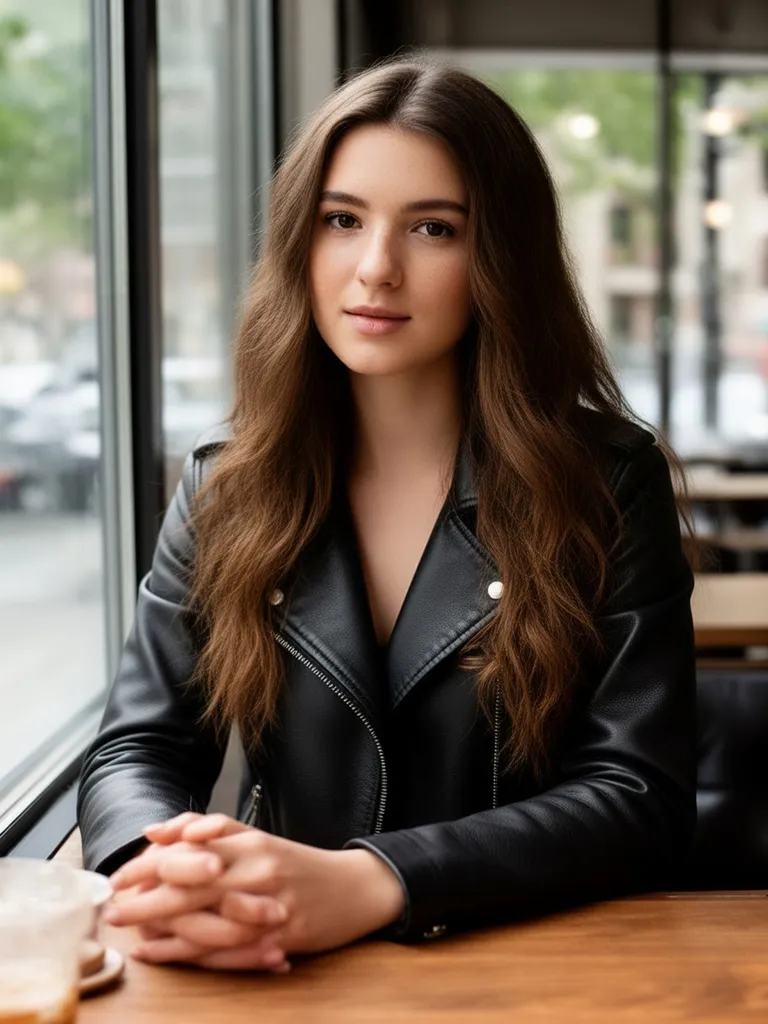 After
AfterBlack leather jacket
Grok Imagine“Change her white t-shirt into a black leather jacket”Try this prompt →Before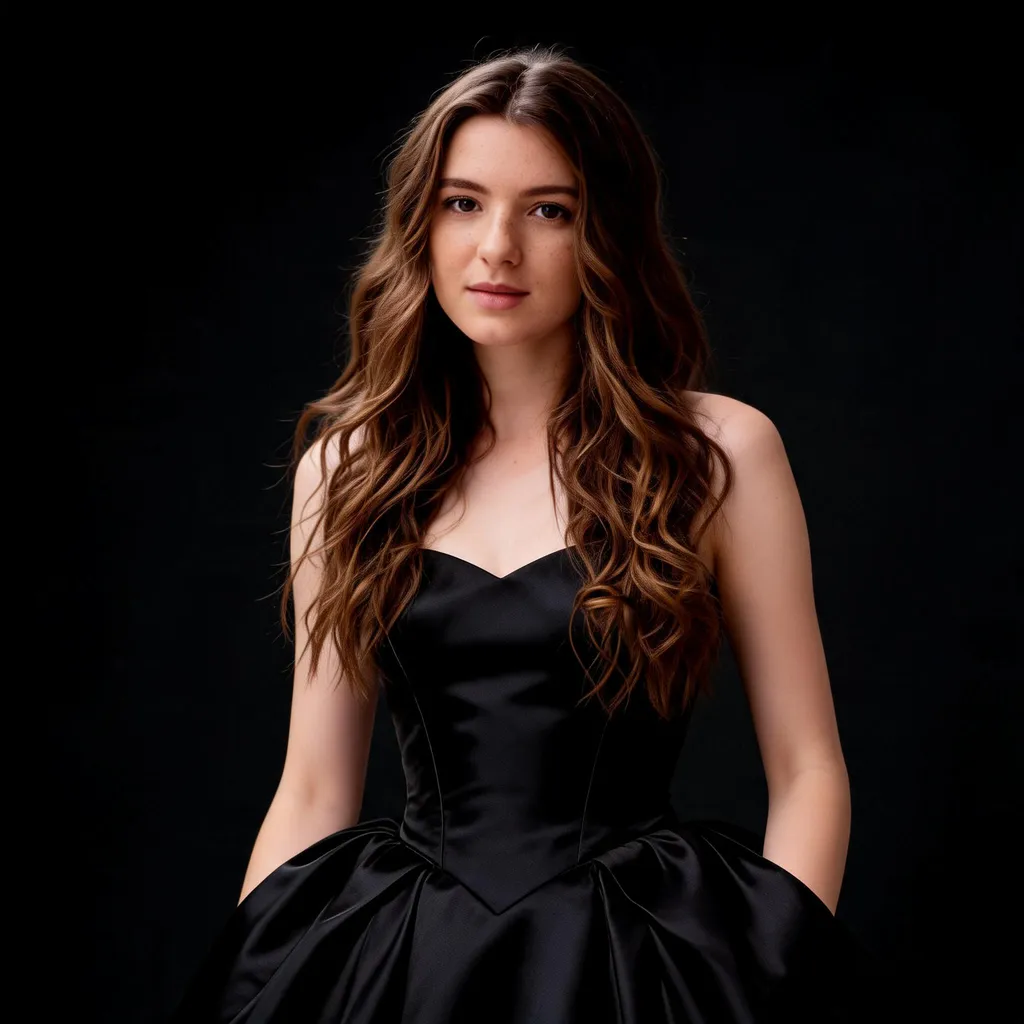 After
AfterBlack dress for a fashion editorial
Seedream 5.0 Lite“Fashion editorial portrait of the same woman in an elegant black evening dress, studio lighting, high-end magazine look”Try this prompt →AI outfit changer at a glance
| What it changes | Tops, dresses, jackets, suits, shoes, hats and full outfits, including colors and patterns |
|---|---|
| What stays | Face, pose, hair and background, unless you ask to change them |
| Models used | Seedream 5.0 Lite and Grok Imagine in the examples above. The AI picks a model unless you choose one |
| Best photo | One person, clearly visible from the waist up or full body, in good light |
| In EditAI | Included in the Starter and Pro plans, on web, iPhone and Android. Seedream 5 is a Pro model |
| New hair too | Pair a new outfit with a new cut on the AI hairstyle changer |
What the AI clothes changer can do
Dresses and gowns
Evening gowns, summer dresses or a little black dress for any occasion.
Jackets and layers
Add a denim jacket, a leather jacket, a trench coat or a blazer.
Work and formal
Suits, shirts and blazers for profile photos and events.
Colors and patterns
Change only the color or print of a piece and keep its cut.
Accessories
Add hats, sunglasses, scarves or bags to complete a look.
Outfit ideas
See how a style or color could look on you before you shop or pack.
How it works
Three steps. Most edits are ready in about a minute.
Upload a photo
Open the Studio and add a photo where your clothes are clearly visible.
Describe the outfit
Write the clothes, color and style, or click a prompt on this page to pre-fill it.
Download
Get the new outfit in about a minute, try more looks, then download it in high resolution.
Outfit prompts to start from
Click a prompt to open it in the editor with your own photo.
Questions
How do I change clothes in a photo with AI?
Upload the photo to the EditAI Studio and describe the new outfit, like “change my outfit to a black leather jacket”. The AI replaces the clothes and keeps your face, pose and background.
Will it keep my face the same?
Yes, the outfit changer edits the clothes and leaves your face as it is. Add “keep my face and pose the same” to your prompt for the closest result.
Can it change only the color of my clothes?
Yes. Ask for a color or pattern change, like “make my shirt white”, and the cut and fit stay the same.
What photo works best?
A clear photo of one person, from the waist up or full body, in good light. Clothes hidden behind a table or a bag are harder to change.
How much does it cost?
Outfit changes are included in the EditAI plans: Starter at $4.99 a month (50 edits a day) and Pro at $9.99 a month (300 edits a day plus the premium models Seedream 5 and Nano Banana 2). You can cancel any time.