AI photo to anime, Ghibli style and more
Upload any photo and get an anime version: clean cel-shaded anime, Studio Ghibli style, manga or a 3D character, while it still looks like you.
What is Ghibli AI?
Ghibli AI is the popular name for using an AI image model to redraw a photo in the look of hand-drawn Studio Ghibli films: soft colors, painted backgrounds and gentle line work. In EditAI you upload a photo, ask for a Studio Ghibli style illustration, and get it in about a minute. The same editor also turns photos into classic anime, manga or 3D characters.
Photo to anime before and after
Real photos turned into anime and cartoon styles inside EditAI. Each one used only the prompt shown under it.
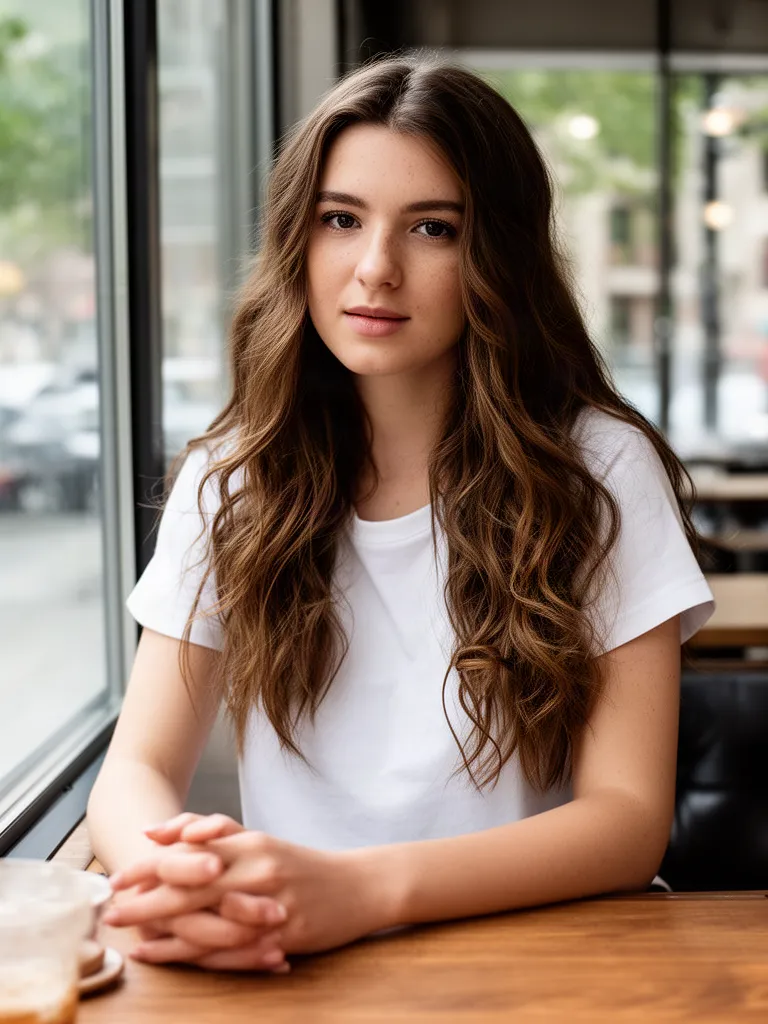 Before
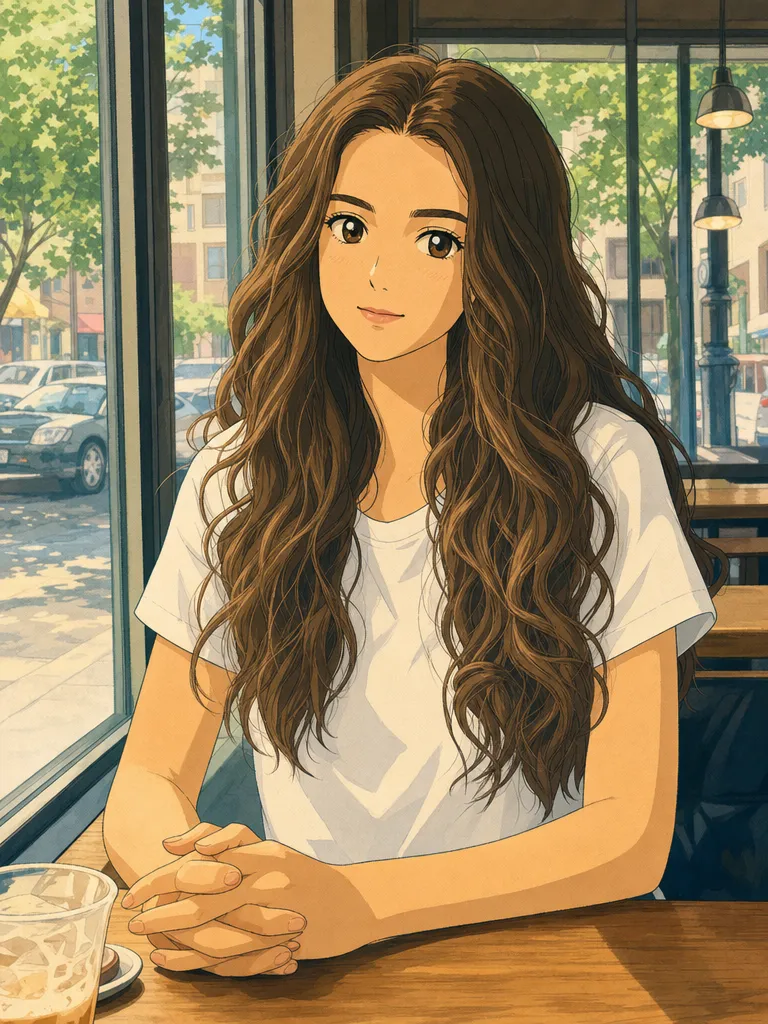 After
AfterCafe photo to Studio Ghibli style
GPT Image 2“Turn this photo into a hand-drawn Studio Ghibli style anime illustration, keep her pose, hair and the cafe window”Try this prompt →Before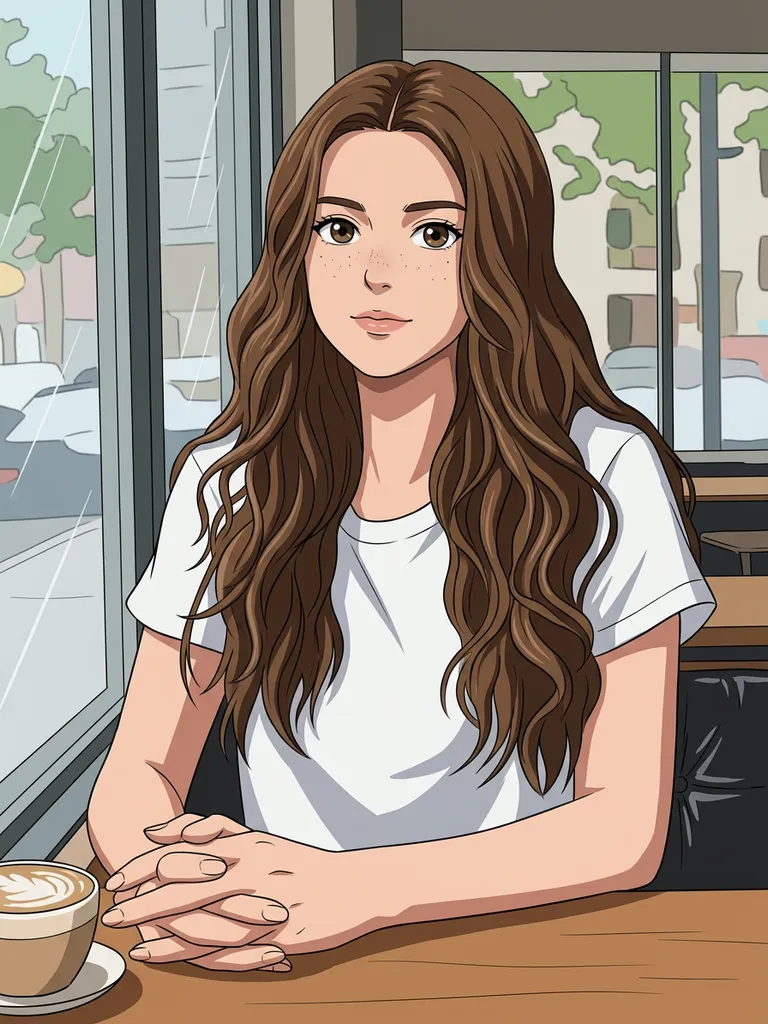 After
AfterPortrait to anime illustration
Nano Banana 2“Turn this photo into a cel-shaded anime illustration, same pose and outfit”Try this prompt →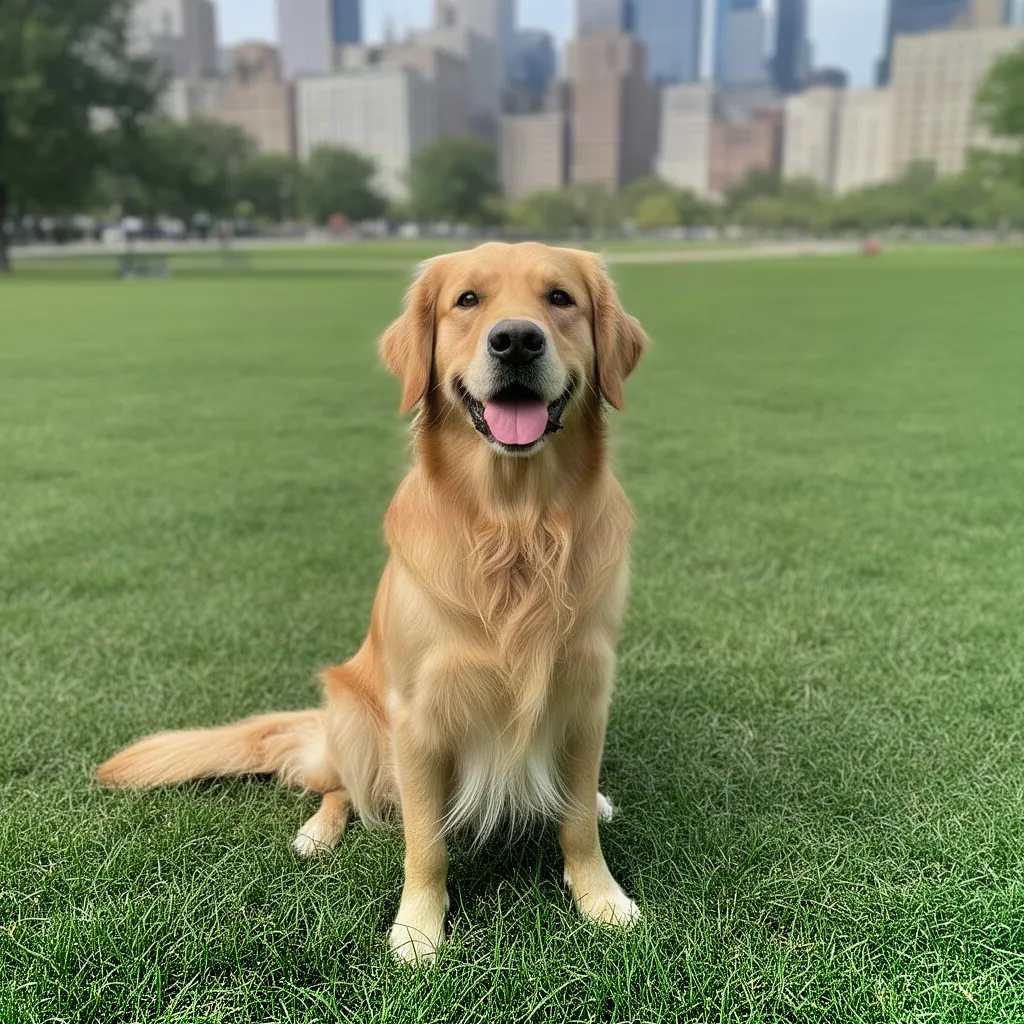 Before
 After
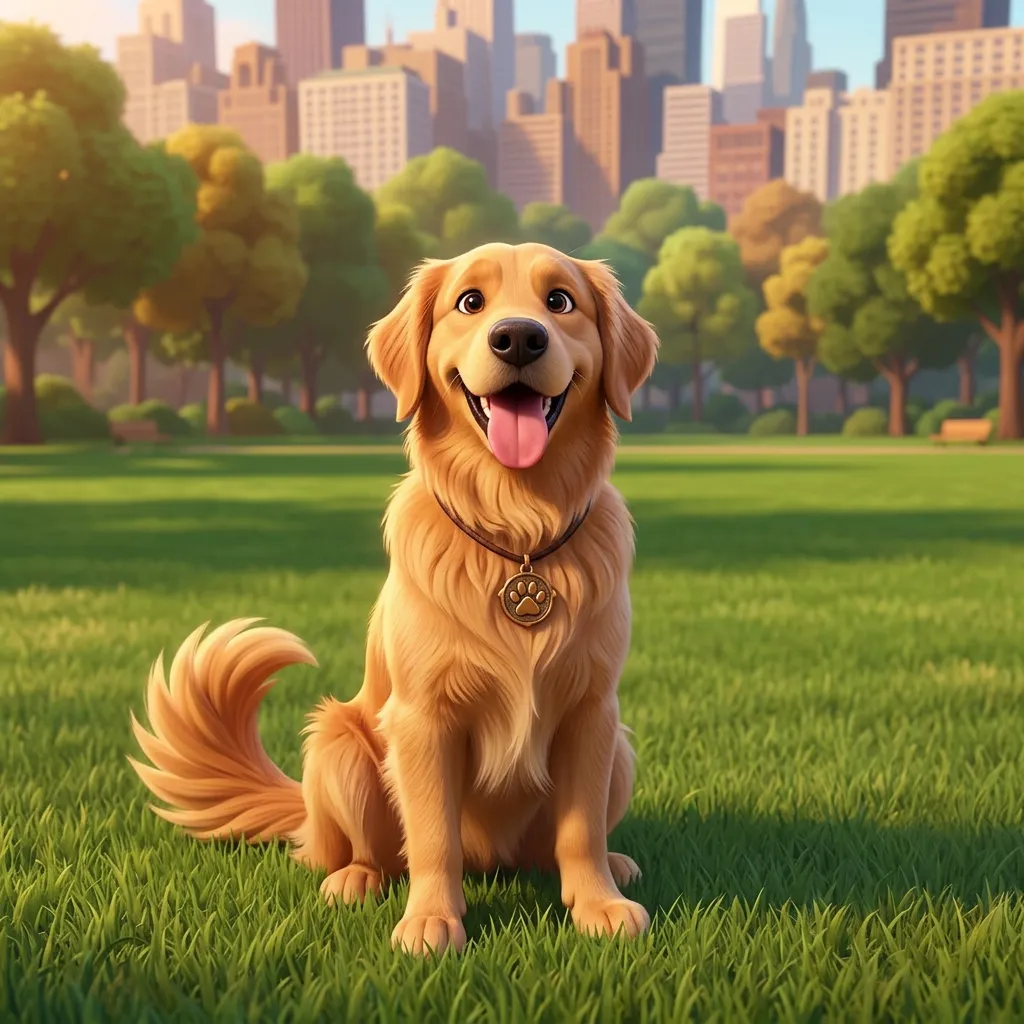
AfterDog to 3D Pixar-style character
Nano Banana 2“Turn the dog into a cute 3D animated movie character, Pixar style, same pose”Try this prompt →Before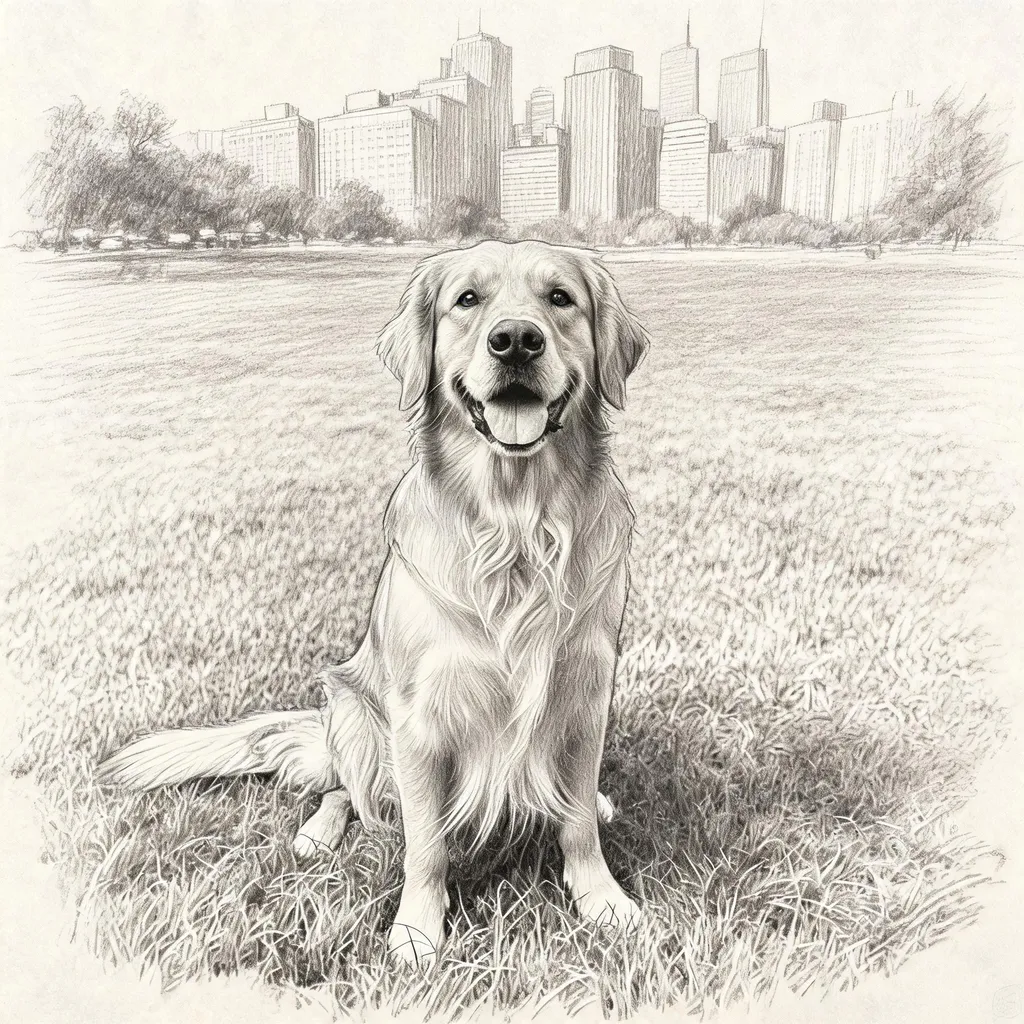 After
AfterDog photo to pencil sketch
Seedream 5.0 Lite“Turn this into a pencil sketch drawing on paper”Try this prompt →AI photo to anime at a glance
| Styles | Studio Ghibli style, cel-shaded anime, manga, 90s retro anime, chibi and 3D cartoon |
|---|---|
| What stays | Pose, hairstyle, clothes and main features, so the character is still recognizable |
| Models used | GPT Image 2 for the Ghibli example, Nano Banana 2 for anime and 3D, Seedream 5.0 Lite for the sketch |
| Best photos | Portraits, couples, pets and travel photos with a clear subject |
| In EditAI | Included in the Starter and Pro plans, on web, iPhone and Android. Nano Banana 2 and Seedream 5 are Pro models |
| Compare models | See the same cafe photo in Ghibli style by four models on AI image models compared |
Pick your anime style
Ghibli style
Soft painted colors and gentle line work, like a frame from a hand-drawn film.
Cel-shaded anime
The classic clean anime look with bold lines and expressive eyes.
Manga
Black and white line art with screen tones, like a comic page.
90s retro anime
Vintage cel colors and a touch of film grain.
3D cartoon
A cute 3D animated character, great for pets and kids.
Chibi stickers
Big head, tiny body, ready for a sticker or an avatar.
How it works
Three steps. Most edits are ready in about a minute.
Upload a photo
A selfie, a portrait or a pet photo works great.
Pick a style
Anime, Ghibli or manga, or type your own, or click a prompt on this page.
Download and share
Get your anime version in about a minute and download it in high resolution.
Anime prompts to start from
Click a prompt to open it in the editor with your own photo.
Questions
How do I turn my photo into anime?
Upload the photo to the EditAI Studio and name the style, like “turn this into a Studio Ghibli style illustration”. You get the anime version in about a minute and can try other styles on the same photo.
What anime styles can I get?
Cel-shaded anime, Studio Ghibli style, manga line art, retro 90s anime, 3D and chibi. Just name the style in your prompt.
Will my face still be recognizable?
Yes. It stylizes the photo while keeping your hairstyle, expression and main features recognizable.
Which model makes the best Ghibli style?
GPT Image 2 is strong at the hand-drawn Ghibli look, as in the first example. See four models on the same photo on our comparison page.
Is this made by Studio Ghibli?
No. EditAI is independent and not affiliated with Studio Ghibli. The AI recreates the general look of hand-drawn anime films from your prompt.
How much does it cost?
Anime edits are included in the EditAI plans: Starter at $4.99 a month (50 edits a day) and Pro at $9.99 a month (300 edits a day plus the premium models Seedream 5 and Nano Banana 2). You can cancel any time.