Try new hair with the AI hairstyle changer
Upload a selfie, describe the cut or the color, and see it on your own face in about a minute. Your face, expression and background stay the same.
What is an AI hairstyle changer?
An AI hairstyle changer is a tool that edits the hair in your photo, its cut, length, texture or color, while keeping your face the same. In EditAI you upload a selfie, write the hairstyle you want, and see it on your own face in about a minute. It is a quick way to try a look before you book the salon.
AI hairstyle changer before and after
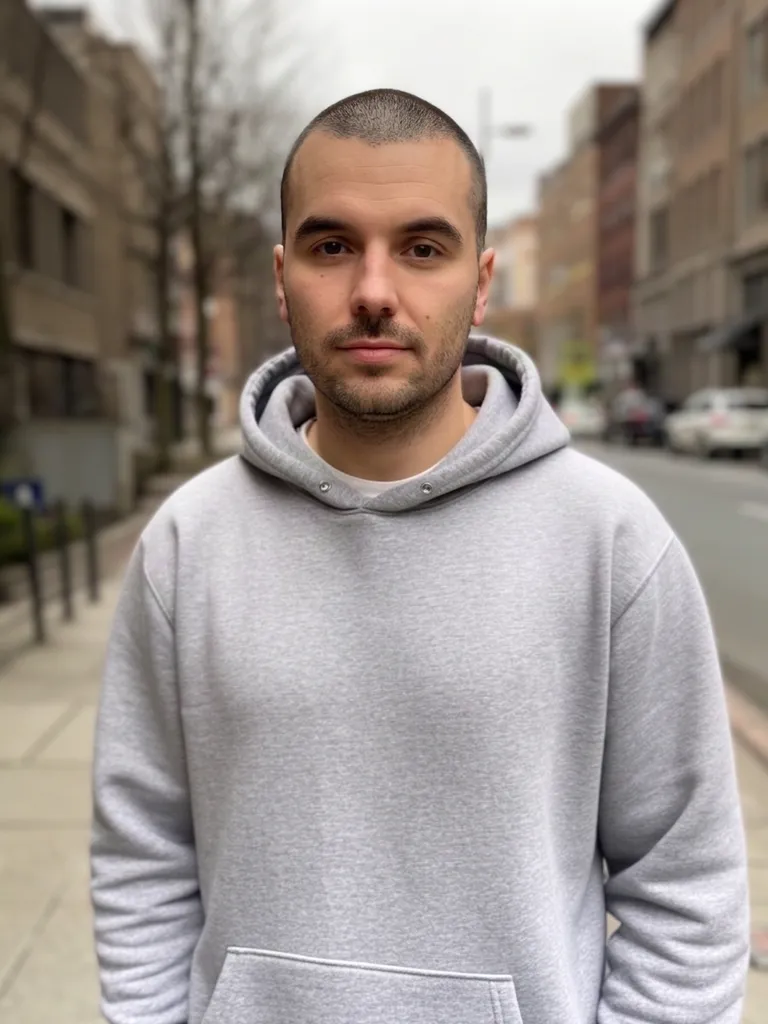
Real photos with new hair, made inside EditAI. Each one used only the prompt shown under it.
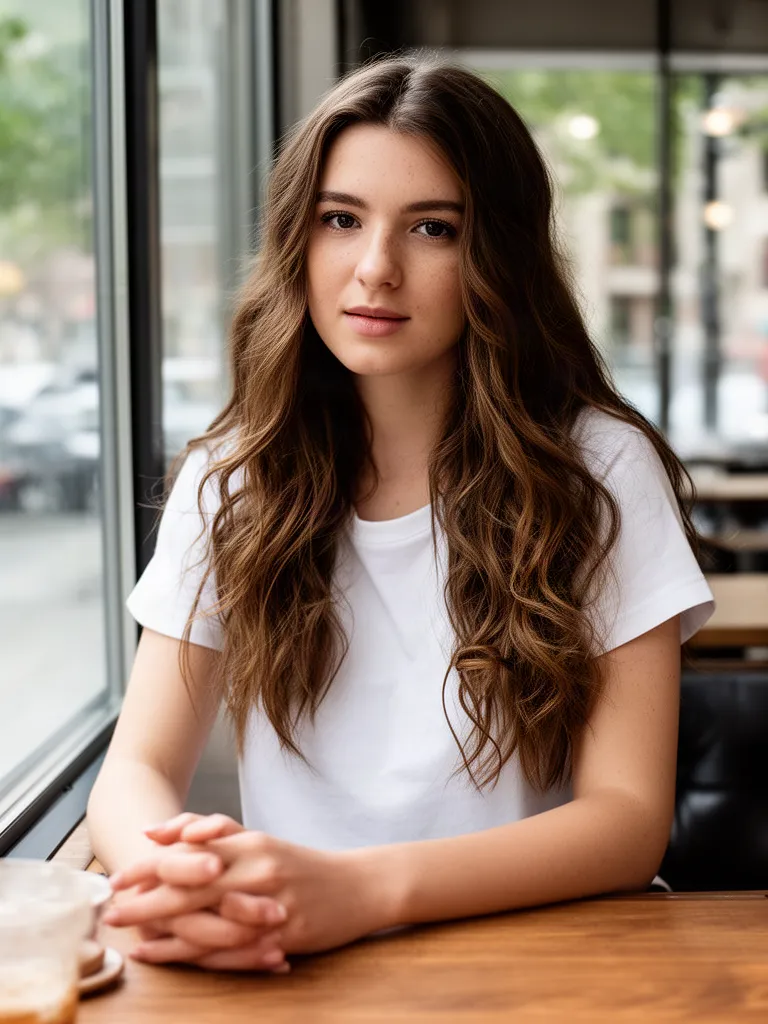 Before
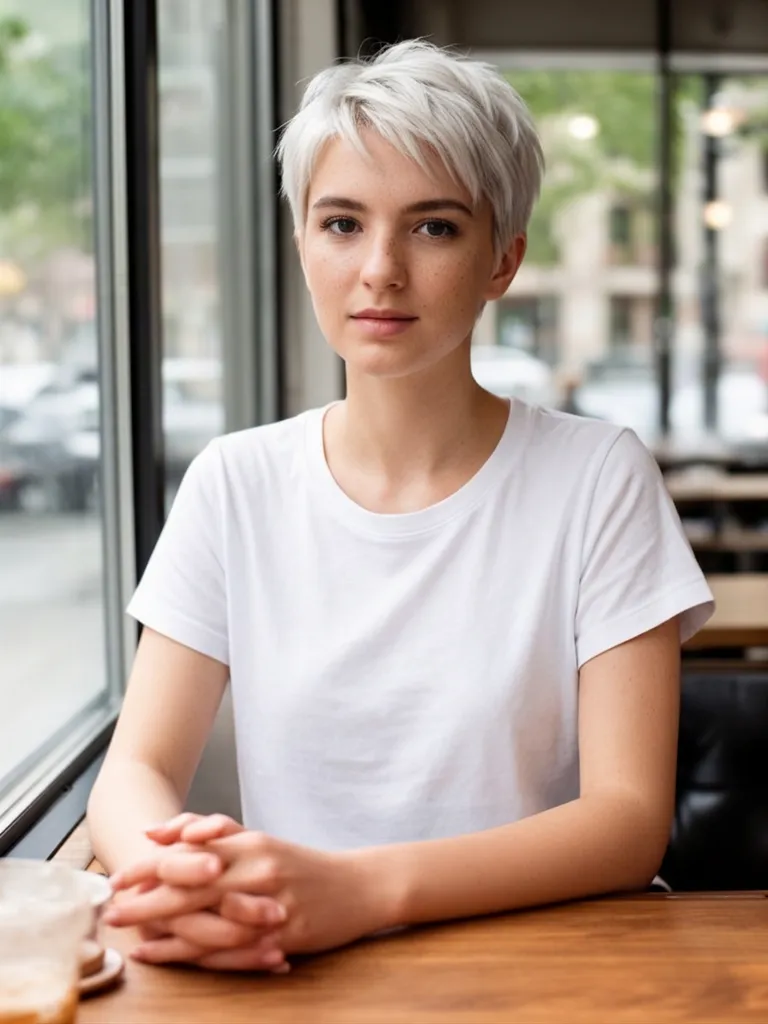 After
AfterPlatinum pixie cut
Nano Banana 2“Give her a short platinum blonde pixie cut, keep her face, clothes and background exactly the same”Try this prompt →Before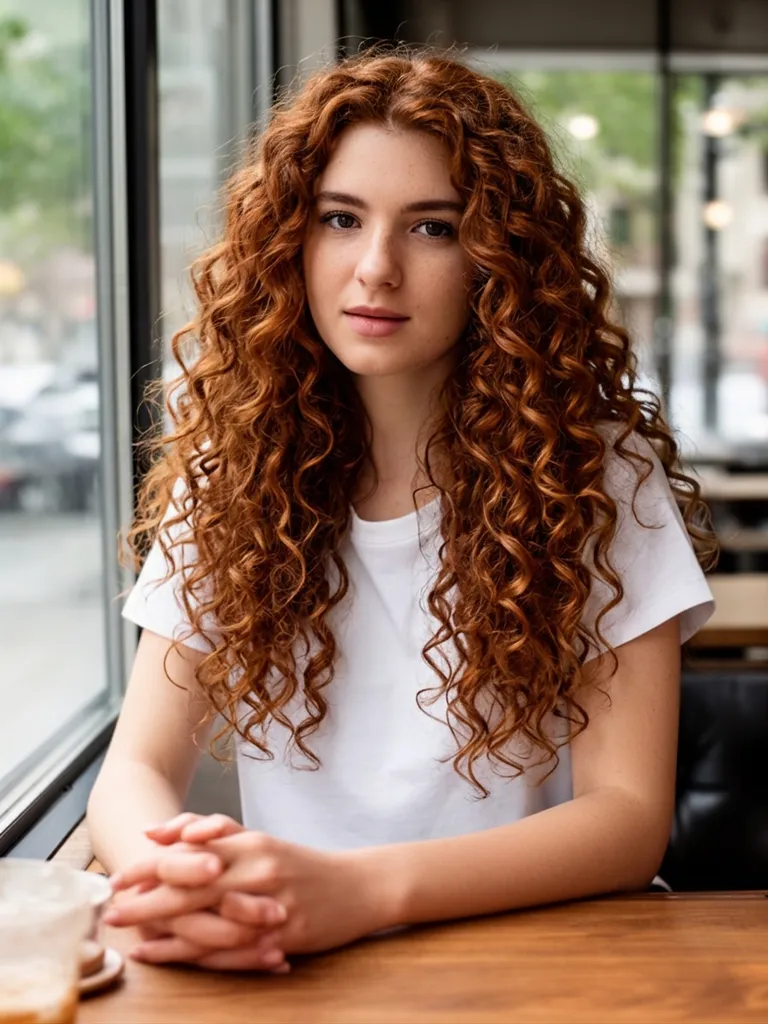 After
AfterCurly copper red hair
Nano Banana 2“Give her voluminous curly copper red hair, keep her face, clothes and background exactly the same”Try this prompt →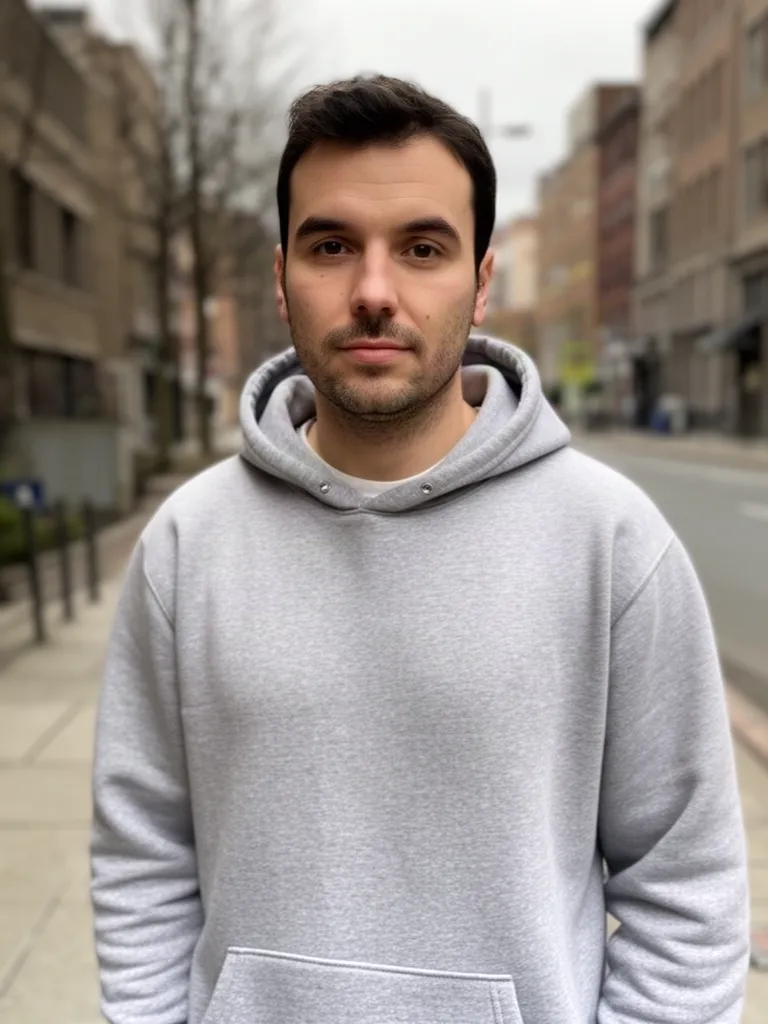 Before
 After
AfterBuzz cut
Nano Banana 2“Give him a clean buzz cut, keep his face, beard, clothes and background exactly the same”Try this prompt →Before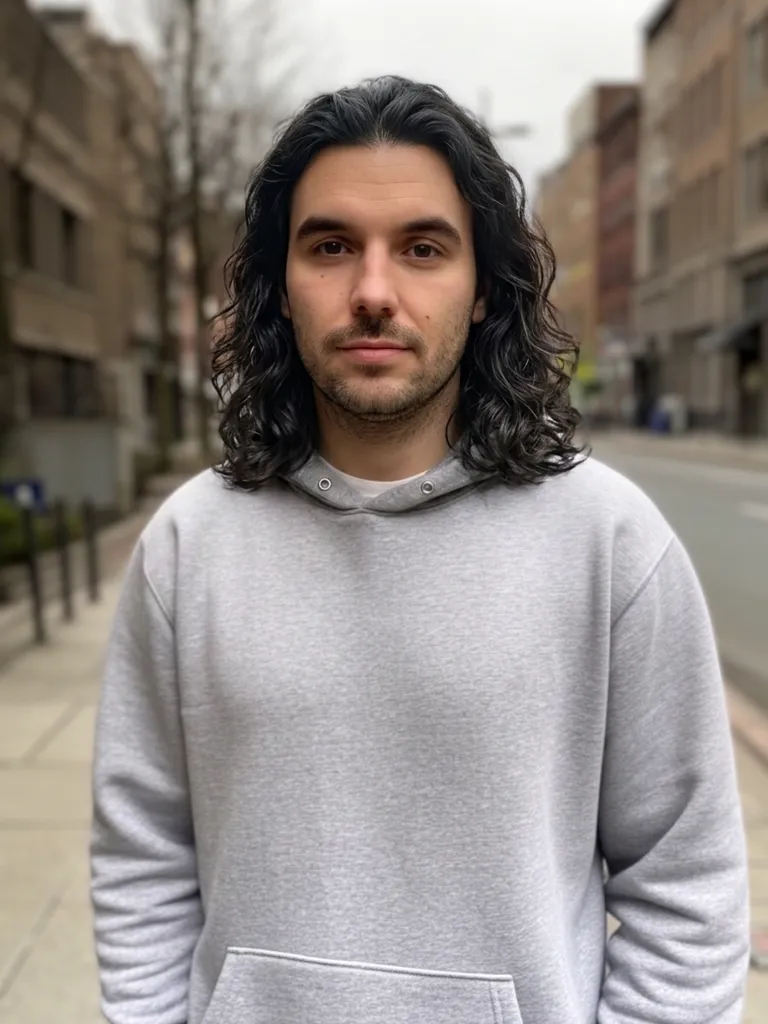 After
AfterShoulder-length wavy hair
Nano Banana 2“Give him shoulder-length wavy hair, keep his face, beard, clothes and background exactly the same”Try this prompt →AI hairstyle changer at a glance
| What it changes | Haircut, length, texture, bangs, color and highlights |
|---|---|
| What stays | Your face, expression, clothes and background |
| Model used | Nano Banana 2 for the examples above, because it keeps a face closest to the original |
| Best photo | A clear, front-facing selfie in good light, with your hair visible and not under a hat |
| In EditAI | Included in the Starter and Pro plans, on web, iPhone and Android. Nano Banana 2 is a Pro model |
| How to pick the model | Click any “Try this prompt” link on this page, or start your prompt with use nanobanana2 |
Hairstyles you can try
Short cuts
Pixie, bob, buzz cut or undercut, before you commit to the scissors.
Long hair
Add length and layers to see a grown-out look.
Curls and waves
Switch between straight, wavy and curly hair with natural texture.
Hair color
Platinum, copper, jet black, pastel pink or balayage, in one sentence.
Bangs and styling
Curtain bangs, a side part, slicked back hair or a messy bun.
Men's cuts and beards
Fades, crew cuts and longer styles, plus beard changes.
How it works
Three steps. Most edits are ready in about a minute.
Upload a selfie
Open the Studio and add a clear, front-facing photo with your hair visible.
Describe the hair
Write the cut and color you want, or click a prompt on this page to pre-fill it.
Compare and download
See the result in about a minute, try another style, then download the one you like.
Hairstyle prompts to start from
Click a prompt to open it in the editor with your own photo.
Questions
Can I try hairstyles on my own face?
Yes. Upload a selfie and describe the haircut. The AI changes only the hair, so you see the new style on your own face, not on a model.
Can it change just my hair color?
Yes. Ask for the color only, like “change my hair color to copper red, keep the haircut the same”. It works for natural shades, highlights, balayage and bold colors.
Will my face stay the same?
The examples on this page use Nano Banana 2, which keeps faces closest to the original. Add “keep my face exactly the same” to your prompt for the best match.
What photo works best?
A sharp, front-facing selfie in even light, with your hair not covered by a hat or hands. One person per photo gives the cleanest result.
How much does it cost?
Starter is $4.99 a month for 50 edits a day. Pro is $9.99 a month for 300 edits a day and adds the premium models, including Nano Banana 2. You can cancel any time.