Which AI image model is best?
We gave the same photo and the same prompt to GPT Image 2, Nano Banana 2, Seedream 5 and Grok Imagine. Each one wins at something different, and EditAI has all of them in one editor with one subscription.
What is the best AI image model?
The best AI image model depends on the edit, because each model is strongest at something different. GPT Image 2 (OpenAI) shines at text inside images and product shots, Nano Banana 2 (Google) at keeping a face identical and at clean removals, Seedream 5 (ByteDance) at fashion and fine detail, and Grok Imagine (xAI) at playful, bold edits. In EditAI you can use all of them on your own photos, and the AI picks the best one for each prompt unless you choose.
One strong edit per model
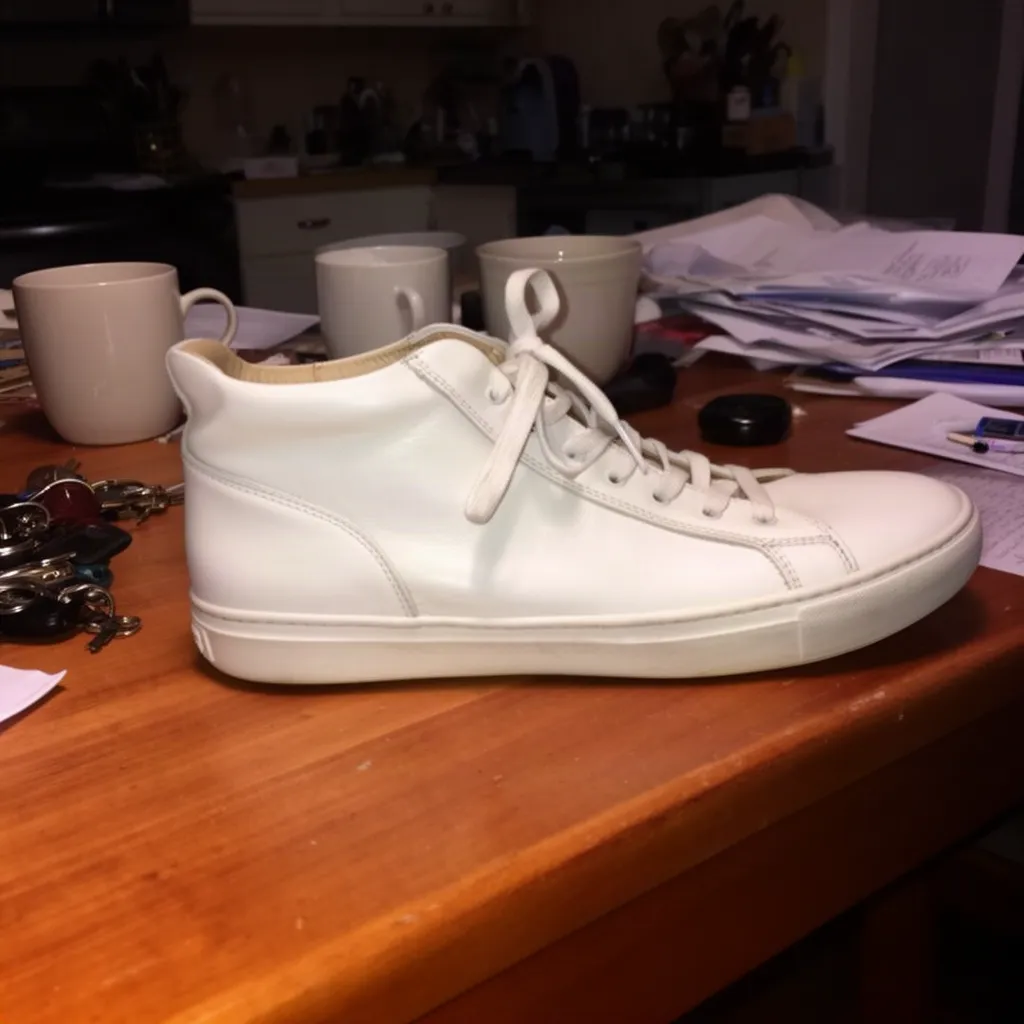
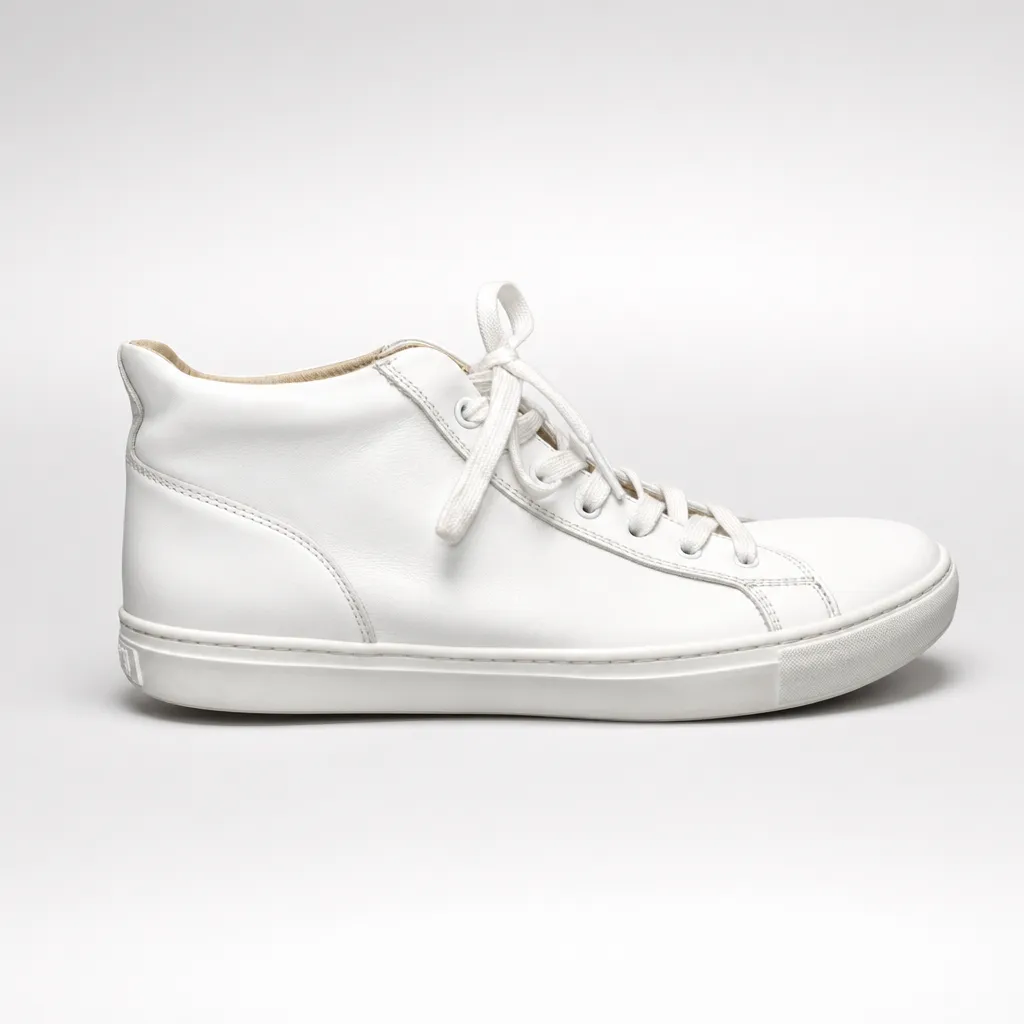
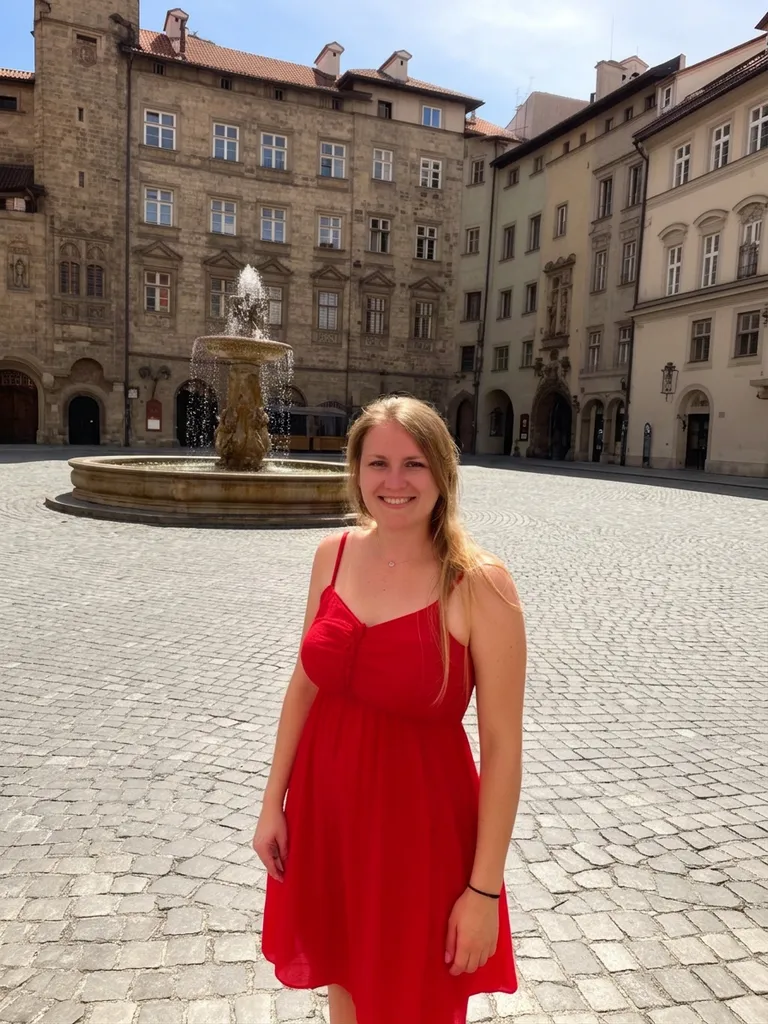
Real edits made inside EditAI. Each model is shown on a kind of edit it does well, with the exact prompt that made it.
 Before
 After
AfterGPT Image 2: product photo
GPT Image 2“Turn this into a professional studio product photo: the same white sneaker on a clean seamless light grey background, soft studio lighting, subtle shadow, e-commerce ready”Try this prompt →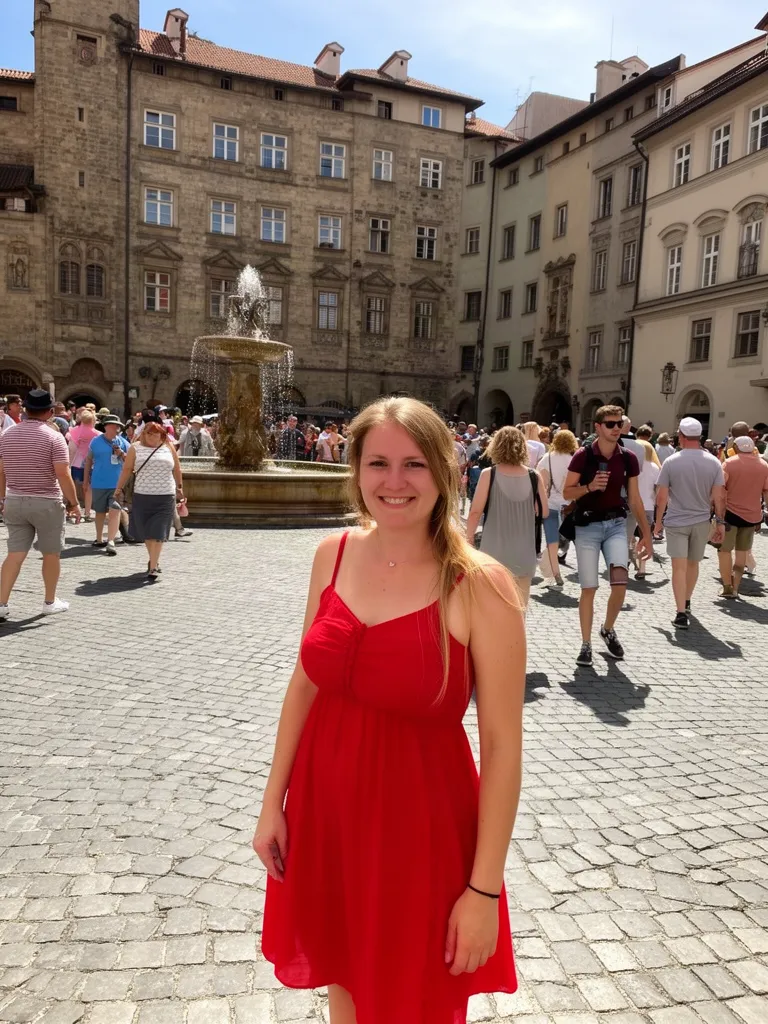 Before
 After
AfterNano Banana 2: remove people
Nano Banana 2“Remove all the other people in the background, keep only the woman in the red dress and the square”Try this prompt →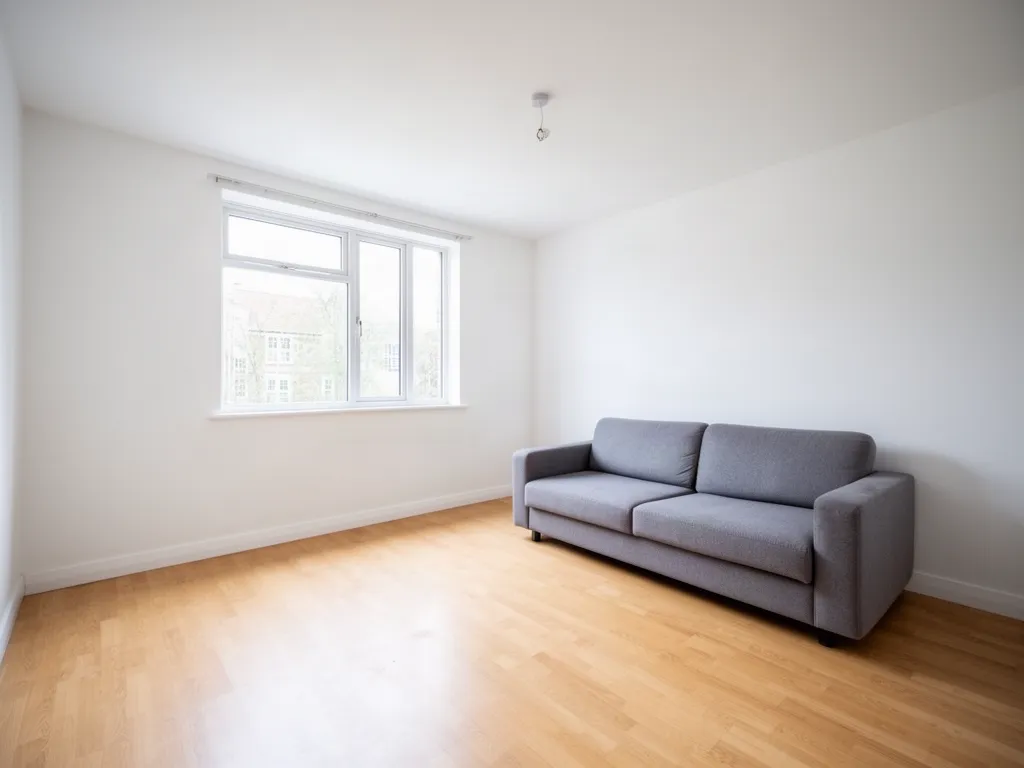 Before
 After
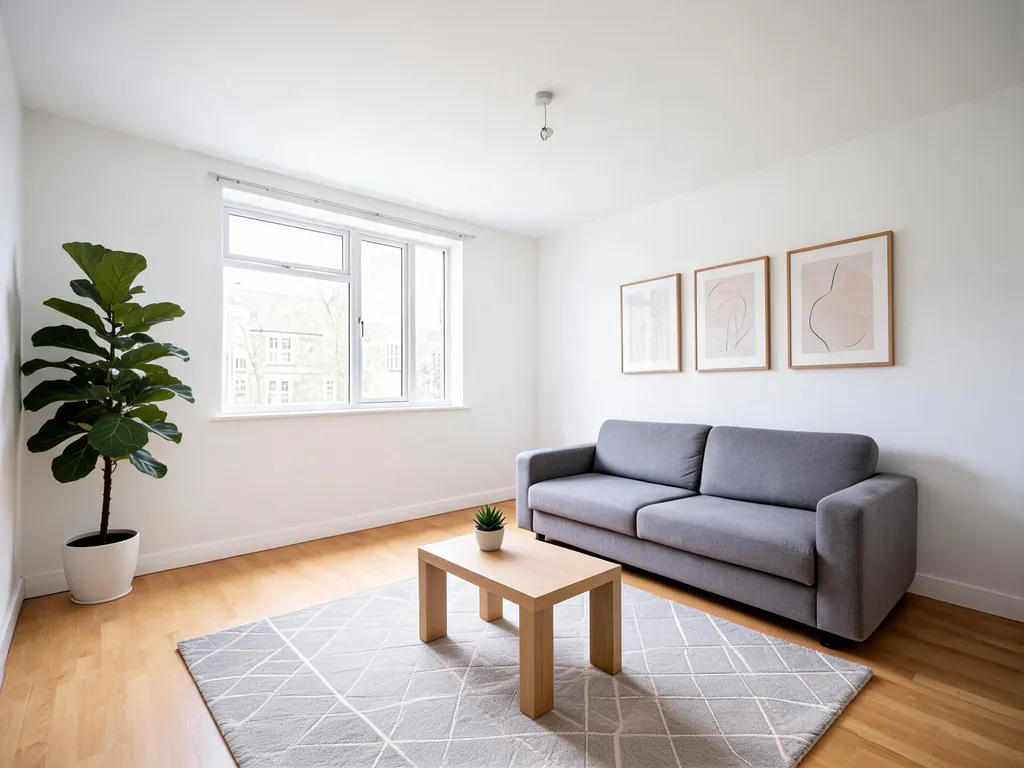
AfterSeedream 5.0 Lite: virtual staging
Seedream 5.0 Lite“Virtual staging: furnish this living room in Scandinavian style with a rug, plants, a coffee table and wall art, keep the walls, window and floor”Try this prompt →Before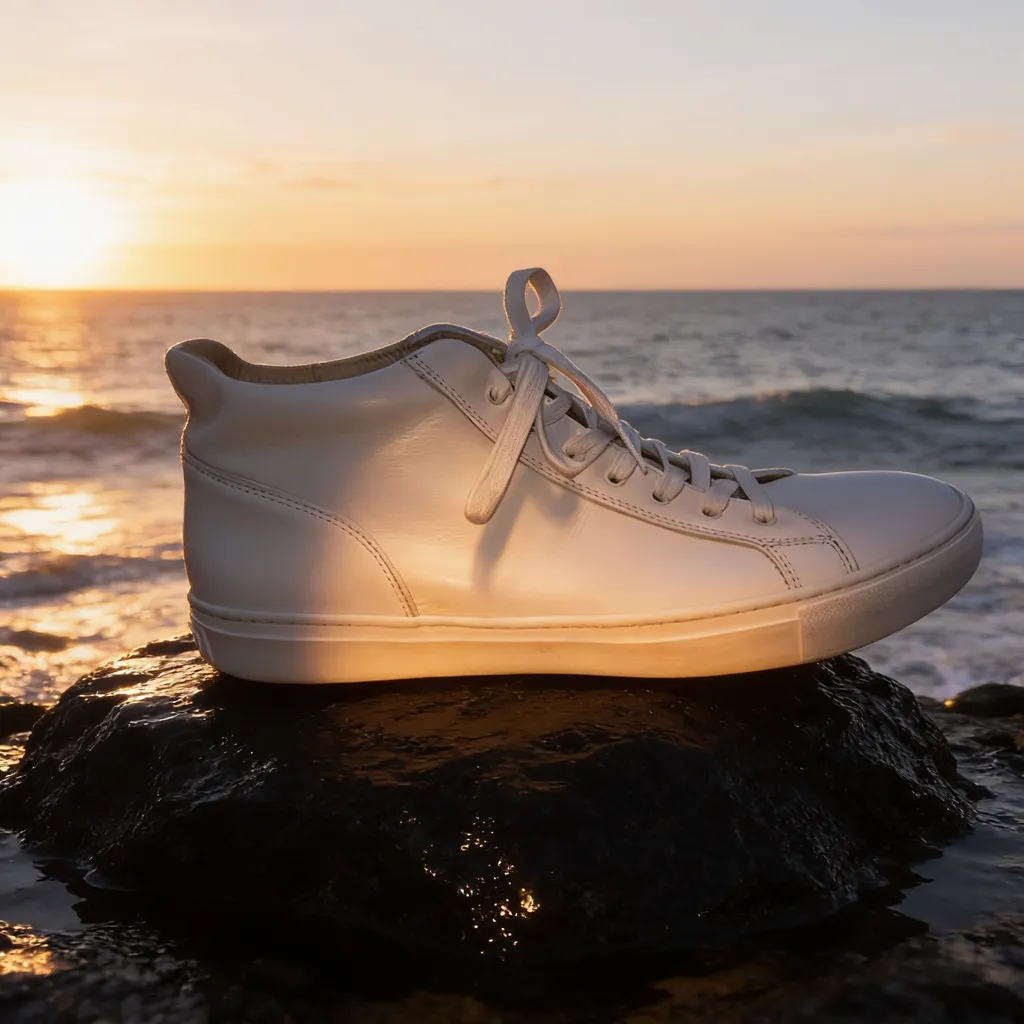 After
AfterSeedream 4.5: product ad
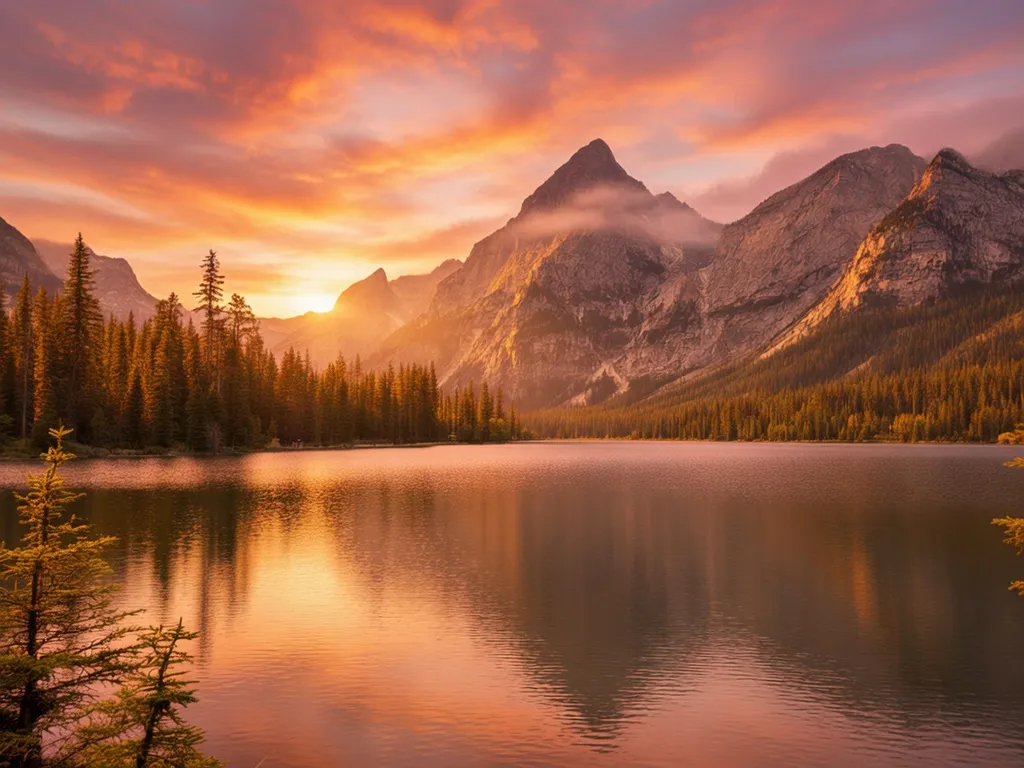
Seedream 4.5“Place the same sneaker on a wet black rock by the ocean at sunrise, advertising photo, dramatic light”Try this prompt →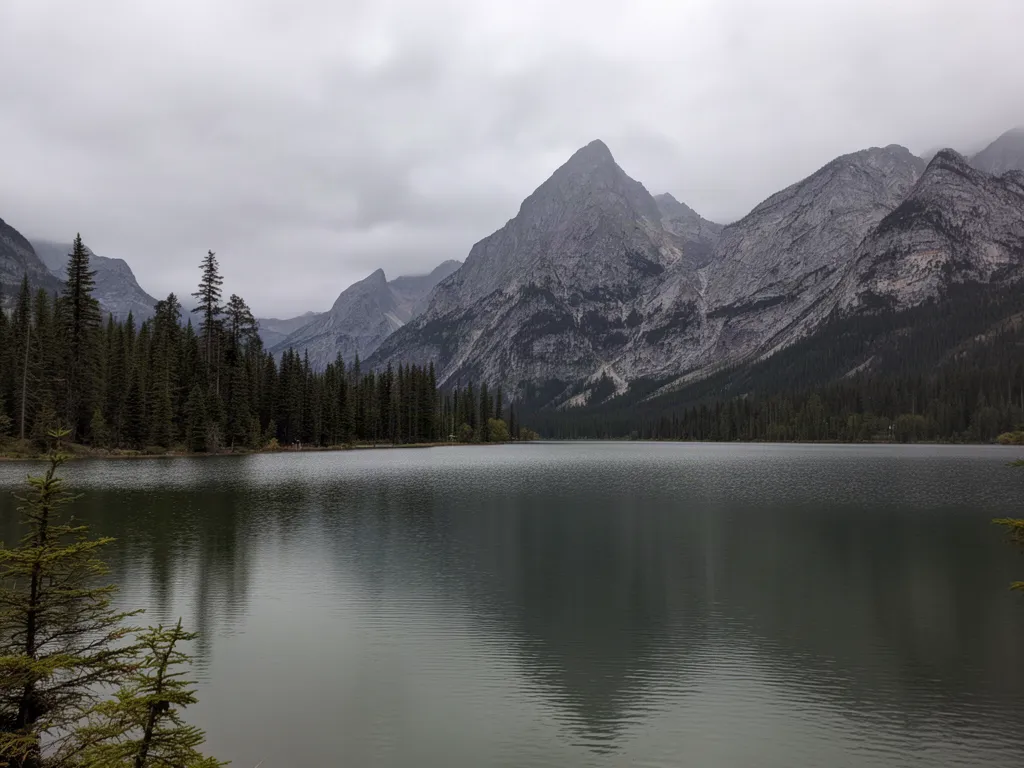 Before
 After
AfterGrok Imagine: sunset sky
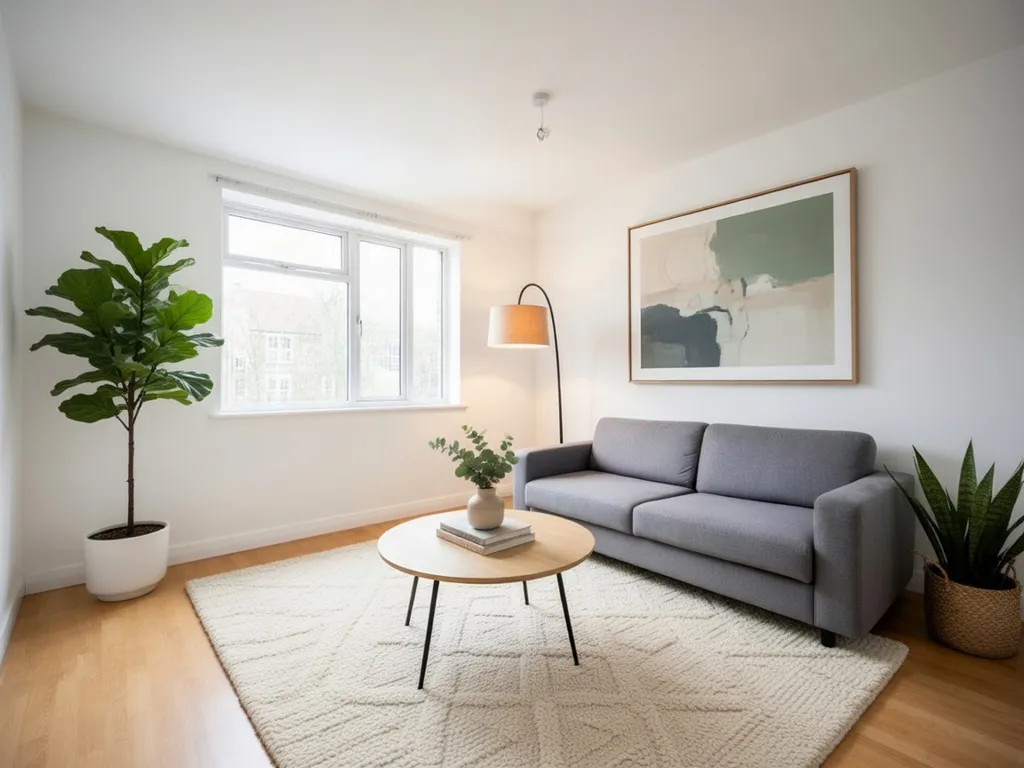
Grok Imagine“Make it a dramatic golden sunset with a pink and orange sky reflected in the lake”Try this prompt →Same room, four models
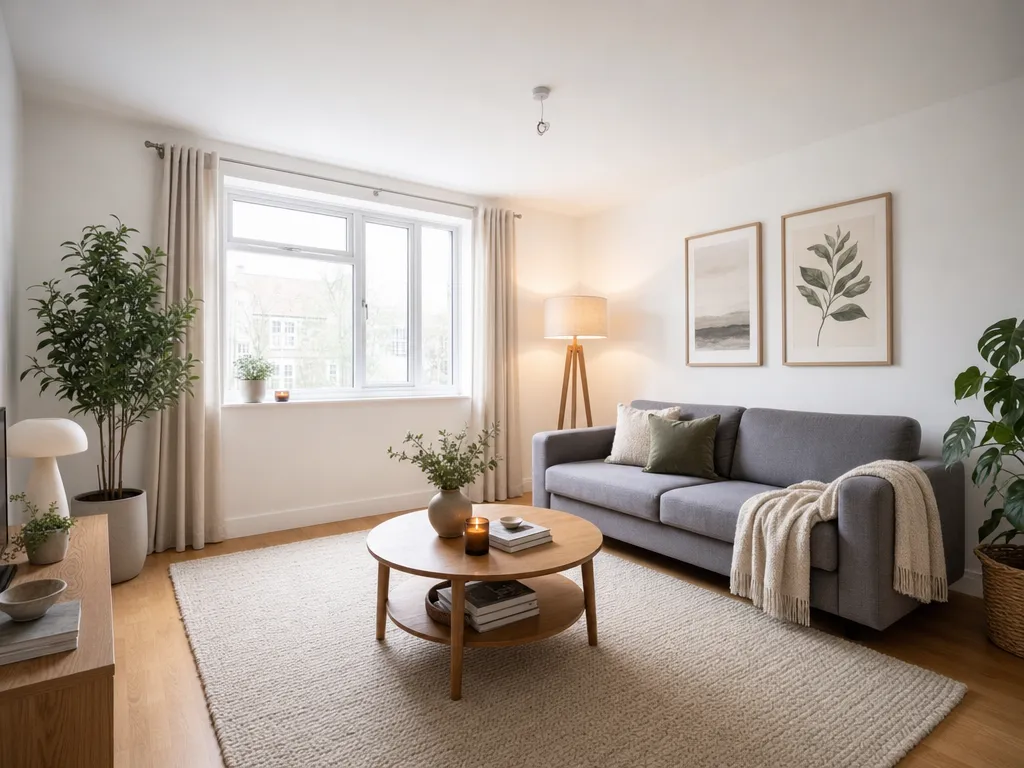
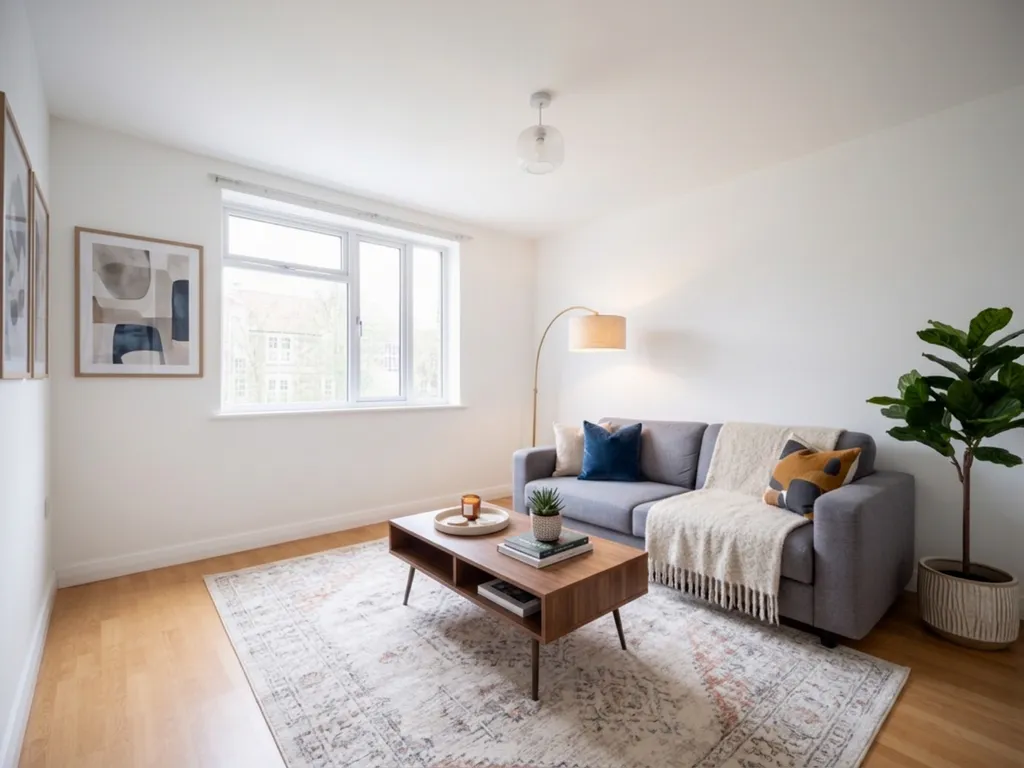
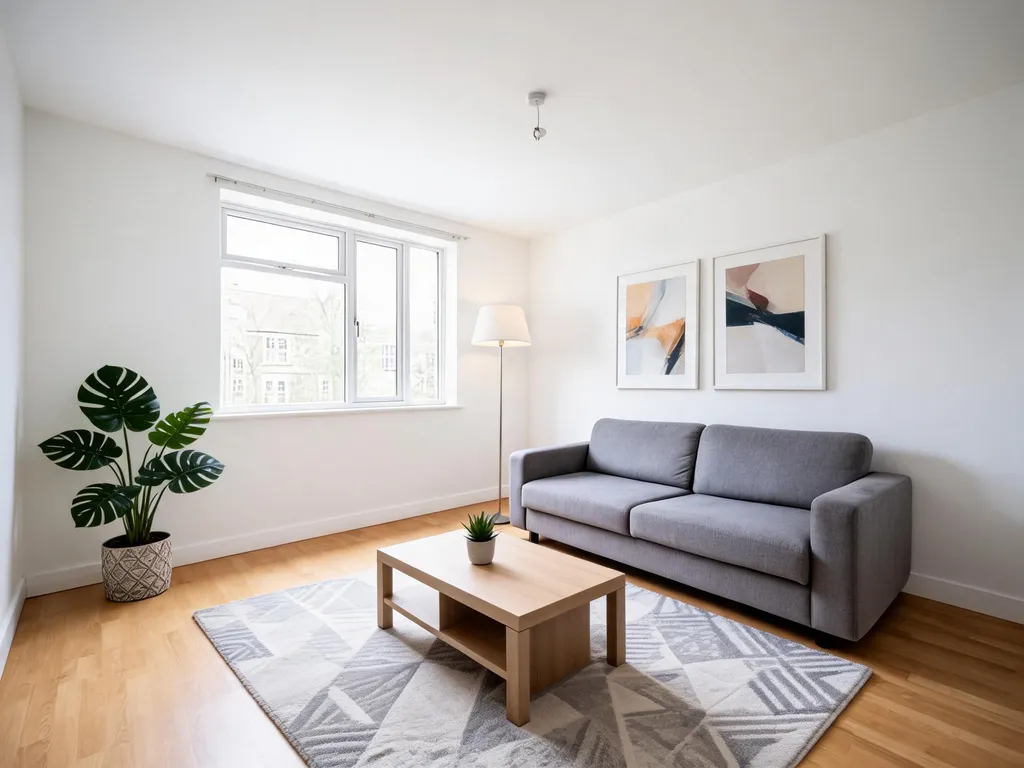
Prompt: “Furnish this empty living room in a cozy modern style with a rug, plants, a coffee table, a floor lamp and art on the wall. Keep the walls, window, floor and the grey sofa.”
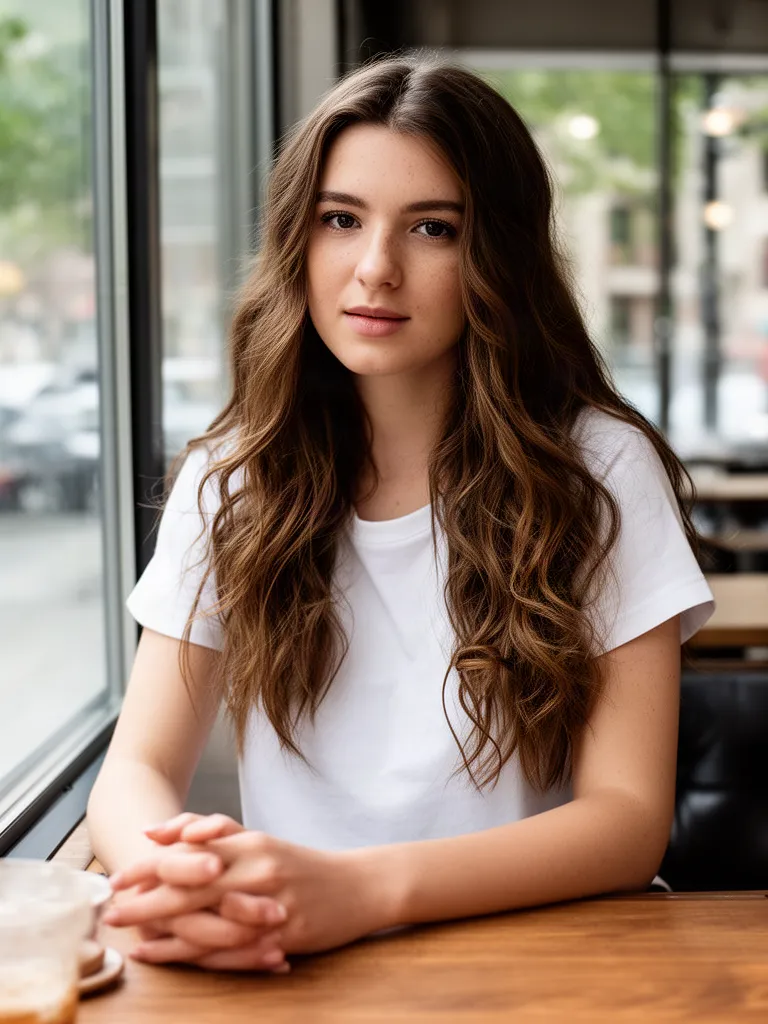
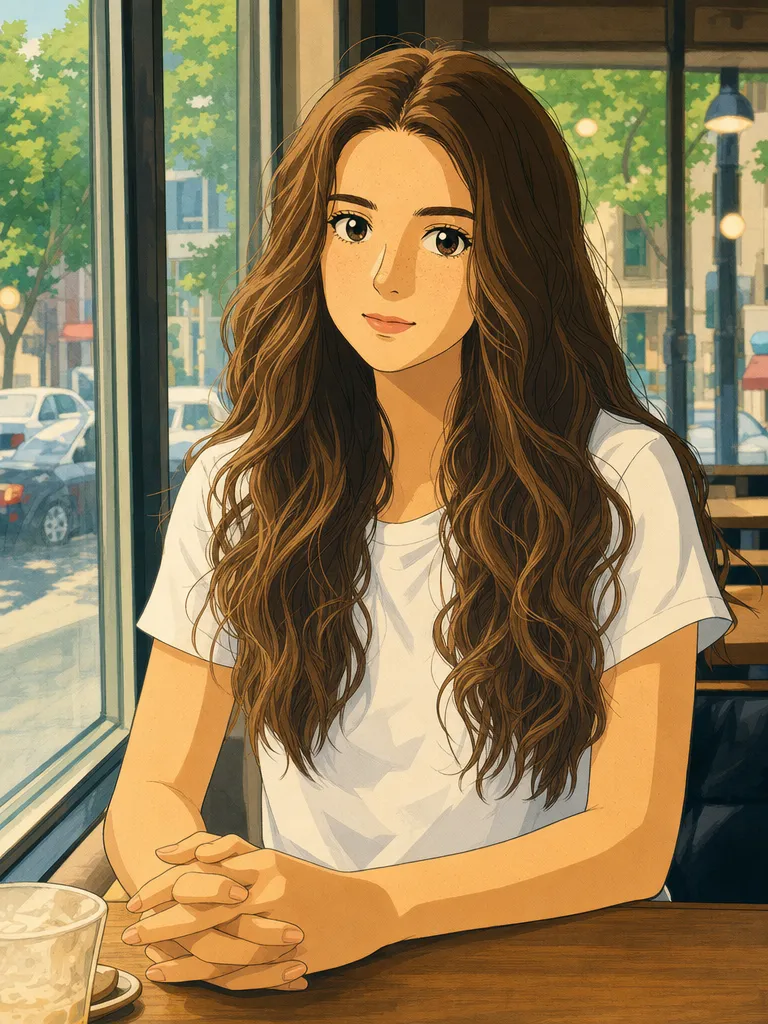
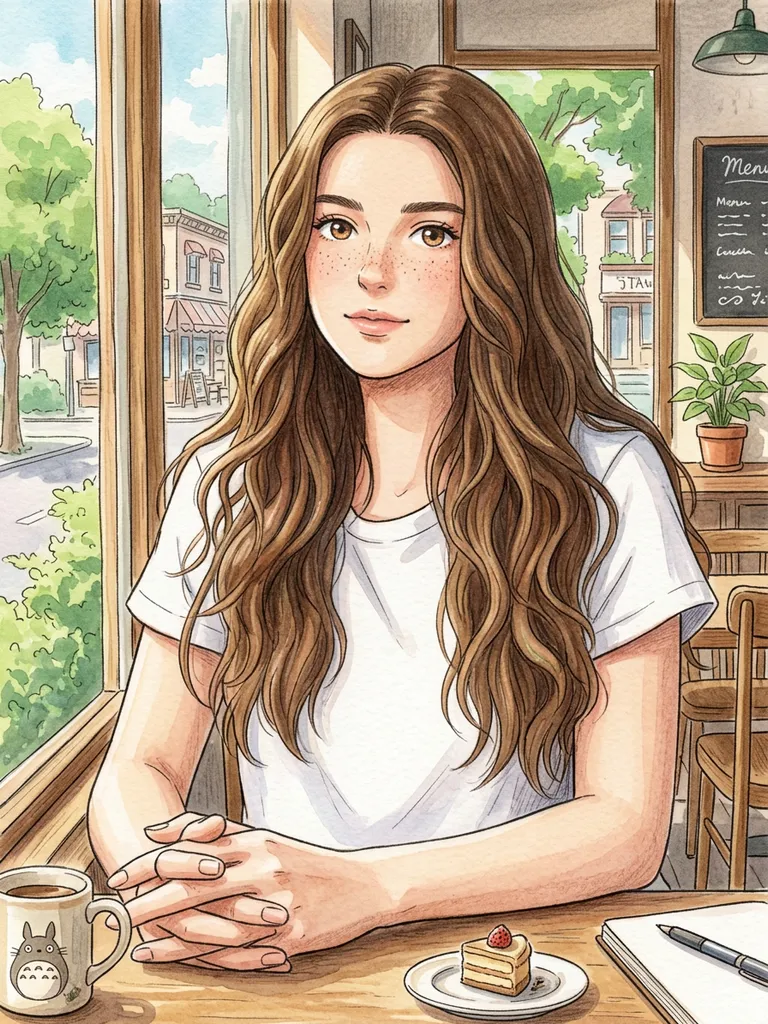
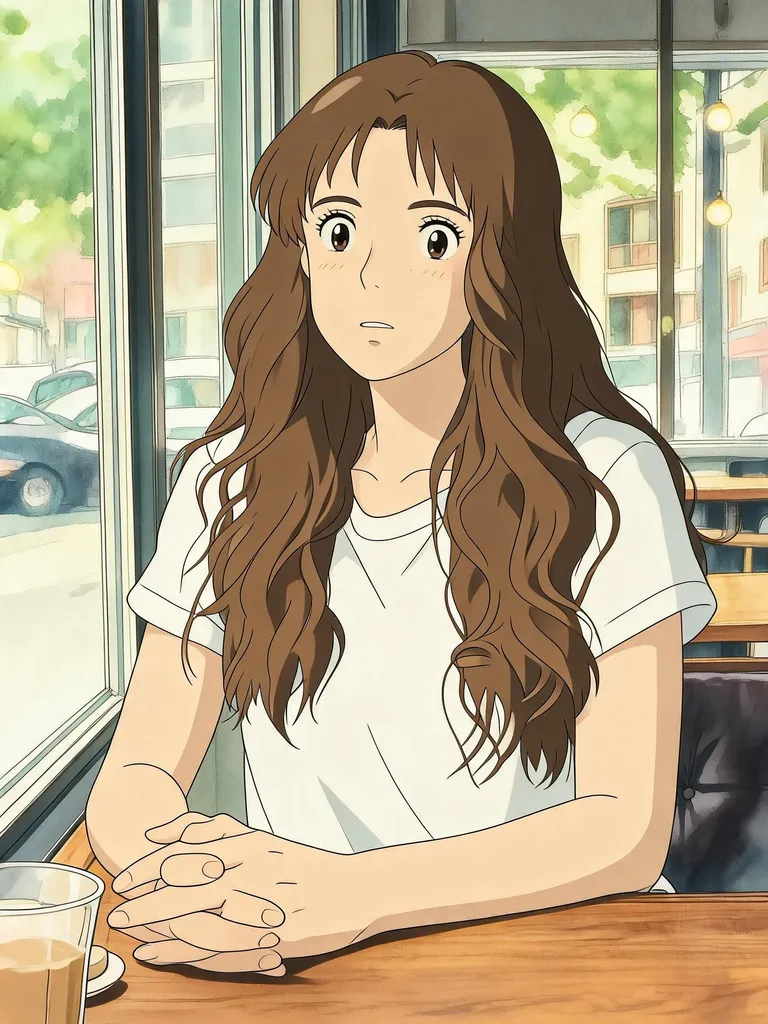
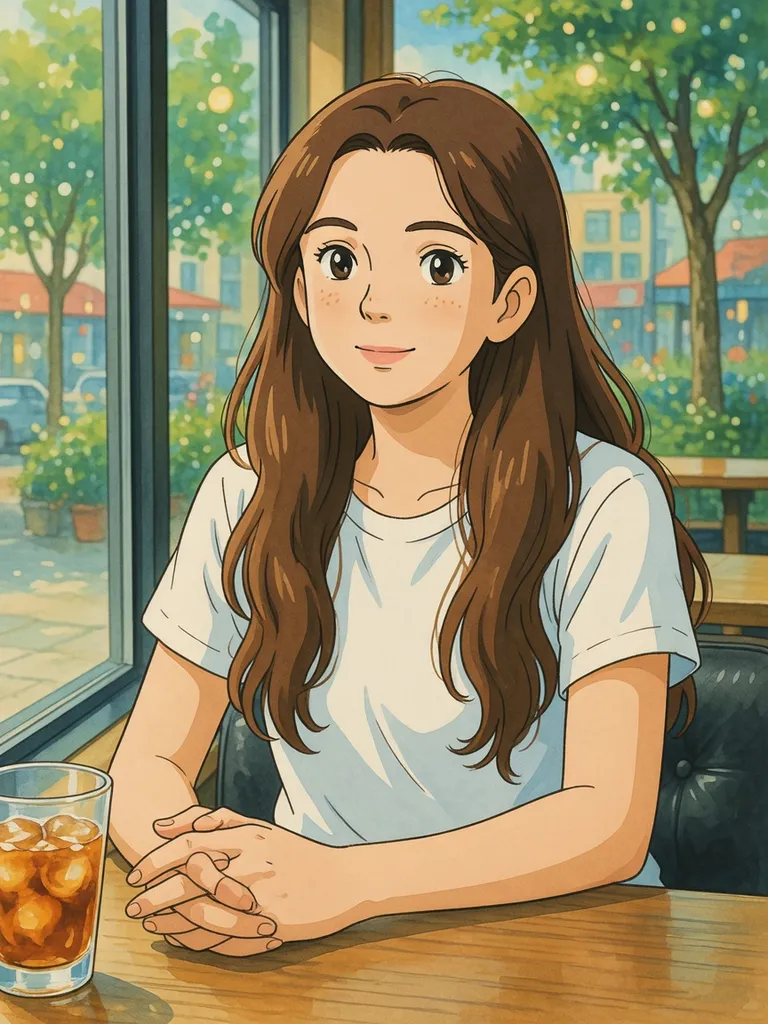
Same portrait, four models: Studio Ghibli style
Prompt: “Turn this photo into a Studio Ghibli style anime illustration, keep her pose, hair and the cafe window.”
Every model in EditAI
The AI picks a model for each prompt. To choose one yourself, start the prompt with the words shown in italics.
| GPT Image 2 (OpenAI) | Text inside images, product photos and full restyles like Ghibli or anime. Starter and Pro plans · use gptimage2 · GPT Image 2 page |
|---|---|
| Nano Banana 2 (Google) | Keeping a face identical, removing people and objects, restoring old photos. Premium model in the Pro plan · use nanobanana2 · Nano Banana 2 page |
| Nano Banana (Google, original) | Everyday edits that keep likeness, the version that went viral in 2025. Starter and Pro plans · picked automatically |
| Seedream 5.0 Lite (ByteDance) | Fashion and portrait shots, interior staging and fine, realistic detail. Premium model in the Pro plan · use seedream5 · Seedream page |
| Seedream 4.5 (ByteDance) | Product ads, landscapes, seasons and art styles. Starter and Pro plans · use seedream |
| Grok Imagine (xAI) | Playful edits, new skies and backgrounds, lighting and mood. Starter and Pro plans · use grok · Grok Imagine page |
| Upscaler and background removal | Sharpen blurry photos and cut out the subject. Starter and Pro plans · AI image upscaler |
Which model for which edit
Text on images
Signs, posters and covers with the exact words: start with GPT Image 2.
Same face, new scene
Keep a person looking like themselves: start with Nano Banana 2.
Remove people and objects
Clean backgrounds with natural fills: start with Nano Banana 2.
Fashion and fine detail
Editorial portraits, fabric and products: start with Seedream 5.
Playful and bold edits
Props, skies, lighting and mood: start with Grok Imagine.
Not sure which one?
Write your prompt without a model name and EditAI picks one for you.
How to use any model
Three steps, and you can switch model at any time.
Upload a photo
Open the Studio and drop in a JPG or PNG from your phone or computer.
Pick a model or let the AI choose
Start your prompt with use gptimage2, use nanobanana2, use seedream5, use seedream or use grok, or just describe the edit.
Compare and download
Run the same prompt with another model, keep the better result and download it in high resolution.
Prompts to test any model
Click a prompt to open it in the editor, then add use gptimage2, use nanobanana2, use seedream5, use seedream or use grok at the start to compare models on your own photo.
Questions
Which AI image model is best for editing photos?
It depends on the edit. GPT Image 2 for text and product shots, Nano Banana 2 for keeping faces identical and removing people, Seedream 5 for fashion and detail, Grok Imagine for playful edits. If you are not sure, write the prompt and let EditAI pick the model.
Can I use all these models with one subscription?
Yes. The Pro plan ($9.99 a month, 300 edits a day) includes every model, with the premium Nano Banana 2 and Seedream 5. The Starter plan ($4.99 a month, 50 edits a day) includes GPT Image 2, Nano Banana, Seedream 4.5 and Grok Imagine. See pricing; you can cancel any time.
GPT Image 2 or Nano Banana 2: which is better?
GPT Image 2 is stronger on text and stylized results, Nano Banana 2 is better at keeping a face identical across edits. See both on the GPT Image 2 and Nano Banana 2 pages.
How do I choose a model in EditAI?
Start your prompt with use gptimage2, use nanobanana2, use seedream5, use seedream (for Seedream 4.5) or use grok. Without a model name, the AI picks the best one for your prompt.
Do I need accounts with OpenAI, Google, ByteDance or xAI?
No. All the models run inside EditAI, so you only need an EditAI account and plan. EditAI is independent and not affiliated with these companies.
Are the original Nano Banana and Seedream 4.5 still available?
Yes. Both are in every EditAI plan and handle everyday edits well. Nano Banana 2 and Seedream 5.0 Lite are their newer versions, available as premium models in the Pro plan.